In this article, I am going to provide the top upcoming trending AI photo editing prompts through which you can easily create amazing photos without any editing skills that you can share on your social media. If you are interested in making trendy images using prompts, this article is going to be very helpful for you. Nowadays, ChatGPT and Gemini AI tools are widely used for AI image generation. Although these AI tools can be used for multiple purposes, people mainly use ChatGPT and Gemini for image creation because they provide realistic results without taking too much time or effort. Within a few seconds, they generate amazing images.
Why Do People Love AI-Generated Images ?
Nowadays, people love to create AI images because of the realistic results they expect from tools like OpenAI ChatGPT and Google Gemini. There are various reasons behind this, but as I have noticed, most people do not want to spend time on manual photo editing or put in extra effort. They want everything quickly, and AI tools provide realistic results that people truly want. Therefore, people prefer creating AI images using ChatGPT or Gemini. One of the best things about these tools is that they are free to use, through which anyone can create their own images. Both applications also have very easy interfaces, just like a drag-and-drop activity, and your image will be ready within seconds.
Viral AI Prompts for Stunning Photos
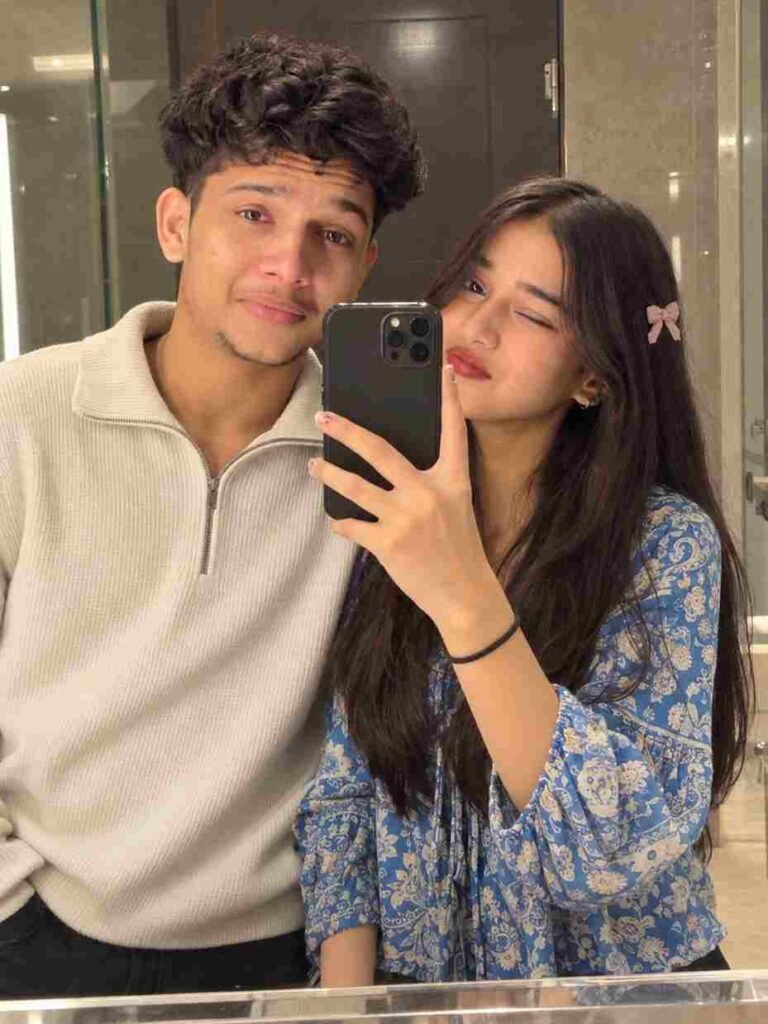
Create a highly realistic casual mirror-selfie photo of a young couple standing very close together in front of a large bathroom mirror.

COMPOSITION & POSE:
The male is standing on the left and the female on the right. They are standing shoulder-to-shoulder, close and comfortable, facing the mirror. The female is holding a black smartphone vertically in front of the mirror, partially covering the center of the image. The male is slightly behind/next to her, leaning naturally toward her. Both subjects are clearly visible from approximately chest/waist up.

MALE:
Natural thick, slightly messy black hair with soft volume, short natural beard and moustache, realistic facial features, relaxed gentle expression with a subtle closed-mouth smile. He is wearing a cream/off-white textured half-zip sweater.

FEMALE:
Long, naturally wavy dark-brown hair with soft volume. She is making a playful wink and a cute subtle pout toward the mirror/camera. She is wearing a colorful blue patterned top. Add a small soft pink bow hair clip on the side of her hair.

DETAILS:
Warm indoor bathroom lighting, large clean mirror, neutral beige/brown bathroom background, realistic mirror reflections, natural skin texture, realistic hands and fingers, authentic smartphone-camera quality, slight natural softness, subtle photographic imperfections.

STYLE:
Ultra-realistic casual smartphone mirror selfie, natural lighting, realistic skin texture, believable proportions, candid couple-photo feeling, no artificial studio look, no excessive HDR, no plastic skin, no beauty filter, no over-sharpening, no unrealistic blur.

IMPORTANT:
If using reference photos, preserve each person's original facial identity exactly. Do not change face shape, eyes, eyebrows, nose, lips, jawline, skin tone, hairline, age, or natural proportions. No face mixing, no beautification, no facial reshaping. Keep the result looking like a genuine normal phone photo.
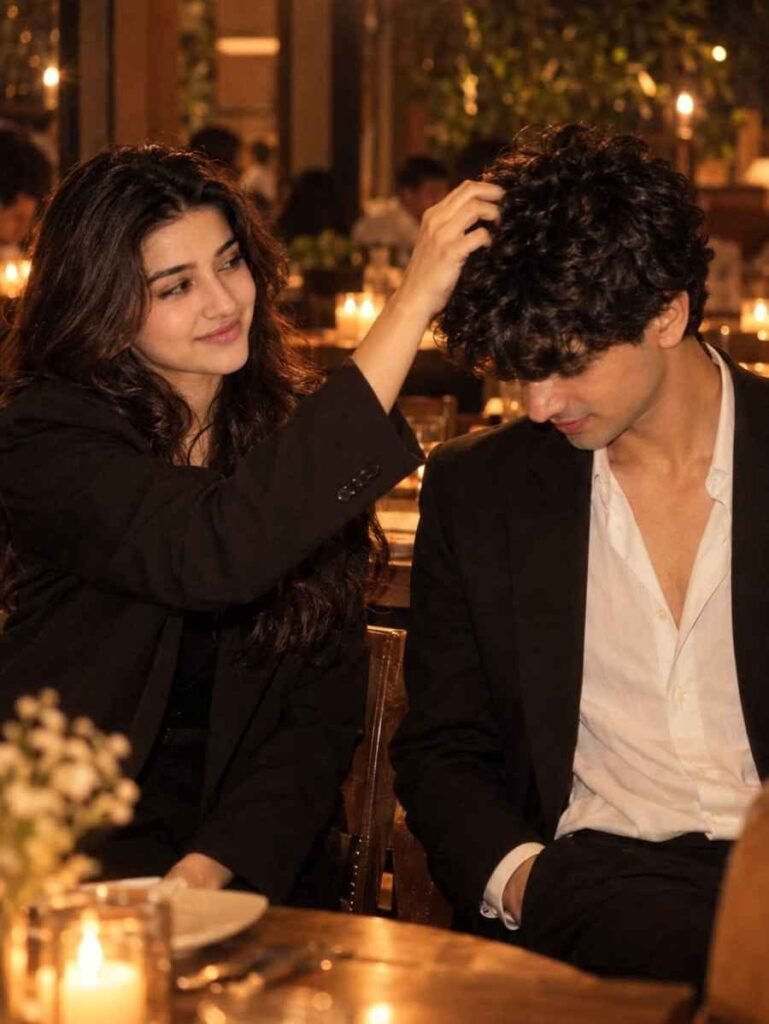
Use the uploaded reference photos for the faces of the two people. Keep both faces, skin tone, and hairstyles exactly the same as the references (100% match). Recreate this scene: vertical 9:16 candid photo in a warm restaurant at night. The woman on the left, in a black blazer, smiles and gently ruffles the man's curly hair. The man on the right, in a black suit jacket and white open-collar shirt, bows his head shyly with one hand in his pocket. Golden pendant lamp with soft lens flare at the top, candles and wooden tables blurred behind, warm amber cinematic tones, shallow depth of field, subtle film grain, natural candid look.
Download This Girl Eye Photo ⬇️
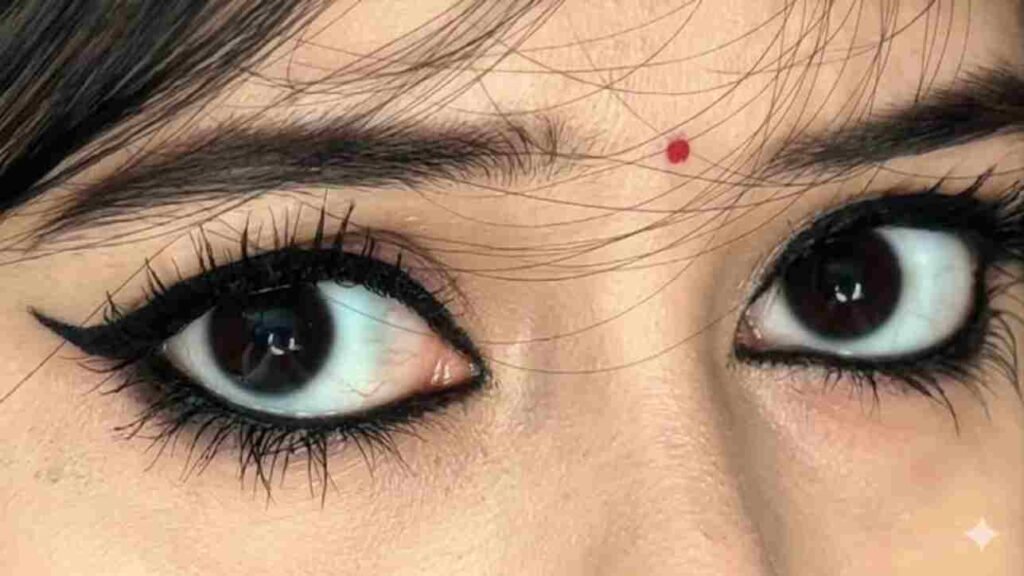
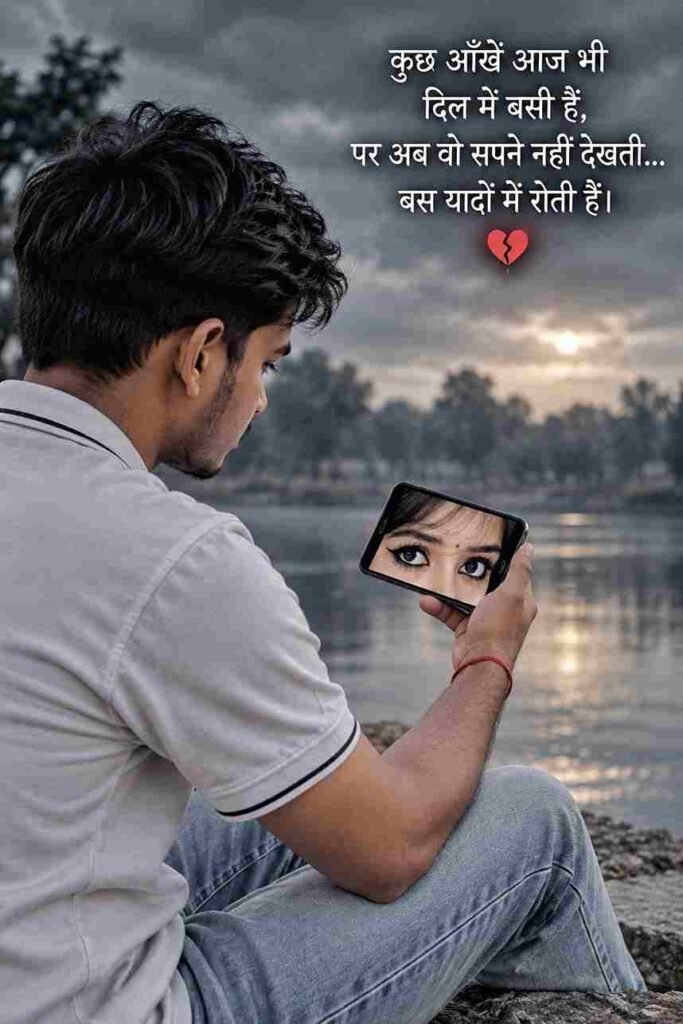
Place a mobile phone in my hand and add this photo of an eye to its screen ; a am sitting in quite spot, looking at it, colour grey and sad shayari 8k realistic
On the smartphone screen, show a close-up image of a woman's expressive eyes, with a dark background and a small Hindi emotional message. In the upper-right area of the image, add elegant white Hindi text:
“कुछ आँखें आज भी
दिल में बसी हैं,
पर अब वो सपने नहीं देखती...
बस यादों में रोती हैं।”
Below the quote, add a small broken-heart emoji/icon..
Download this background ⬇️
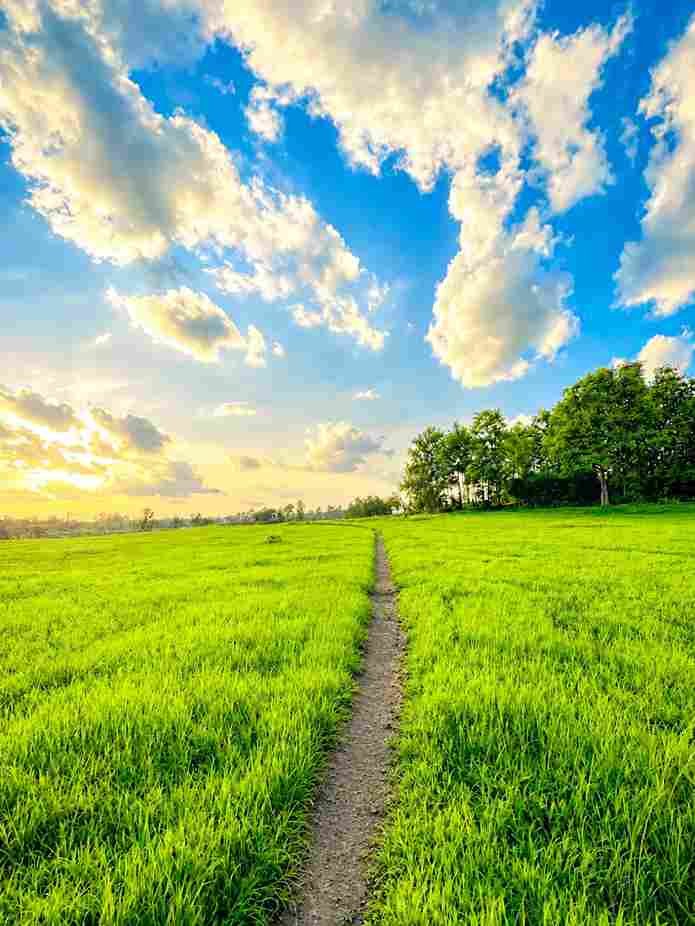
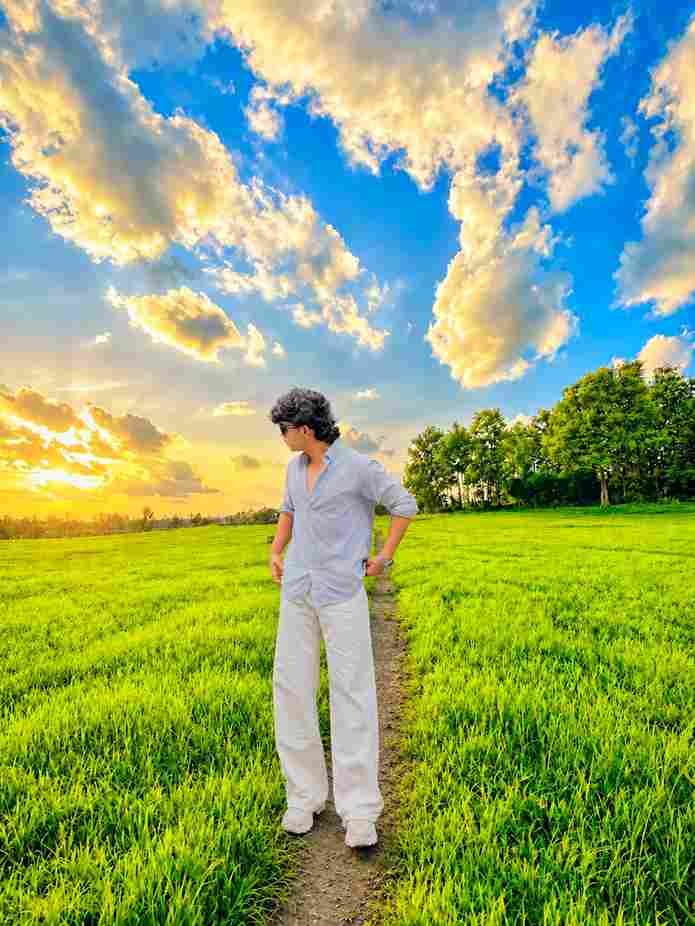
Add the person from the first photo naturally into the second photo. Preserve their exact face, hairstyle, body proportions, clothing, pose, and identity. Match the second photo’s lighting, perspective, shadows, colors, and environment perfectly. Ensure realistic contact with the ground, natural depth, seamless edges, authentic skin and fabric details, sharp focus, cinematic highlights, and professional photography. Keep the background unchanged and create a photorealistic final image.
Download this background ⬇️
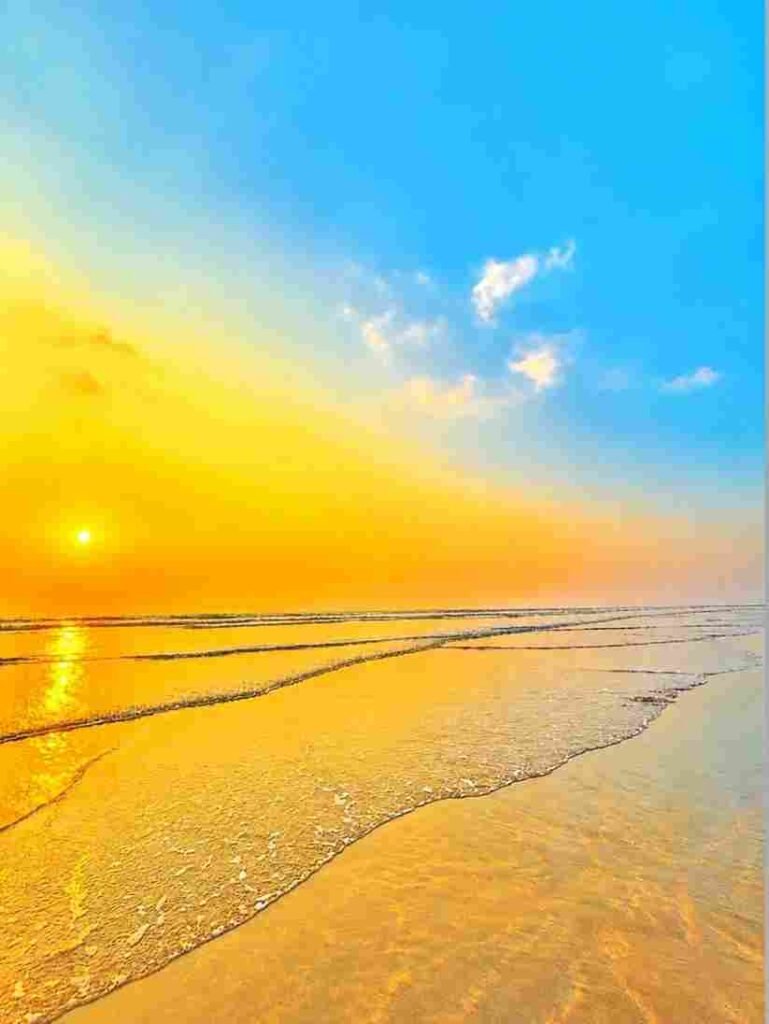
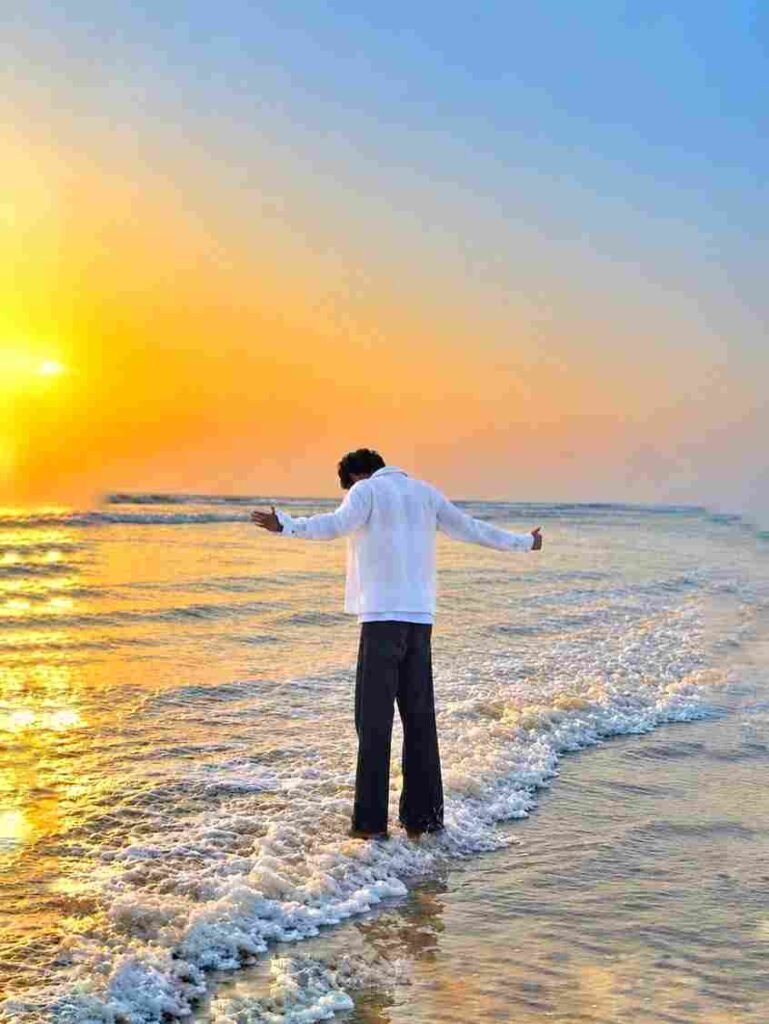
Add the person from the first photo naturally into the second photo. Preserve the person’s exact face, hairstyle, body proportions, clothing, pose, and identity. Match the second photo’s lighting, shadows, perspective, colors, and background perfectly. Make the final image ultra-realistic, sharp, beautifully highlighted, seamlessly blended, and professionally photographed with natural details.
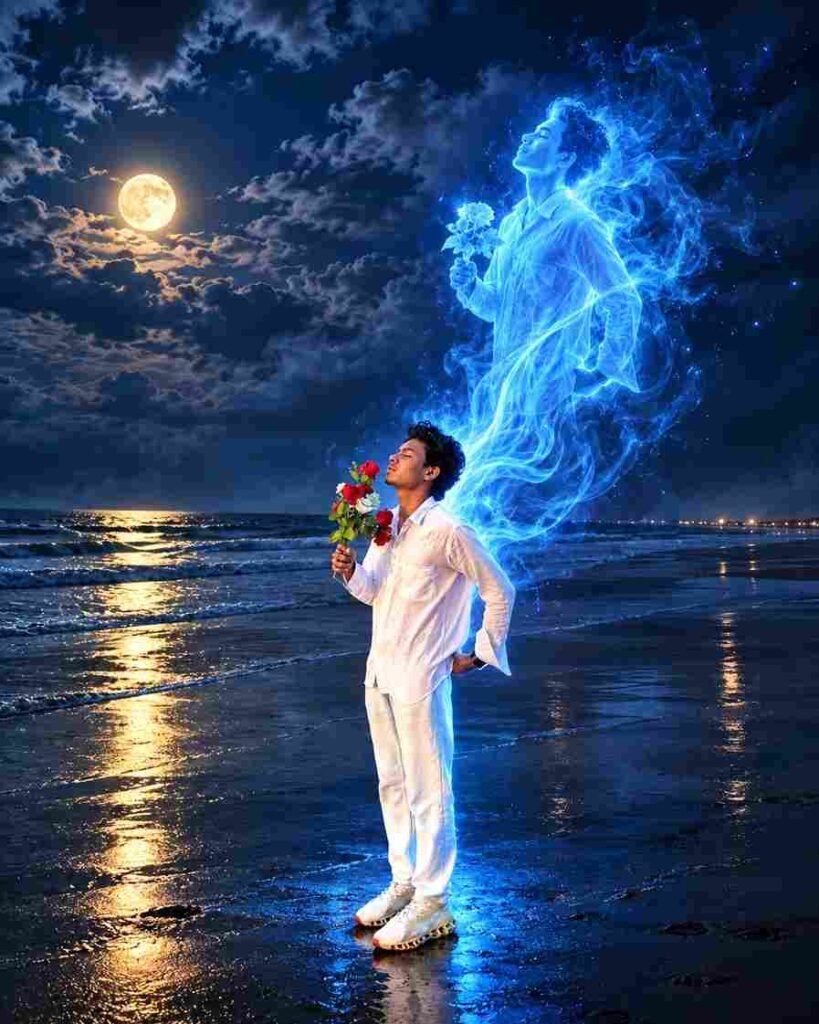
Transform the uploaded photo into a single-shot, ultra-realistic cinematic night scene while preserving the person exactly as shown in the original image. STRICT IDENTITY AND POSE LOCK: keep the exact face, facial features, hairstyle, body proportions, clothing, white outfit, shoes, bouquet, hand positions, head angle, body orientation, leg position, foot placement, and original standing posture completely unchanged. Do not redesign or reposition the person.

Create a translucent electric-blue spiritual soul emerging directly from the person’s body, following the exact same posture, silhouette, hairstyle, clothing shape, body orientation, and visual style of the original person. The soul should look like an ethereal duplicate of the same person, initially connected to the physical body around the back and chest, then gradually rising upward while maintaining the same recognizable pose and proportions. It should be made from transparent blue energy, glowing mist, flowing light trails, subtle smoke, and tiny luminous particles.

The physical person remains clearly visible in the foreground, while the blue soul rises naturally behind and slightly above them in one continuous flowing form, as if the person’s spirit is leaving the body. The soul must not become a separate unrelated character, must not change gender or appearance, and must not create an extra physical body.

Change the original daytime beach atmosphere into a dark cinematic midnight scene with a deep blue sky, dramatic clouds, soft moonlight, subtle mist, dark ocean waves, and realistic reflections on the wet sand. Preserve the original beach composition and horizon. Add subtle warm distant lights near the horizon for contrast.

The soul produces strong but realistic electric-blue rim lighting across the person’s hair, shoulders, white clothing, arms, and shoes, with natural blue illumination spilling onto the surrounding sand. Maintain realistic shadows, reflections, atmospheric depth, volumetric lighting, detailed skin texture, realistic fabric folds, and photorealistic rendering.

ONE PERSON + ONE SOUL ONLY. ONE CAMERA ANGLE. ONE CONTINUOUS SHOT. EXACT ORIGINAL POSTURE. EXACT ORIGINAL STYLE. NO POSE CHANGE. NO DUPLICATE PHYSICAL PERSON. NO EXTRA LIMBS. NO EXTRA BODY. NO CUTAWAY. NO SIDE-BY-SIDE COMPOSITION. NO DIFFERENT OUTFIT. NO DIFFERENT FACE.

Ultra-realistic cinematic dark fantasy photography, physically accurate lighting, volumetric blue energy, realistic transparent smoke, fine glowing particles, dramatic moonlight, natural reflections, highly detailed, photorealistic, cinematic depth, 8K quality.
Save this background ⬇️
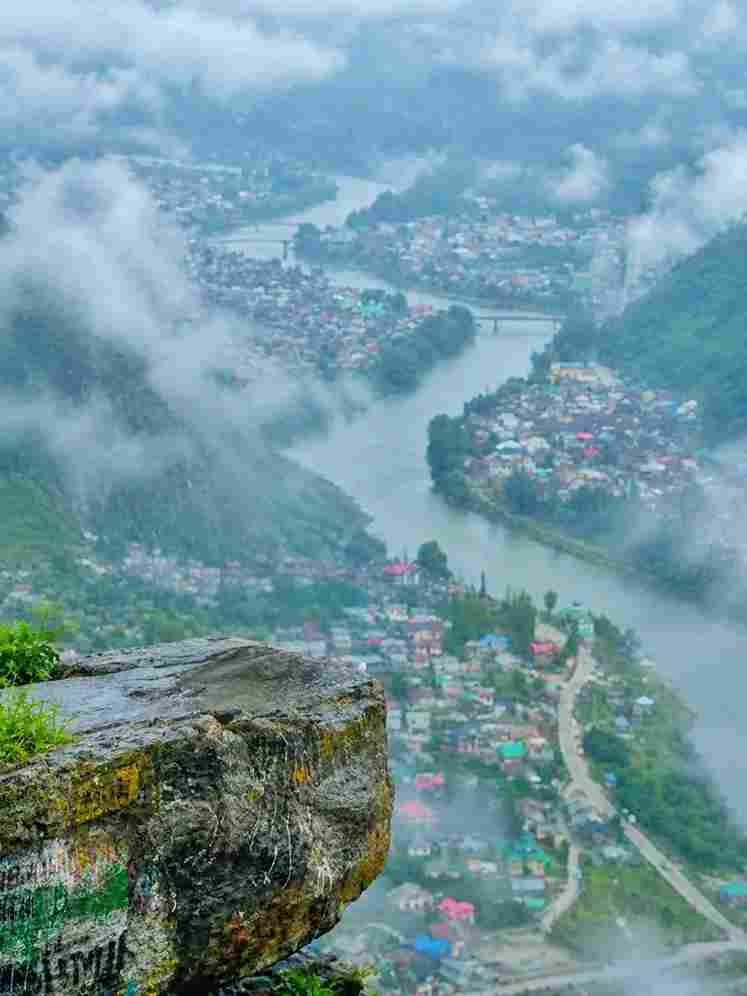
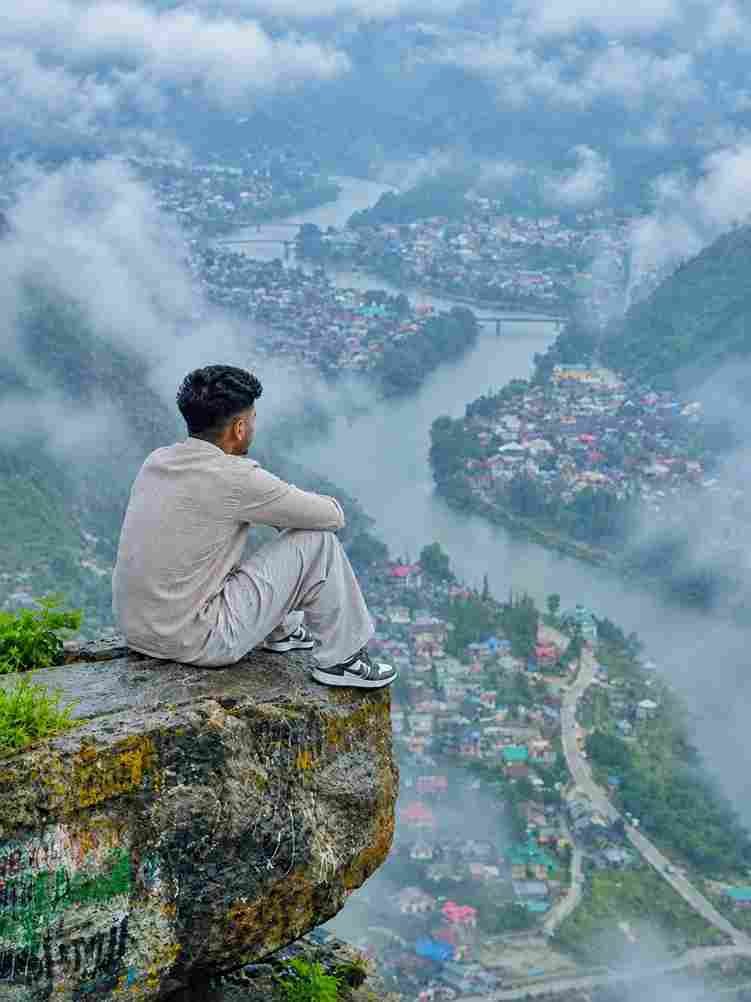
Place this person in the second photo in a realistic manner and adjust them to match the second photo; do not change anything else. Keep the background exactly as it is-do not alter it at all-and do not change the face or body size. Enhance the image to 8K quality and set the aspect ratio to 3:4. Background not change and fog add 20% and Background size bada do
Save this background ⬇️

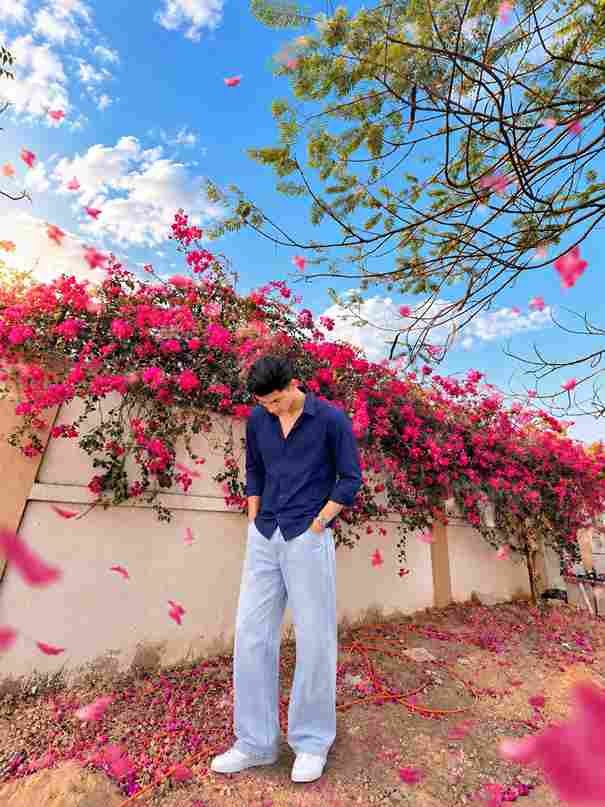
Place this person in the second photo in a realistic manner and adjust them to match the second photo; do not change anything else. Keep the background exactly as it is-do not alter it at all-and do not change the face or body size. Enhance the image to 8K quality and set the aspect ratio to 3:4. and Background beautifull sky clouds add and several elegant 3D flowers ke patte jiska color Background tree flowers ke according flying at different depths with soft motion and natural lighting that blends perfectly with the scene.
Download this background ⬇️
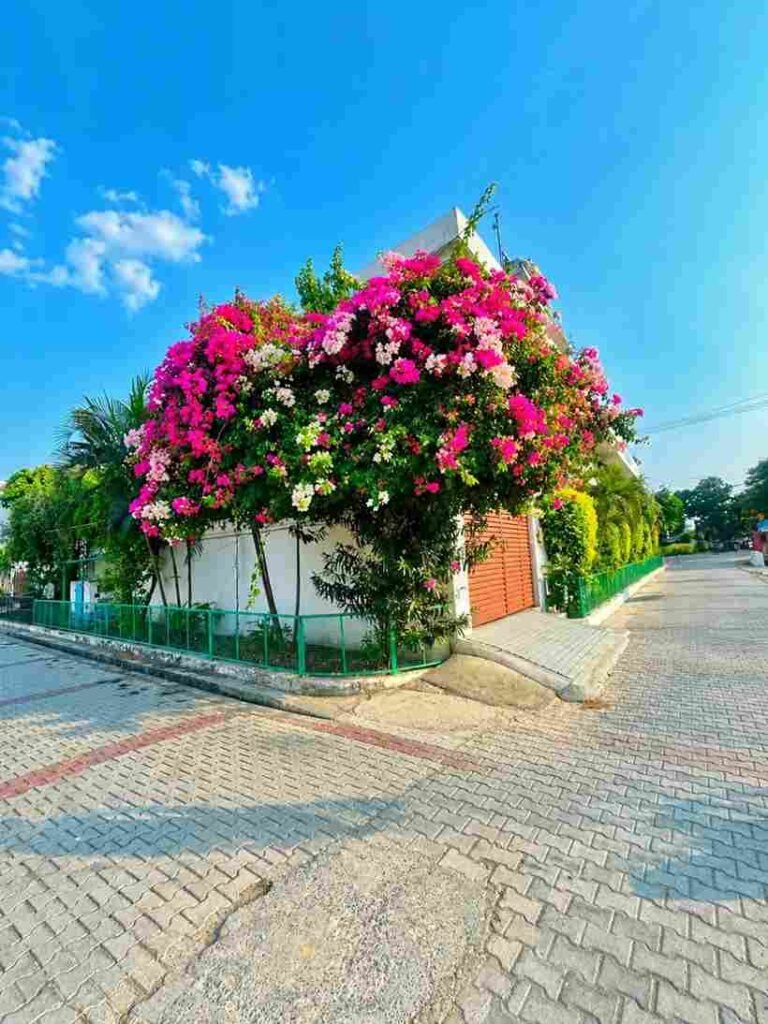
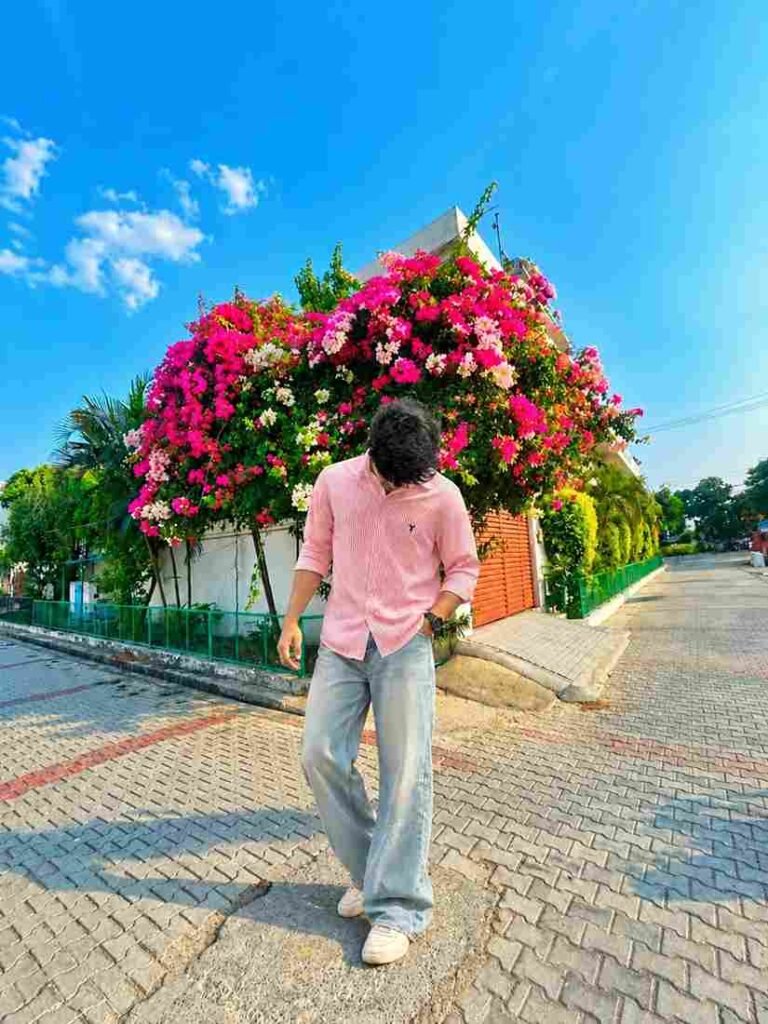
Place this person in the second photo in a realistic manner and ajust them to match the second photo; do not change anything else. Keep the background exactly as it is-do not alter it at all-and do not change the face or body size.Enhance the image to 8K
quality and set the aspect ratio to 3:4.
Download this background ⬇️

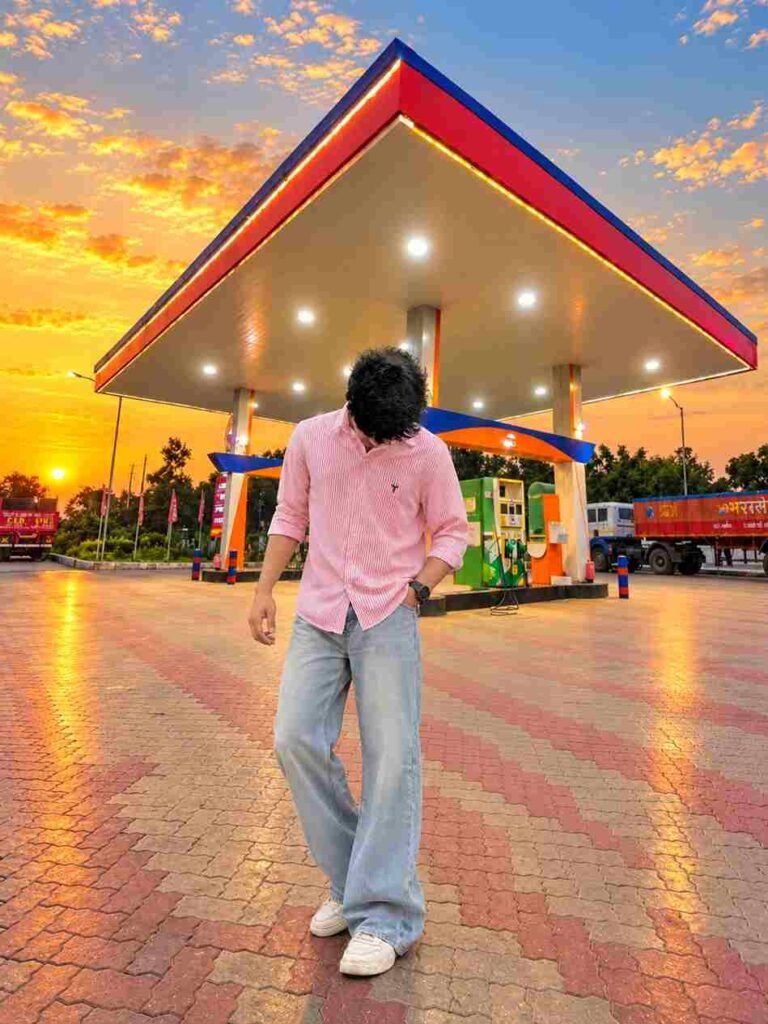
Use the first image as the exact reference for the person and the second image as the exact HP petrol pump background. Place the person naturally into the HP petrol pump scene without changing anything about her original appearance. Strictly preserve her exact face, facial features, skin texture, hairstyle, hair color, body shape, clothes, shoes, handbag, pose, proportions, and identity exactly as in the original photo—no beautification, no face alteration, no outfit changes, and no AI-looking details. Only composite the person realistically into the petrol pump background with natural perspective, accurate scale, matching lighting, shadows, reflections, and realistic color grading so she looks genuinely photographed at the location. Keep the HP petrol pump background authentic and unchanged, and make the final image a 3:4 portrait aspect ratio in high quality and photorealistic detail.
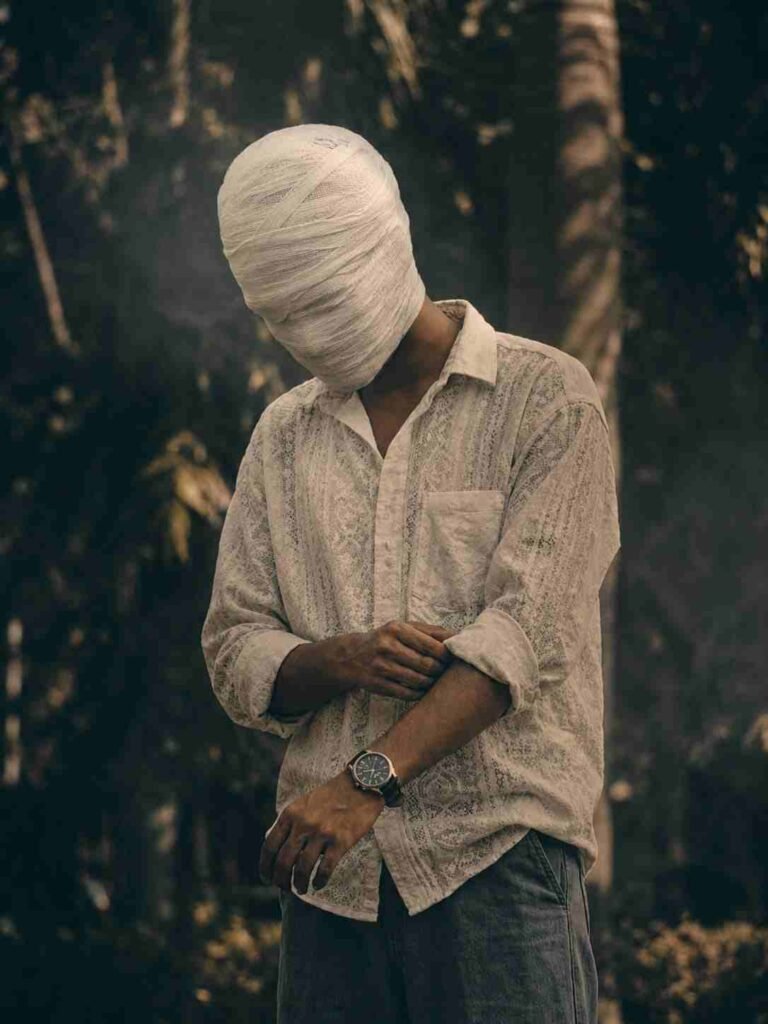
Create an ultra-realistic cinematic portrait using the uploaded photo as the exact reference. Preserve body proportions, pose, posture, hands, arms, clothing, accessories, camera angle, composition and framing unchanged. Completely wrap the entire head and face in thick, opaque off-white cotton bandages with overlapping layers. Fully cover hair, forehead, eyes, eyebrows, nose, cheeks, mouth, jawline, chin and ears. No facial features, skin, gaps, openings or recognizable face shape should be visible. Keep the original background unchanged. Apply a dark moody cinematic color grade in the photo, deep shadows, subtle warm highlights, atmospheric haze, natural HDR, contrast and film grain
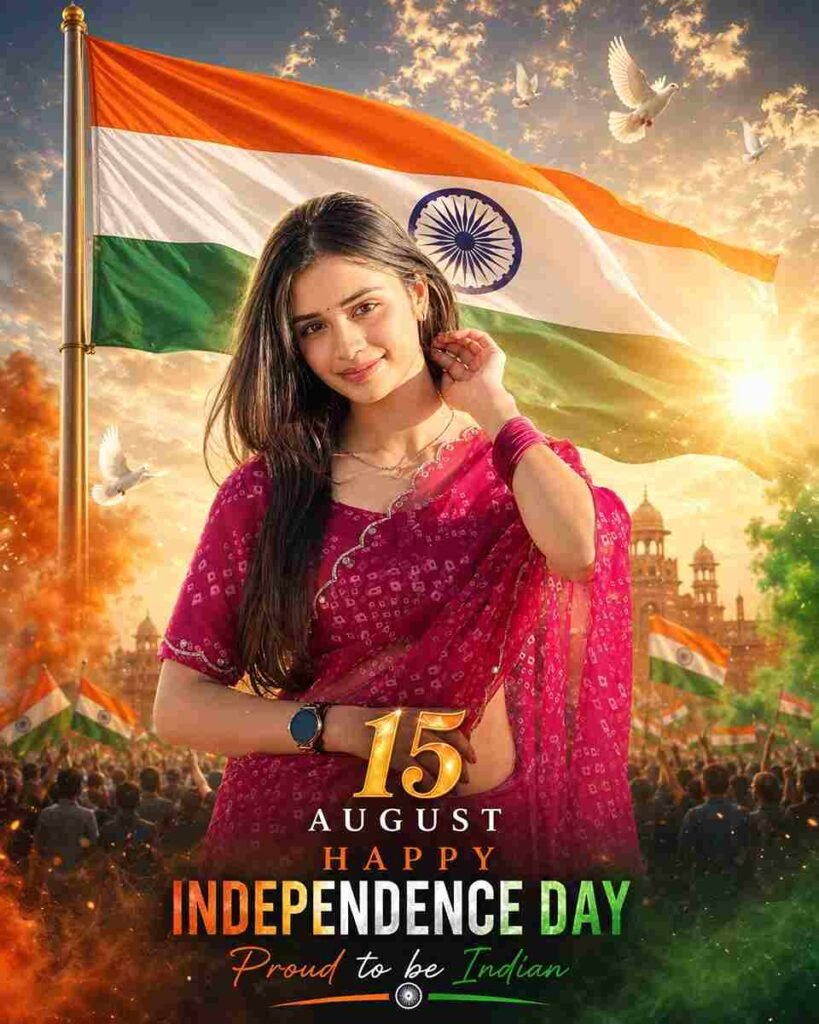
Use the uploaded photo as the only identity reference. Preserve the person’s exact recognizable face, facial features, skin tone, hairstyle, body shape, pose, expression, original clothing, and accessories. Do not beautify, reshape, age, or change the person’s identity.

Create an ultra-realistic, premium Independence Day Instagram Story poster. Keep the person as the main subject and blend them naturally into a cinematic patriotic environment. Add a large, realistic Indian national flag flowing gracefully in the background with accurate saffron, white, and green colours and a clearly visible navy-blue Ashoka Chakra.

Create a grand Independence Day atmosphere using soft tricolour smoke, subtle golden particles, gentle fog, warm sunrise rays, realistic lens flare, distant flying white doves, and faint Red Fort-inspired architectural silhouettes. Add subtle crowd silhouettes holding small Indian flags in the lower background while keeping the composition elegant and uncluttered.

Use cinematic HDR lighting with a warm golden rim light around the subject, natural facial illumination, realistic shadows, rich contrast, and premium saffron-and-teal colour grading. The subject must look naturally present in the scene, not pasted or artificially generated.

Add elegant typography in the available empty space:

15 AUGUST HAPPY INDEPENDENCE DAY Proud to be Indian

Use luxurious gold and tricolour typography with a soft glow, ensuring that no text covers the face or body. Keep all important elements inside Instagram Story safe margins.

Output: Ultra-photorealistic, highly detailed, realistic skin texture, cinematic depth of field, professional poster design, premium finish, 8K HDR quality, vertical 9:16 Instagram Story format.

Negative prompt: Different face, altered identity, changed outfit, extra fingers, malformed hands, distorted body, plastic skin, cartoon effect, inaccurate Indian flag, incorrect Ashoka Chakra, unreadable text, duplicate person, excessive smoke, oversaturated colours, blurry face, low resolution, watermark, logo, cropped head.
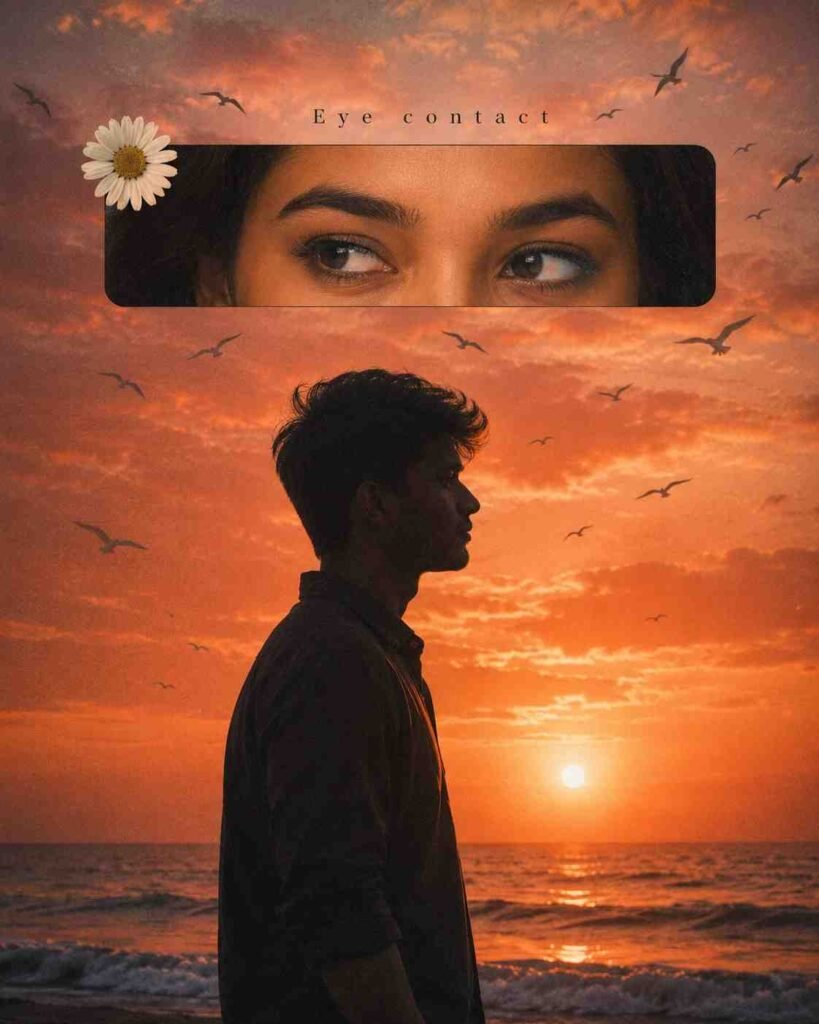
Create a dreamy cinematic vertical 4:5 sunset photo collage with a nostalgic vintage-film aesthetic. The scene shows a dramatic burnt-orange, peach and coral sunset over the ocean, with the glowing sun very low near the horizon and warm reflections shimmering across gentle ocean waves. The entire image has warm orange color grading, subtle film grain, soft haze, slightly faded blacks and an analog photographic texture.
In the lower center foreground, show a young man in dark side-profile silhouette, facing toward the right side of the frame. Frame him approximately from the upper thighs/chest upward. He has thick, slightly messy curly/wavy hair and wears a loose dark collared shirt. Strong sunset backlighting makes his body and face almost completely black, with only a very subtle warm rim light outlining his forehead, nose, lips, chin, hair and shoulders. His expression and pose feel calm, quiet and romantic.
Across the upper third of the composition, place a large horizontal rounded-rectangle cinematic frame with softly rounded corners. Inside this frame is an extreme close-up crop showing only a beautiful young woman's eyes, eyebrows, upper nose bridge and a small amount of dark hair. Her warm brown eyes are looking sideways toward the left, creating the feeling that she is looking toward the silhouetted man. Give her realistic eyelashes, naturally shaped dark eyebrows, warm glowing skin and subtle sunset-orange illumination. The eye image should look photorealistic and seamlessly blended into the overall vintage aesthetic.
Directly above the eye frame, centered, add the small elegant text “Eye contact” in a thin black serif/typewriter-style font with widely spaced letters. Place a single white daisy flower with a golden-yellow center overlapping the upper-left corner of the eye frame.
Add numerous black silhouetted seabirds flying naturally throughout the sunset sky. Use birds of different sizes and distances to create depth, including several larger birds around the eye frame and smaller distant birds near the horizon. Keep their placement organic rather than symmetrical.
Composition should feel like a romantic Instagram/Pinterest editorial collage, symbolizing two people making eye contact. Moody, intimate, nostalgic and cinematic atmosphere, realistic photography, rich sunset glow, soft clouds, warm highlights, deep silhouette shadows, subtle vignette, fine analog grain, slightly dreamy softness, high detail, photorealistic ocean and sky, professionally composed.
Important composition: eye frame occupies roughly the upper quarter/third, silhouetted man centered slightly left in the lower half, man facing right, sun positioned low and slightly right of center behind him, ocean horizon across the lower third, daisy at upper-left of eye frame, and flying birds distributed across the entire sky. No extra text except “Eye contact”, no borders, no logos, no watermark.
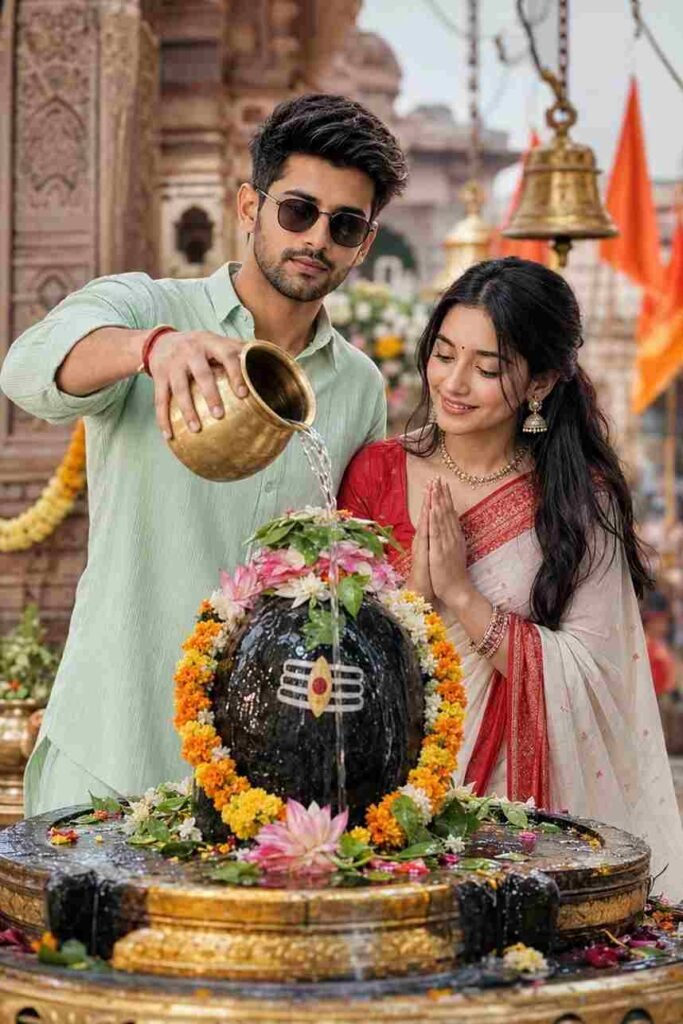
"Create a realistic cinematic devotional photo of a young Indian couple performing Jal Abhishek on a Shivling inside a beautiful Hindu temple. The boy is wearing a light green shirt and sunglasses, pouring water from a brass kalash, the girl is wearing a traditional white and red saree with jewelry, both showing peaceful devotion. Decorated Shivling with flowers, marigold garlands, sacred symbols, temple background with bells and flags.
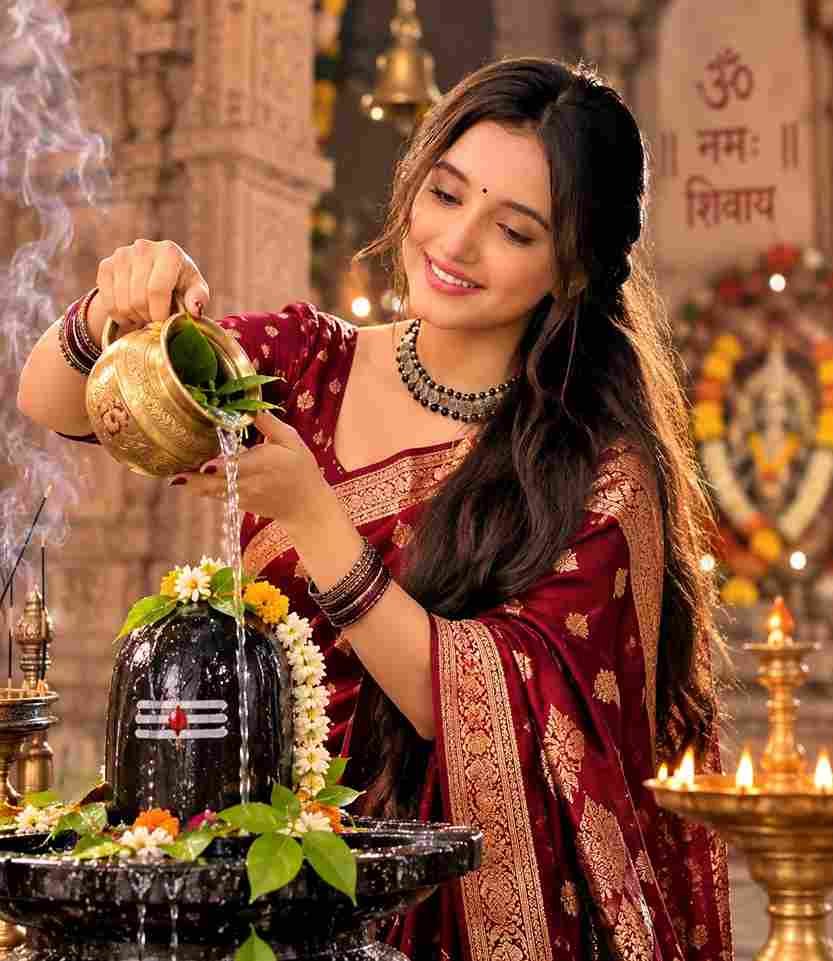
Ultra-realistic cinematic portrait of a young Indian woman performing Shiv Abhishek inside an ancient Shiva temple, wearing a deep maroon Banarasi saree with gold zari, long open hair, small bindi, pouring water from a brass kalash over a black Shiva Lingam decorated with bel leaves and flowers, warm diya lighting, incense smoke, divine spiritual atmosphere, shallow.
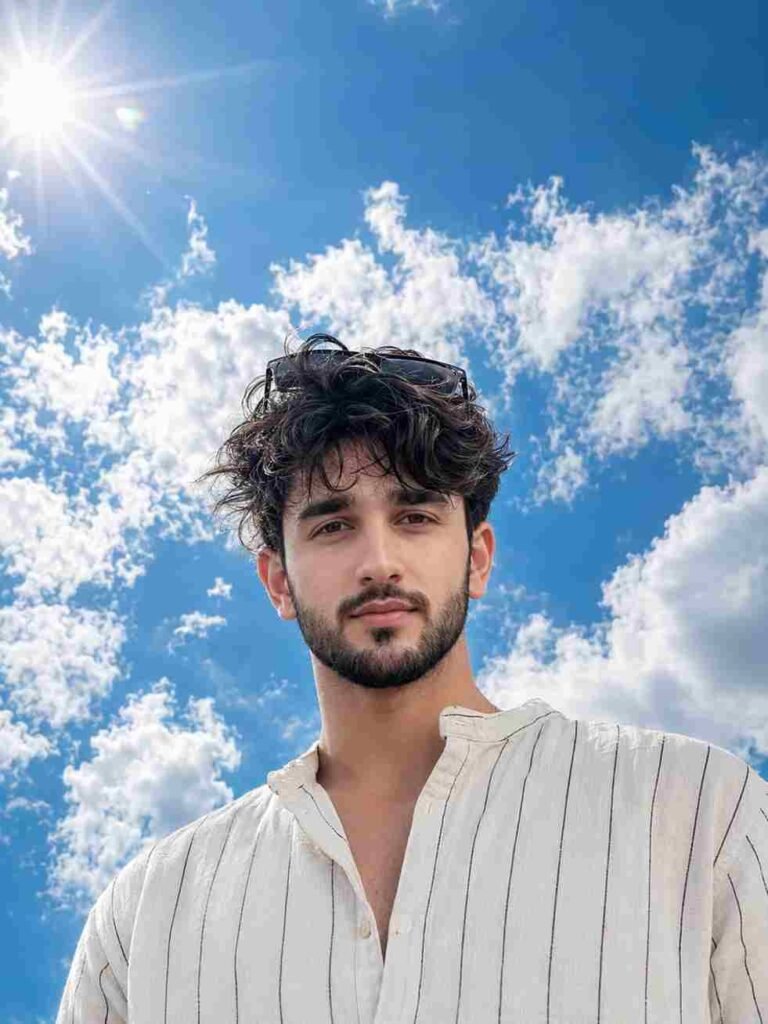
Ultra-realistic close-up portrait of the SAME young South Asian man from the uploaded image, captured from a dramatic low-angle perspective using an 85mm DSLR portrait lens. Maintain 100% the same face, identity, facial features, skin tone, eye shape, nose, lips, hairstyle, beard (if present), and proportions as the uploaded photo. He is looking directly into the camera with a calm, confident expression and a soft natural smile. His thick dark hair moves naturally in the breeze with a few loose strands adding realism. Black sunglasses rest naturally on top of his head. He is wearing a loose cream-white linen shirt with thin black vertical stripes, collar slightly unbuttoned, with only the upper chest and shoulders visible.
The background MUST be dominated by a vast vibrant deep-blue sky covering approximately 80–90% of the frame, filled with large fluffy white cumulus clouds. The horizon should be placed very low in the composition so that almost the entire background is open sky. A bright glowing midday sun appears in the upper-left corner with subtle cinematic lens flare, creating beautiful rim lighting around his hair and realistic catchlights in his eyes. No buildings, mountains, trees, balconies, roads, or distracting objects should be visible in the background—only the expansive blue sky and clouds. Strong background separation with creamy natural bokeh while keeping the sky clearly recognizable.
Hyper-realistic skin texture with visible pores, detailed eyelashes, natural lips, HDR lighting, ultra-sharp focus on the eyes, shallow depth of field, professional fashion photography, editorial magazine style, DSLR quality, 8K resolution, photorealistic, masterpiece, highly detailed, natural colors, atmospheric clarity, cinematic composition, 3:4 portrait composition, close-up head-and-shoulders framing, ultra-realistic, 100% same face, same identity, no face alteration, no beauty filter, no gender distortion.
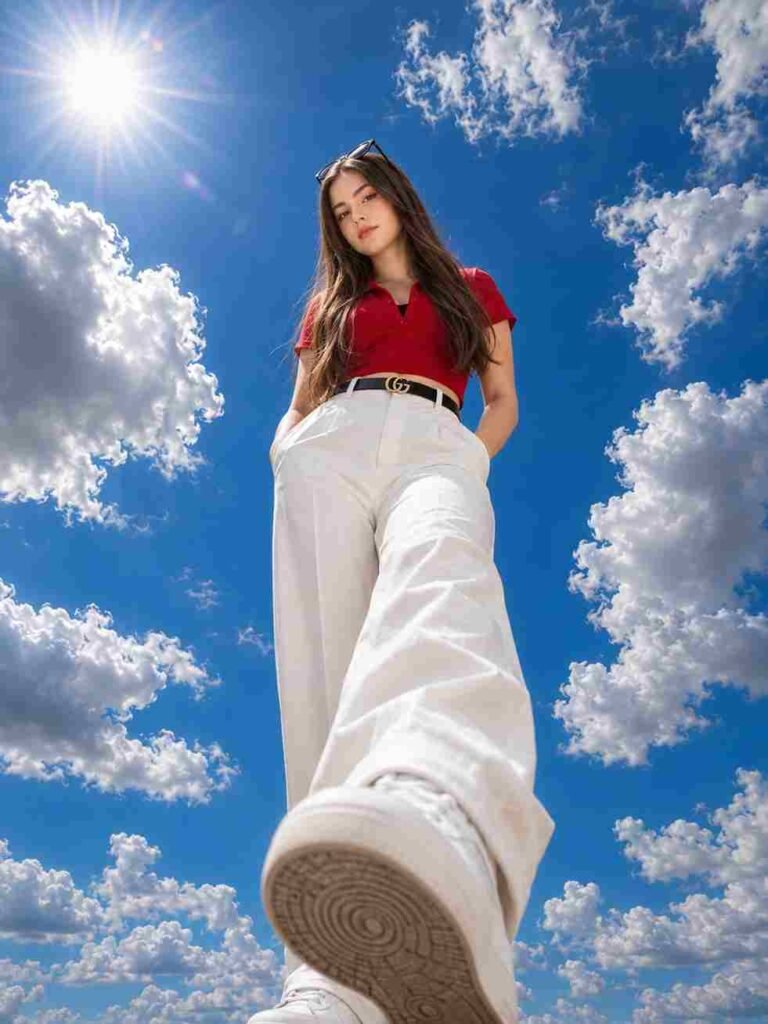
Ultra-realistic full-body portrait of the SAME young South Asian woman captured from an extreme low-angle, ultra-wide (14mm lens) perspective, as if the camera is placed on the ground directly beneath her. She is standing confidently above the camera with one foot slightly forward, both hands casually tucked into her trouser pockets, looking directly into the lens with a calm, confident expression. Maintain 100% the same face and identity as the uploaded photo with no changes to facial features, skin tone, hairstyle, body proportions, or expression. She has long, naturally straight dark brown hair, fair-to-medium skin tone, and black sunglasses resting on top of her head exactly as in the reference image.
Keep the outfit exactly the same as the reference image: a fitted bright red short-sleeve crop top with a V-neck collar and subtle gathered detailing, a visible black inner camisole beneath the neckline, high-waisted white tailored trousers, a black leather belt with a gold double-G buckle, a delicate bracelet on her wrist, and clean white sneakers with realistic textured soles. Do not change, replace, recolor, or redesign the clothing or accessories.
The left shoe dominates the foreground because of the dramatic 14mm ultra-wide perspective, with highly detailed sole patterns visible. Bright midday sunlight creates crisp shadows, natural skin tones, and strong highlights. The background features a vibrant deep-blue sky filled with large fluffy white cumulus clouds and a glowing sun with a subtle cinematic lens flare in the upper-left corner. Hyper-realistic textures, cinematic HDR lighting, ultra-sharp focus, natural colors, high dynamic range, professional fashion photography, editorial magazine style, 8K resolution, DSLR quality, realistic fabric folds, atmospheric clarity, depth, Instagram-worthy composition, photorealistic, masterpiece, highly detailed, 3:4 portrait composition with a slightly zoomed-in framing while keeping the full body visible, 100% same face, same identity, no face alteration, no beauty filter, no gender distortion, ultra-realistic.
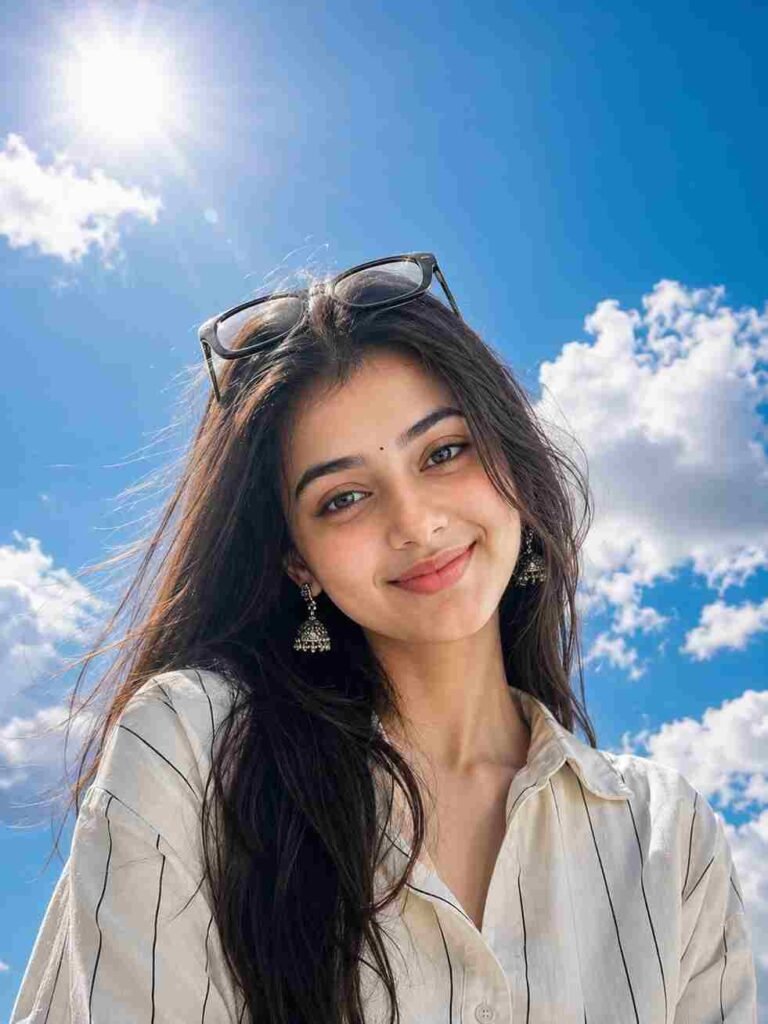
Ultra-realistic close-up portrait of the SAME young South Asian woman from the uploaded image, captured from a dramatic low-angle perspective using an 85mm DSLR portrait lens. Maintain 100% the same face, identity, facial features, skin tone, eye shape, nose, lips, hairstyle, and proportions as the uploaded photo. She is looking directly into the camera with a calm, confident expression and a soft natural smile. Her thick dark hair flows naturally in the breeze with a few loose strands framing her face. Black sunglasses rest naturally on top of her head. She is wearing a loose cream-white linen shirt with thin black vertical stripes, collar slightly unbuttoned, with only the upper chest and shoulders visible.

The background MUST be dominated by a vast vibrant deep-blue sky covering approximately 80–90% of the frame, filled with large fluffy white cumulus clouds. The horizon should be placed very low in the composition so that almost the entire background is open sky. A bright glowing midday sun appears in the upper-left corner with subtle cinematic lens flare, creating beautiful rim lighting around her hair and realistic catchlights in her eyes. No buildings, mountains, trees, balconies, roads, or distracting objects should be visible in the background—only the expansive blue sky and clouds. Strong background separation with creamy natural bokeh while keeping the sky clearly recognizable.

Hyper-realistic skin texture with visible pores, detailed eyelashes, natural lips, HDR lighting, ultra-sharp focus on the eyes, shallow depth of field, professional fashion photography, editorial magazine style, DSLR quality, 8K resolution, photorealistic, masterpiece, highly detailed, natural colors, atmospheric clarity, cinematic composition, 3:4 portrait composition, close-up head-and-shoulders framing, ultra-realistic, 100% same face, same identity, no face alteration, no beauty filter, no gender distortion./pre>
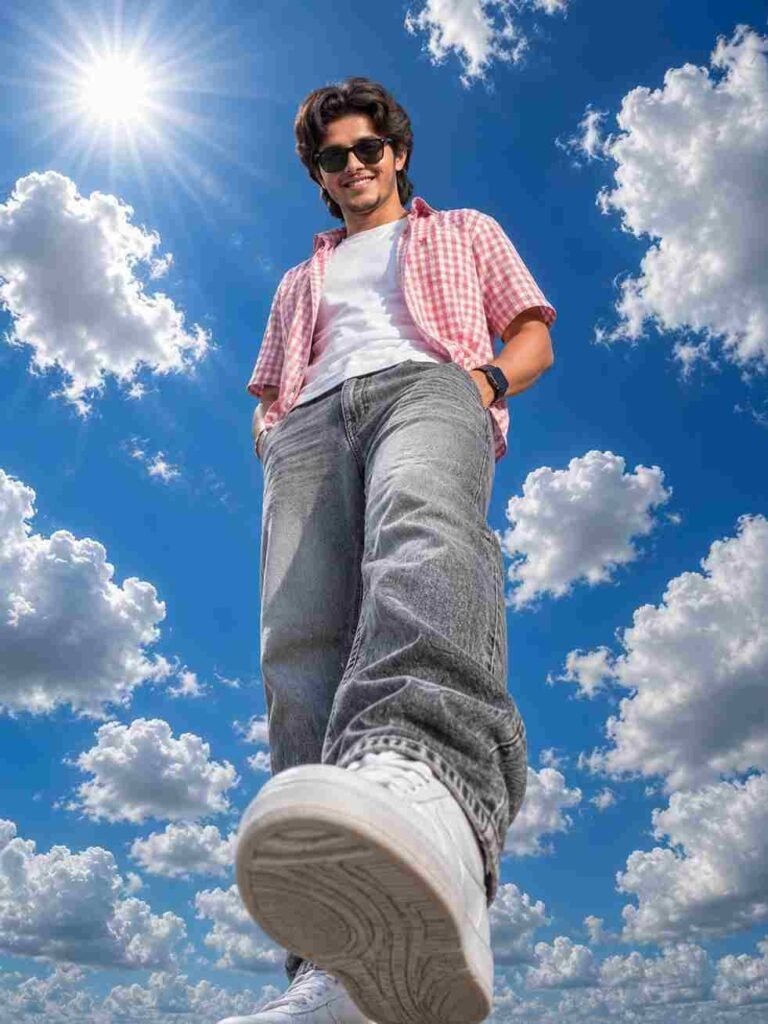
Ultra-realistic full-body portrait of the SAME young South Asian woman captured from an extreme low-angle, ultra-wide (14mm lens) perspective, as if the camera is placed on the ground directly beneath her. She is standing confidently above the camera with one foot slightly forward, both hands casually tucked into her trouser pockets, looking directly into the lens with a calm, confident expression. Maintain 100% the same face and identity as the uploaded photo with no changes to facial features, skin tone, or proportions. She has thick, naturally wavy black hair flowing freely, medium-brown skin, and black sunglasses resting on top of her head. She wears a loose cream-white linen shirt with thin black vertical stripes, sleeves rolled up to the forearms, the collar slightly unbuttoned, paired with oversized cream-white linen trousers and clean white sneakers with highly detailed soles visible due to the dramatic perspective. The left shoe dominates the foreground because of the extreme wide-angle lens distortion. Bright midday sunlight creates crisp shadows, natural skin tones, and strong highlights. The background features a vibrant deep-blue sky filled with large fluffy white cumulus clouds and a glowing sun with a subtle cinematic lens flare in the upper-left corner. Hyper-realistic textures, cinematic HDR lighting, ultra-sharp focus, natural colors, high dynamic range, professional fashion photography, editorial magazine style, 8K resolution, DSLR quality, realistic fabric folds, atmospheric clarity, depth, Instagram-worthy composition, photorealistic, masterpiece, highly detailed, 3:4 portrait composition with a slightly zoomed-in framing while keeping the full body visible, 100% same face, same identity, no face alteration, no beauty filter, no gender distortion, ultra-realistic
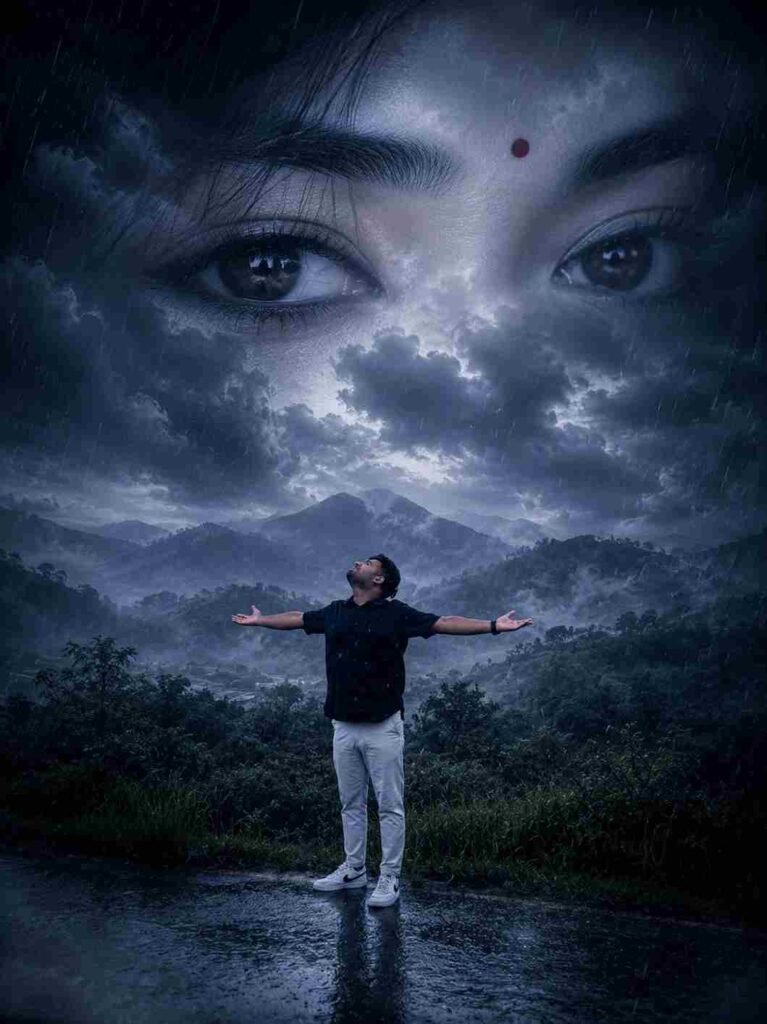
Use the uploaded to Create a surreal cinematic double-exposure artwork using the uploaded photo. Replace the background with misty mountains, dark storm clouds, rain, and drifting fog while keeping the man's pose unchanged. Blend giant emotional female eyes with a red bindi naturally into the cloudy sky. Use dramatic blue-gray color grading, volumetric lighting, and realistic rainfall. Convey love, heartbreak, and longing with an ultra-realistic, 32K UHD, DSLR-quality, highly detailed Instagram-viral composition.
Prompt For Maa⬇️
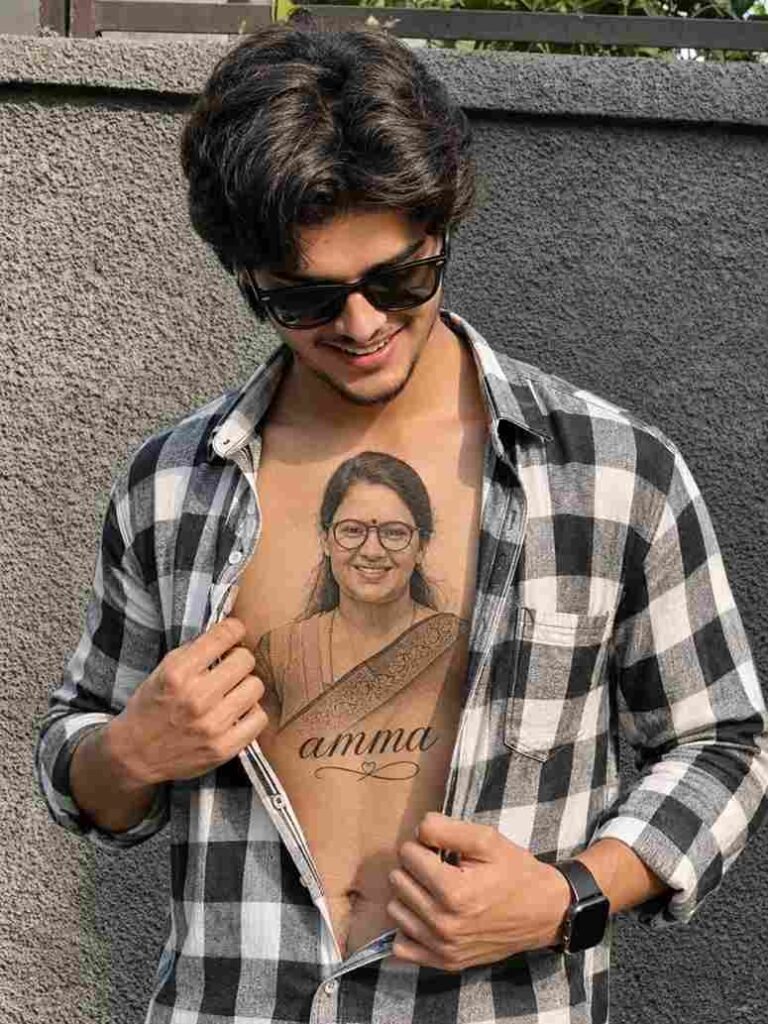
The boy is wearing a black-and-white checkered shirt, slightly unbuttoned to reveal a highly detailed realistic chest tattoo featuring a beautiful portrait of the girl with the name 'amma written in elegant cursive below it. He is smiling softly while looking down at the tattoo
Prompt For Papa⬇️
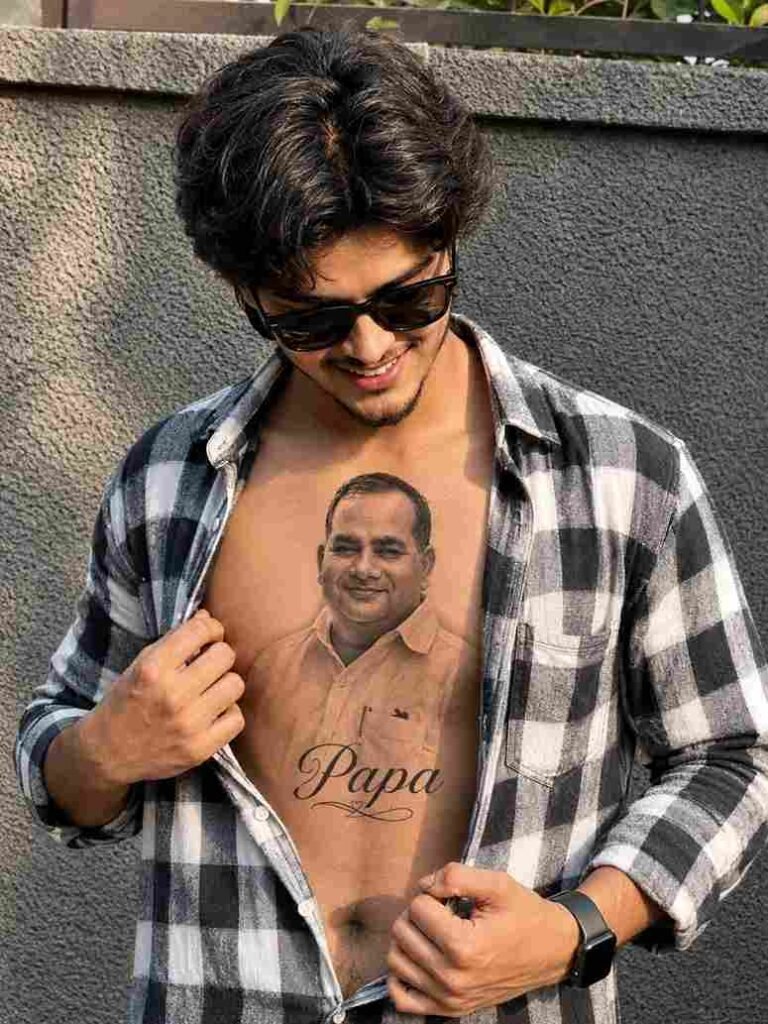
Use the uploaded images as the ONLY identity references. CRITICAL IDENTITY PRESERVATION (HIGHEST PRIORITY): Preserve both faces with 100% identity accuracy. Do NOT change, regenerate, beautify, stylize, or modify the facial features, hairstyle, skin tone, age, body proportions, expression, pose, or camera angle of either person.
The boy is wearing a black-and-white checkered shirt, slightly unbuttoned to reveal a highly detailed, realistic black-and-grey chest tattoo featuring a beautiful portrait of his father from the uploaded image. Below the portrait, write "Papa" in elegant cursive tattoo lettering. The tattoo should look naturally inked on the skin with realistic shading, fine-line detailing, and authentic tattoo texture.
The boy is gently holding his shirt open with one hand while smiling softly and looking down at the tattoo with pride and love. Keep the background natural with warm golden-hour lighting, cinematic DSLR quality, ultra-realistic skin texture, shallow depth of field, sharp focus, HDR, and an 8K photorealistic finish. Do not add any extra tattoos, accessories, or alter the identities of either person.
Download This Image⬇️
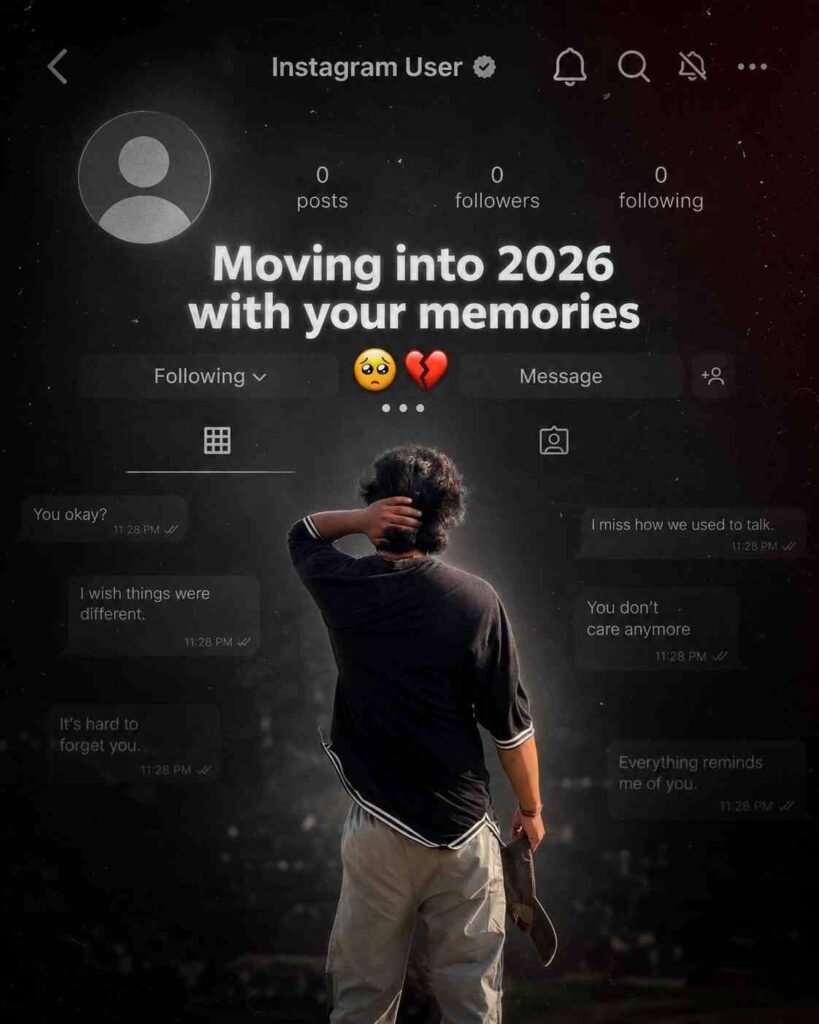
Create a dark, emotional Instagram heartbreak memories edit using the uploaded photo. Keep the person’s face, hairstyle, skin tone, body shape, clothes, and pose 100% unchanged. Do not modify identity. Design: • Background should be dark, faded, and slightly blurred. • Add a large semi-transparent Instagram profile interface behind the subject. • Profile picture should appear removed with a default Instagram avatar. • Username: “Instagram User” • Add Profile, Search, Mute, and Options icons. • Use a black and grey color theme with a soft vignette. • Add subtle film grain, motion blur, dust particles, and cinematic lighting. • Place the subject at the bottom center with a soft shadow. Text (large bold white font): “Moving into 2026 with your memories” Below the text add: … Additional effects: • Broken heart emoji • Sad emoji • Faded chat/message overlays in the background. • Instagram aesthetic, nostalgic breakup vibe. • Moody color grading with low saturation. • High contrast, realistic photo edit. • Soft glow around the subject. • Premium viral Instagram reel thumbnail style. • Ultra HD, photorealistic, 4K quality. • No cartoon, no anime, no AI-looking face. • Keep everything natural and cinematic.
Download This Image⬇️
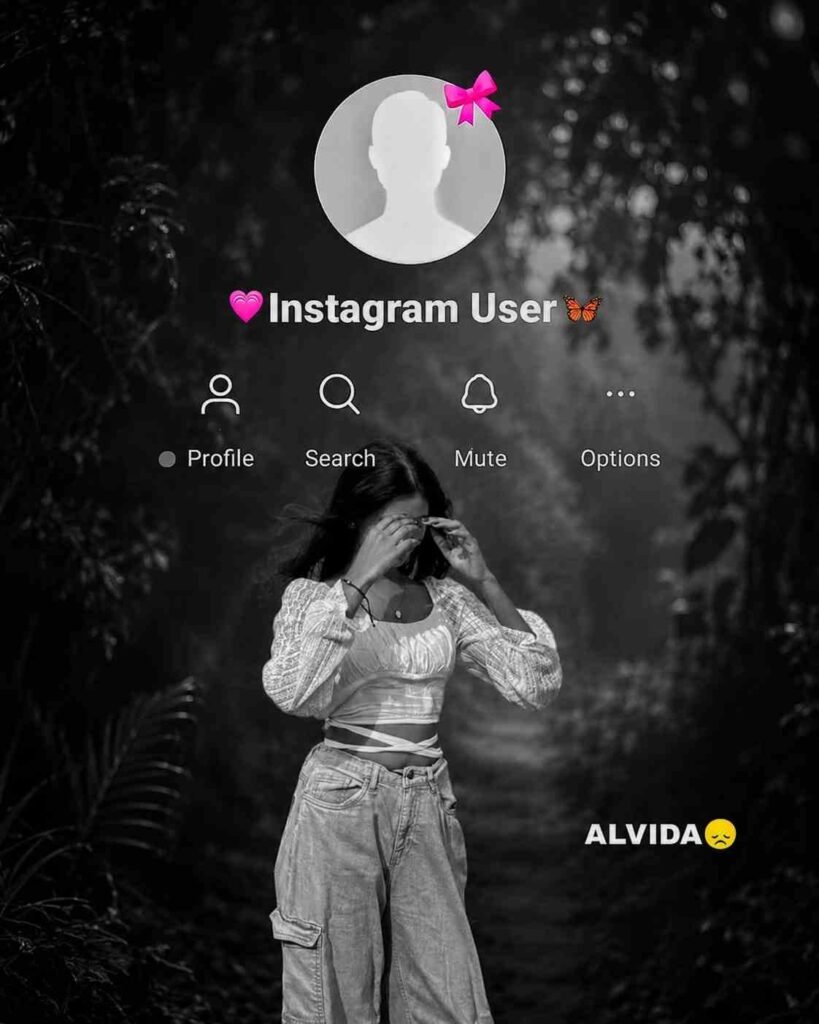
Use the provided template image (image_4.png) as the exact layout for this edit. You must maintain the entire interface overlay, including the top circular profile icon (with the pink bow), the ‘Instagram User’ text, all interface icons, and the ‘ALVIDA ’ text in their exact original positions. Do not move, alter, or delete any of these overlay elements. Take the person from the new photo provided and place them as the large central figure, replacing the old figure. The new person must be rendered with the exact same framing (half-body or full-body) as in the input photo. Apply a cinematic ‘Black & White’ style, but ensure it is balanced and medium-dark—do not make it overly black or crushed. The subject’s face, features, and clothing must be clearly visible with natural skin tones and balanced contrast, maintaining a high-quality cinematic look without being excessively dark. The background should be a dark, cinematic forest scene, but clearly distinguishable from the subject. Most importantly, the final output must be of the highest possible resolution, crystal clear, sharp, and in Full HD. Maintain the original integrity of the subject.
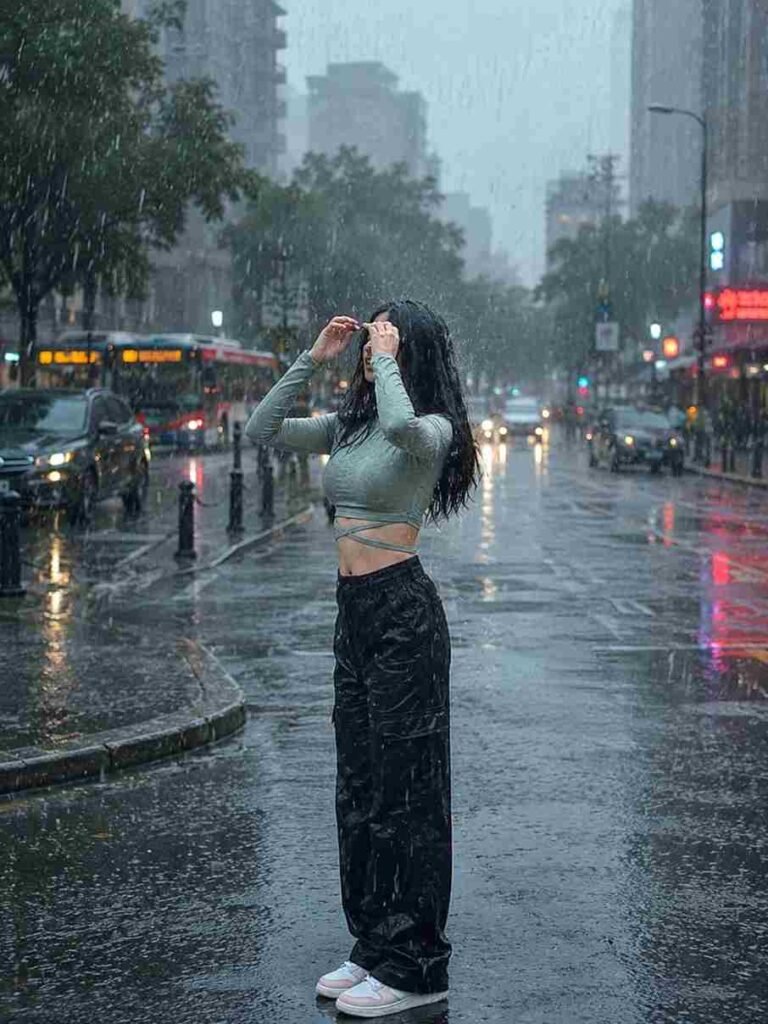
A realistic, high-quality daytime photograph of the person in the reference image, standing under a heavy rain shower, water droplets visibly dripping from hair and clothes, fully drenched. The new background should be a moody, cinematic city street during an overcast, rainy day, soft diffused daylight reflecting on wet pavement, cinematic lighting, photorealistic, 8k resolution, maintaining the exact facial features, expression, and body shape of the original person." 3:4t ratio.
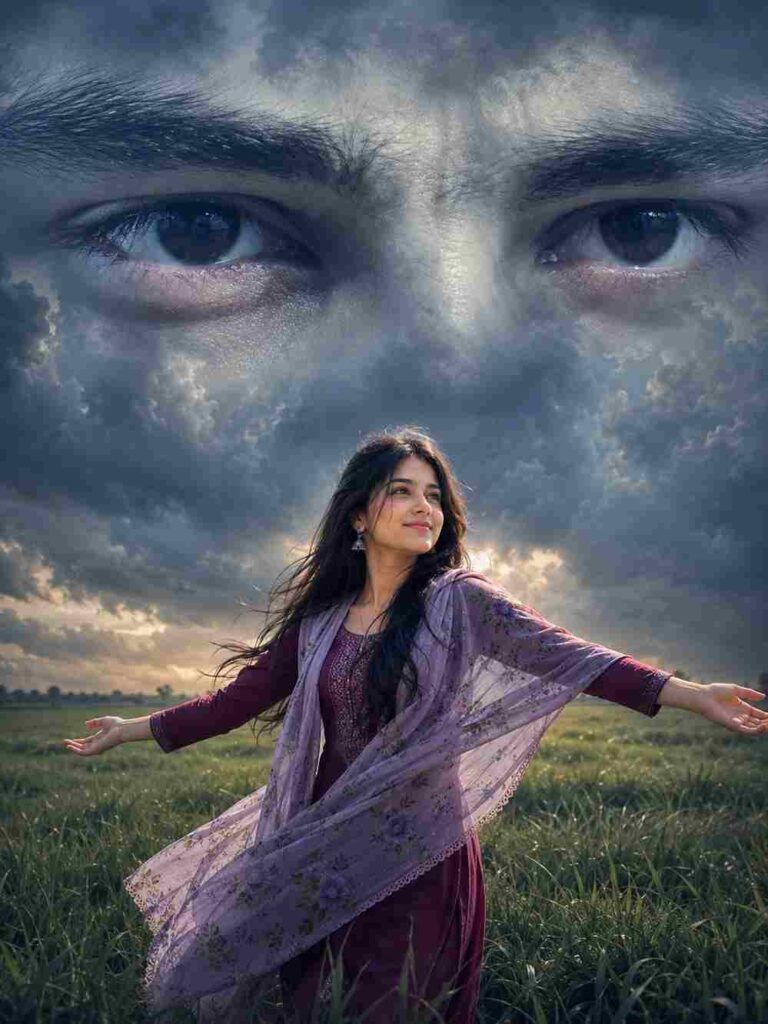
A surreal cinematic digital artwork featuring a lone young woman standing in the middle of a vast green grass field under a dramatic overcast sky. She wears a maroon dress with a lavender floral dupatta draped over her shoulders. She standing with arms fully outstretched and head tilted upward, expressing freedom, longing, and emotional surrender. Behind him, dominating the entire sky, is an enormous monochrome male face blended seamlessly into the clouds. The composition focuses on her ultra-detailed expressive eyes, rendered at colossal scale, staring directly forward with deep emotion and melancholy. His eyelashes, eyebrows, skin texture, and eye reflections are highly detailed and realistic. The giant face appears ethereal, dreamlike, and ghostly, emerging from storm clouds with soft atmospheric blending. Moody cinematic lighting, dark blue-gray color grading, emotional fantasy atmosphere, dramatic depth, volumetric clouds, subtle fog, ultra-realistic textures. 3:4 Ratio..
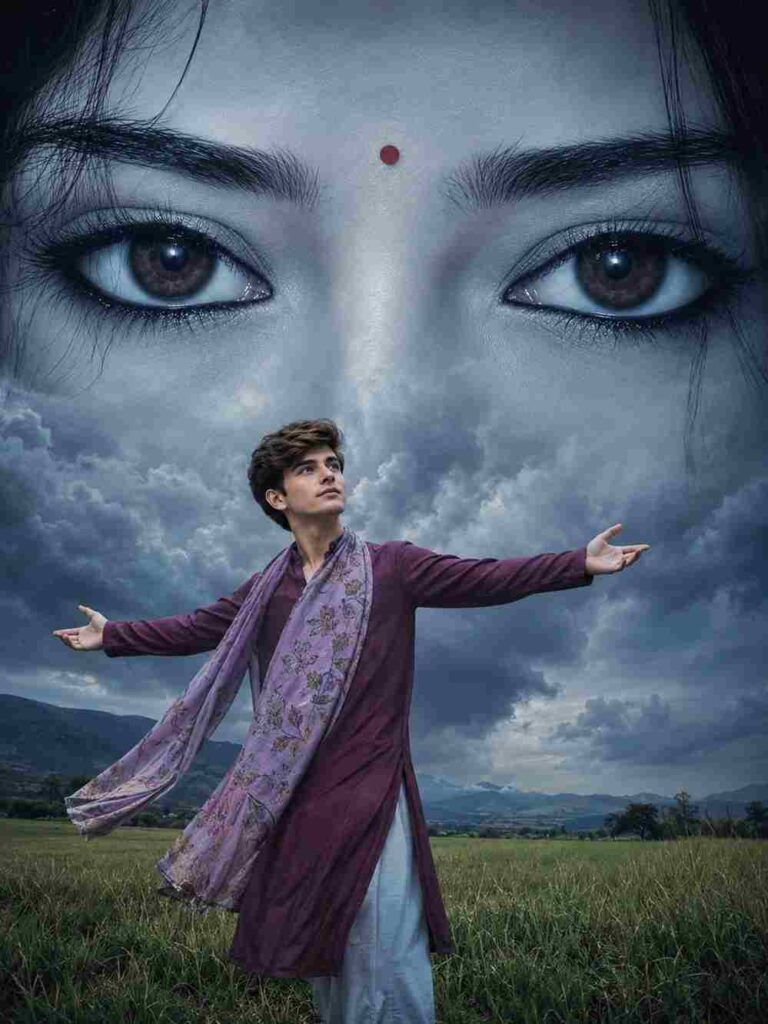
A surreal cinematic digital artwork featuring a lone young man standing in the middle of a vast green grass field under a dramatic overcast sky. he wears a maroon dress with a lavender floral dupatta draped over her shoulders. he standing with arms fully outstretched and head tilted upward, expressing freedom, longing, and emotional surrender. Behind him, dominating the entire sky, is an enormous monochrome Female face blended seamlessly into the clouds. The composition focuses on his ultra-detailed expressive eyes, rendered at colossal scale, staring directly forward with deep emotion and melancholy. Her eyelashes, eyebrows, skin texture, and eye reflections are highly detailed and realistic. The giant face appears ethereal, dreamlike, and ghostly, emerging from storm clouds with soft atmospheric blending. Moody cinematic lighting, dark blue-gray color grading, emotional fantasy atmosphere, dramatic depth, volumetric clouds, subtle fog, ultra-realistic textures. 3:4 Ratio.
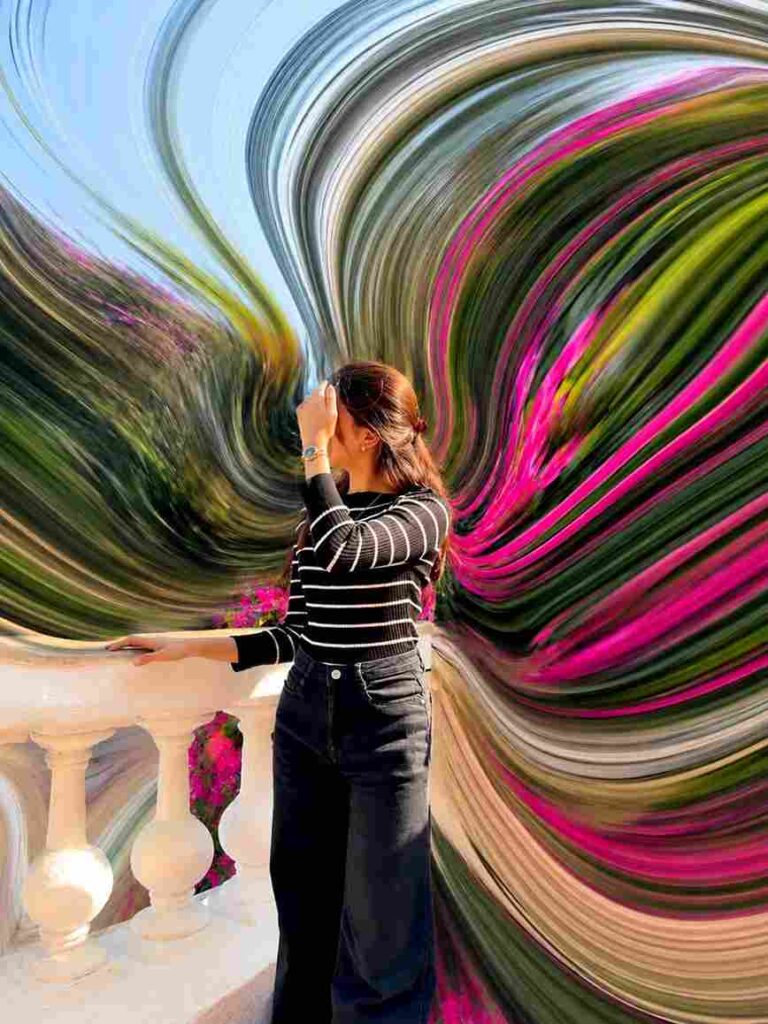
pixel stretch artwork while keeping the main subject perfectly sharp, detailed, and recognizable. Extract colors and textures from the subject and extend them into smooth, flowing pixel-stretch ribbons that follow elegant curves and dynamic motion. Create seamless transitions between the original image and stretched areas, avoiding glitches or harsh edges. The stretched pixels should appear silky, fluid, and organic, like streams of color, light, paint, or energy. Maintain realistic lighting, depth, shadows, and color harmony. Use cinematic contrast,
vibrant colors, HDR quality, ultra-sharp details, modern minimalist composition, luxury digital art styling, Adobe Photoshop pixel stretch effect, gallery-quality finishing, and ultra-high-resolution 8K for a visually captivating, social-media-ready masterpiece.
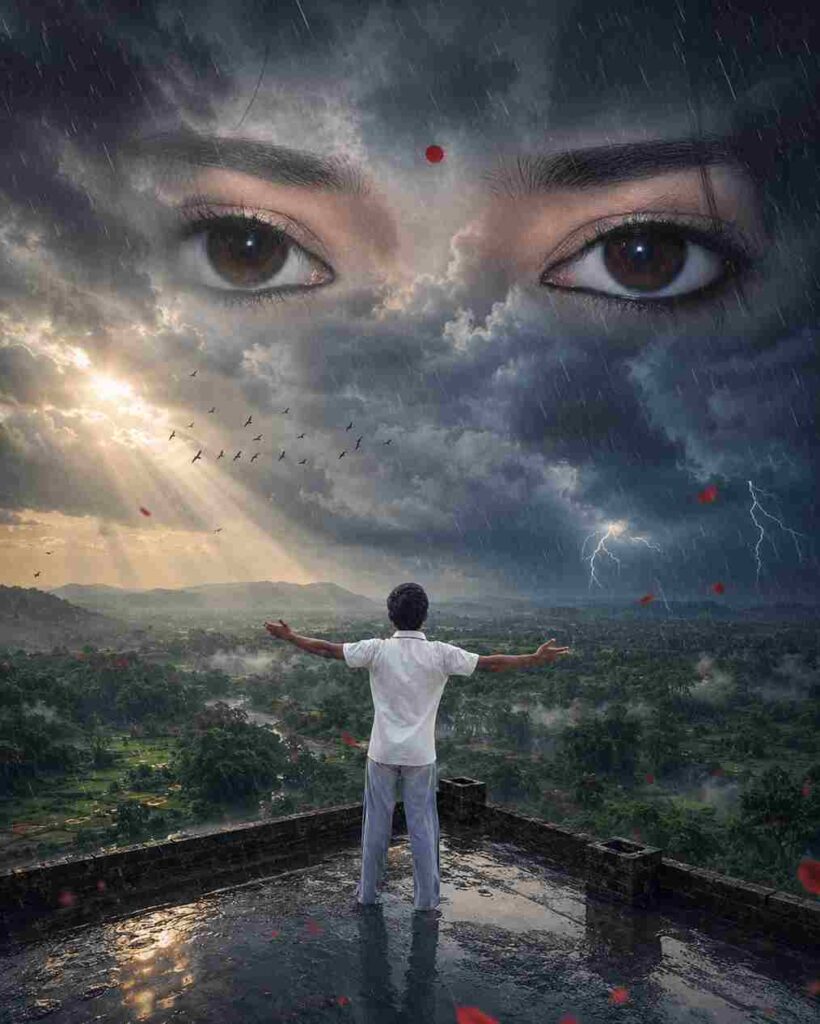
Transform the uploaded photo into an ultra-realistic cinematic fantasy scene. Preserve the subject's exact pose, clothing, body position, environment, natural colors, saturation, and ambience. Add massive dark thunderclouds, heavy rain, atmospheric mist, and a gigantic pair of beautiful Indian female eyes with a black bindi seamlessly formed within the clouds. Volumetric lighting, lightning glow, wet reflections, HDR, hyper-detailed, photorealistic, dramatic mood, 32K Ultra HD, masterpiece, 4:5 aspect ratio.
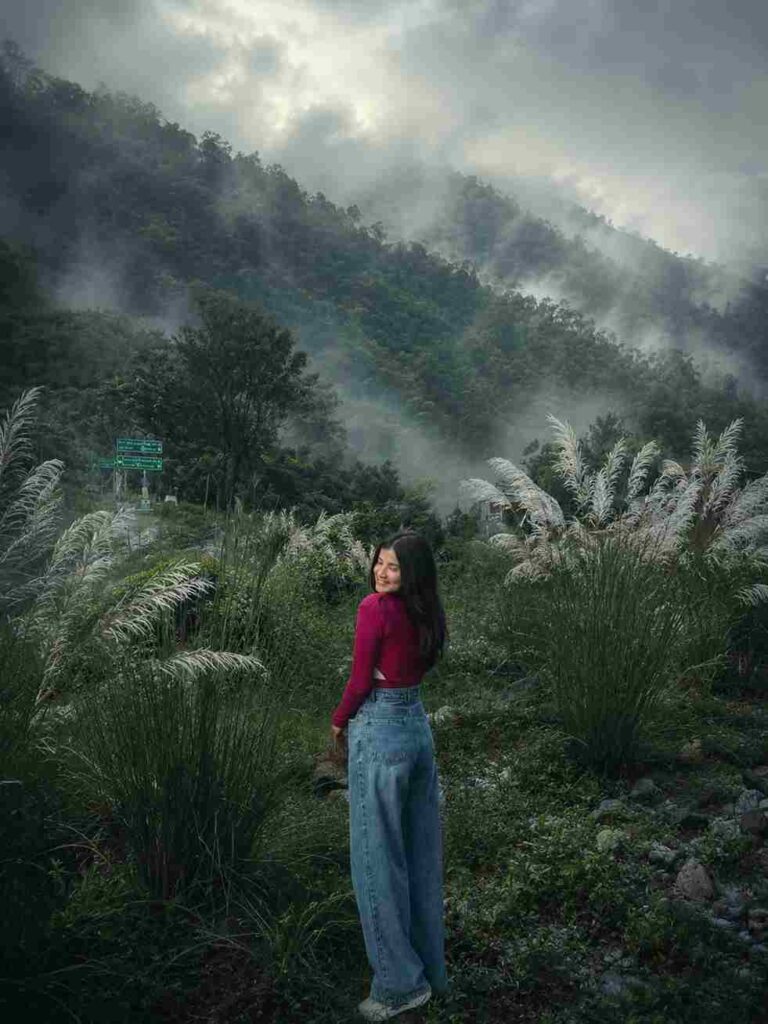
Transform this image into a breathtaking ultra-realistic foggy forest masterpiece. Add dense natural white fog covering the entire environment, creating a mysterious and cinematic atmosphere. Apply rich forest-inspired color grading with deep emerald green, dark teal, moss green, and earthy brown tones. Enhance the trees, foliage, and background elements to resemble a lush enchanted forest hidden in the mist. Introduce soft volumetric light rays subtly penetrating through the fog, creating depth and realism.
Increase overall image quality to ultra-high-definition 4K resolution with razor-sharp details, HDR enhancement, realistic textures, balanced contrast, and natural color harmony. Improve shadows, highlights, and dynamic range while maintaining a realistic appearance. Add a moody woodland aesthetic, dreamy fog layers, atmospheric perspective, and professional cinematic photography grading. The final result should look like a premium DSLR forest photograph captured during a cold misty morning, with ultra-realistic details, immersive depth, soft natural lighting, and stunning visual quality.
Style: Cinematic Forest Photography, Moody Nature, Dense Fog Weather, Volumetric Lighting, HDR, Ultra Realistic, Professional Color Grading, 4K Quality, DSLR Shot, Atmospheric Depth, Photorealistic.
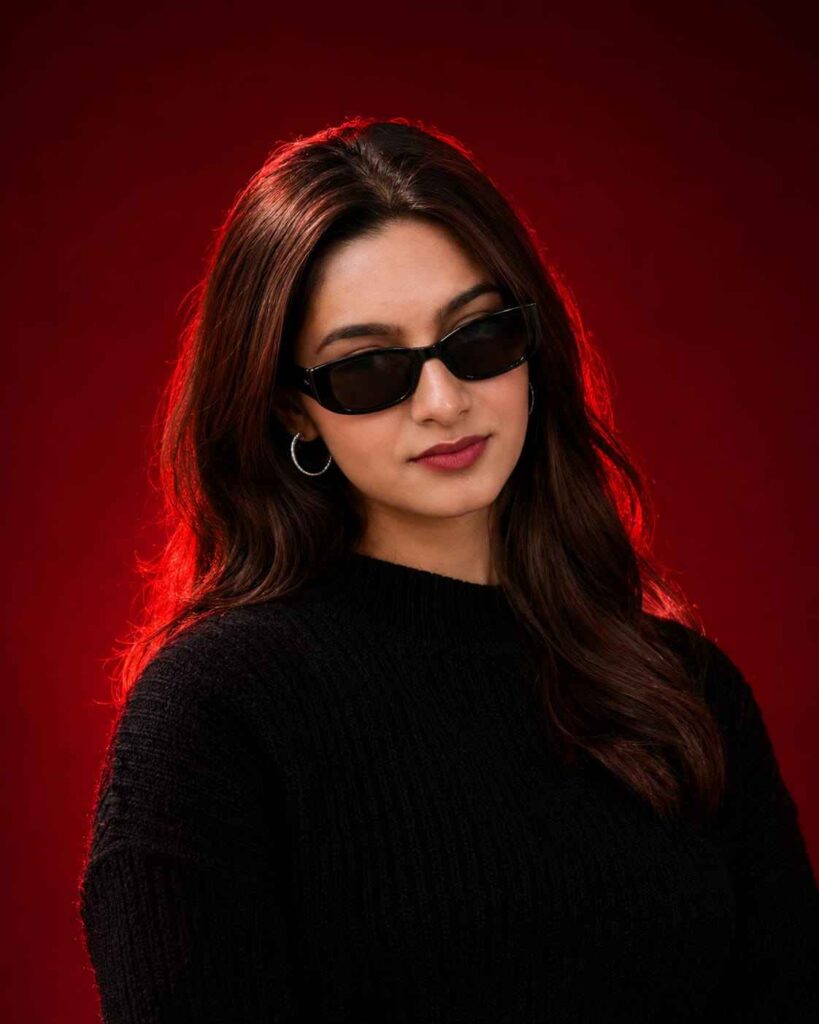
Use the uploaded reference image as the exact identity of the person. STRICT IDENTITY LOCK Preserve 100% facial structure, skin tone, hairstyle, beard, facial features, age and identity. Do not alter face, hair, beard or natural appearance.
OUTFIT Premium black ribbed knit sweater, sleek black rectangular sunglasses, small silver hoop earring.
POSE
Head slightly lowered, face turned slightly sideways, confident expression, subtle smile, looking past camera.
SCENE
Luxury studio portrait, deep crimson-red gradient background, dark red cinematic backdrop, clean minimal composition.
LIGHTING
Soft beauty light, dramatic red rim light around hair and shoulders, editorial lighting, cinematic shadows, high contrast.
CAMERA
Chest-up portrait, 85mm lens, shallow depth of field, sharp facial details.
STYLE
Luxury men's fashion editorial, viral Instagram portrait, ultra realistic, DSLR quality, premium color grading, magazine cover aesthetic. Aspect Ratio 4:5
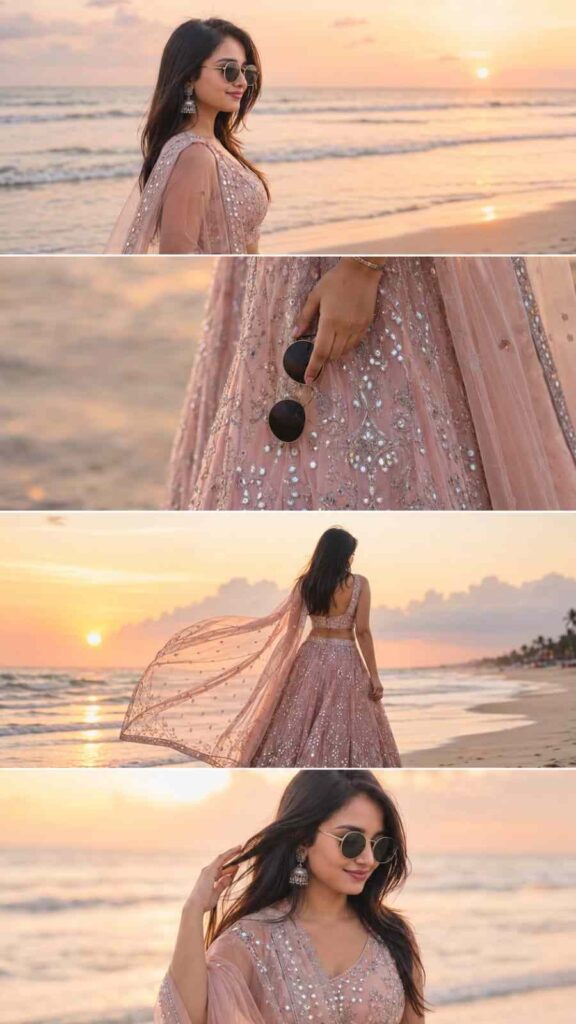
Ultra-realistic DSLR cinematic beach photoshoot collage featuring the SAME girl from the uploaded reference image (100% face match). Use the uploaded image as the facial identity reference and preserve face identity exactly — same facial structure, hairstyle, jawline, skin texture, expression style, body proportions, and natural appearance. Do NOT modify, beautify, age-change, or stylize the face. Maintain exact facial identity and realistic likeness.

Create an Instagram portrait 3:4 ratio collage (1080x1440) consisting of 4 vertically stacked photos with thin white dividers, premium cinematic Instagram reel-cover style.

Outfit: Luxury blush-pink designer lehenga with intricate silver and mirror embroidery, heavily detailed flared skirt, elegant matching blouse, sheer embroidered dupatta flowing in the sea breeze, statement earrings, silver wrist watch, holding black round sunglasses. Rich bridal-fashion aesthetic with premium craftsmanship and realistic fabric textures.

Scene: Golden sunset beach, pastel
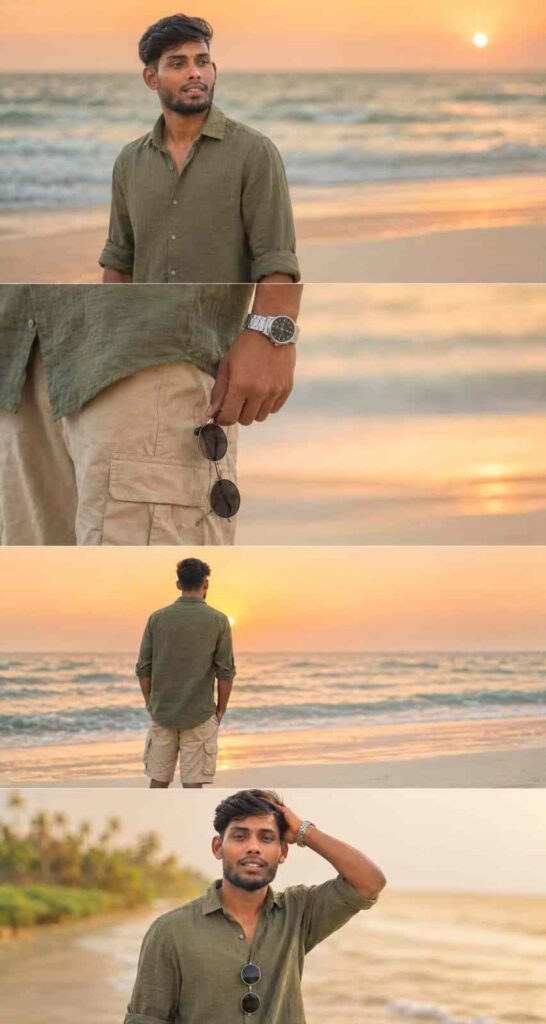
Ultra-realistic DSLR cinematic beach photoshoot collage featuring the SAME person from the uploaded reference image. Preserve the face identity with 100% accuracy — exact facial structure, hairstyle, beard density, jawline, skin tone, eye shape, body proportions, and natural expression. Keep the authentic realistic Indian male appearance. Do NOT beautify, reshape, smooth skin excessively, or alter facial features.

Generate an Instagram portrait size vertical 4-photo collage (1080x1350) in a luxury cinematic reel-cover aesthetic. Maintain the exact trendy stacked collage composition with clean horizontal divisions between each frame.

Environment: tropical beach during golden sunset hour, pastel orange-pink sky, glowing horizon, soft ocean waves, wet reflective shoreline sand, dreamy cinematic atmosphere, warm sunlight reflections, subtle sea breeze movement, realistic travel photography mood.

Outfit styling: olive green linen shirt with rolled sleeves, beige cargo shorts, silver metal wrist watch, black round sunglasses in hand, slightly messy textured hair.

Photo 1:
Medium cinematic portrait standing near shoreline, side profile looking toward the sunset horizon, calm expression, ocean waves behind, soft warm sunlight on face.

Photo 2:
Close-up aesthetic shot of hand holding black sunglasses beside shorts pocket, visible silver watch, shallow depth of field, smooth bokeh beach background.

Photo 3:
Back-view pose standing near ocean water facing the sunset, relaxed posture, cinematic framing, golden light reflecting on wet sand.

Photo 4:
Natural candid pose touching hair while smiling softly, warm sunset glow on skin, wind-blown hair effect, dreamy cinematic mood.

Photography Style:
Ultra-realistic DSLR photography, 85mm lens, f/1.8 aperture, shallow depth of field, HDR lighting, cinematic color grading, realistic skin pores, soft highlights, natural shadows, travel influencer aesthetic, luxury Instagram vibe, 4K ultra detailed.

Composition:
Exact same vertical stacked collage layout, evenly spaced photo strips, clean minimal borders, smooth warm tones, balanced cinematic framing, realistic lighting and shadows, premium Instagram reel-cover appearance.

Negative Prompt:
cartoon, painting, CGI, overedited face, smooth plastic skin, blurry details, distorted anatomy, extra fingers, duplicate body parts, unrealistic expressions, low quality, deformed hands, fake AI look, oversaturated colors, watermark, text, logo, cropped face, bad proportions
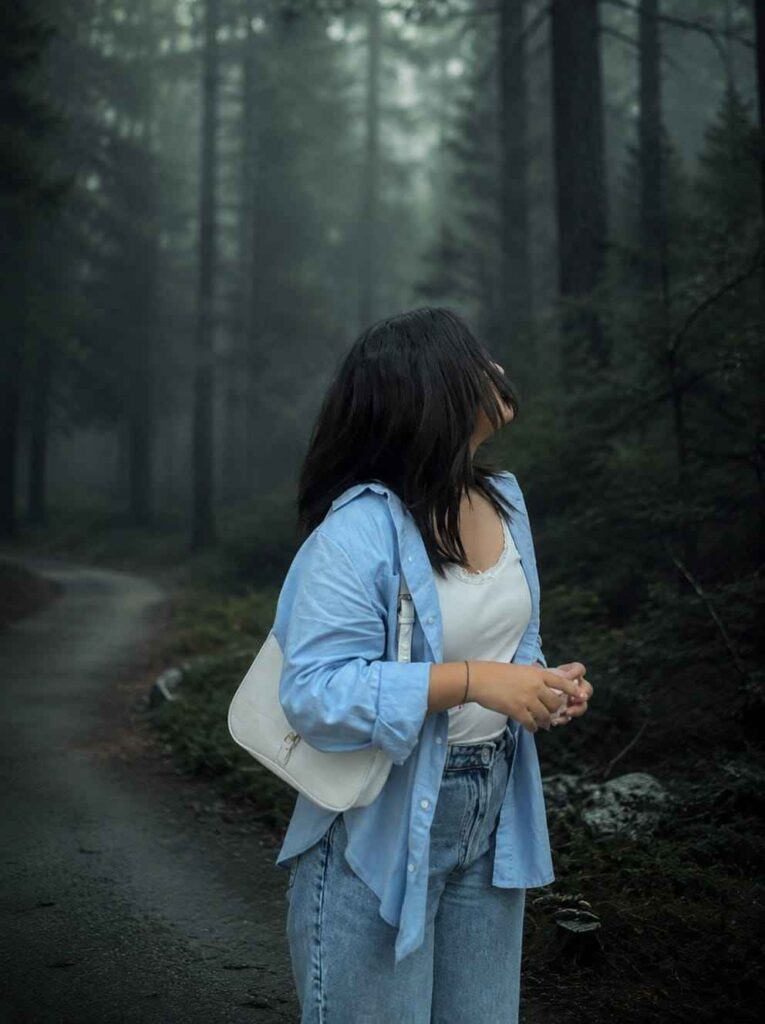
Cinematic moody forest color grading, dark green pine forest background, muted colors, soft matte finish, deep shadows, low saturation, foggy atmosphere, cool green and grey tones, faded blacks, high contrast subject, subtle film grain, dreamy depth, soft natural light, teal and olive color palette, professional reel look, asthetic Instagram cinematic edit, ultra realistic, sharp subject, background haze,4K quality. IMPORTANT: Keep the exact same person, face, hairstyle, pose, body shape, and clothing unchanged. The subject must wear the same original outfit/ dress as in the reference image. Do not change, replace, redesign, recolor, or generate a new outfit. Preserve all clothing details, fabric, patterns, logos, accessories, and fit exactly as they are. Only apply cinematic color grading and background atmosphere. No wardrobe changes, no costume changes, no fashion alterations.
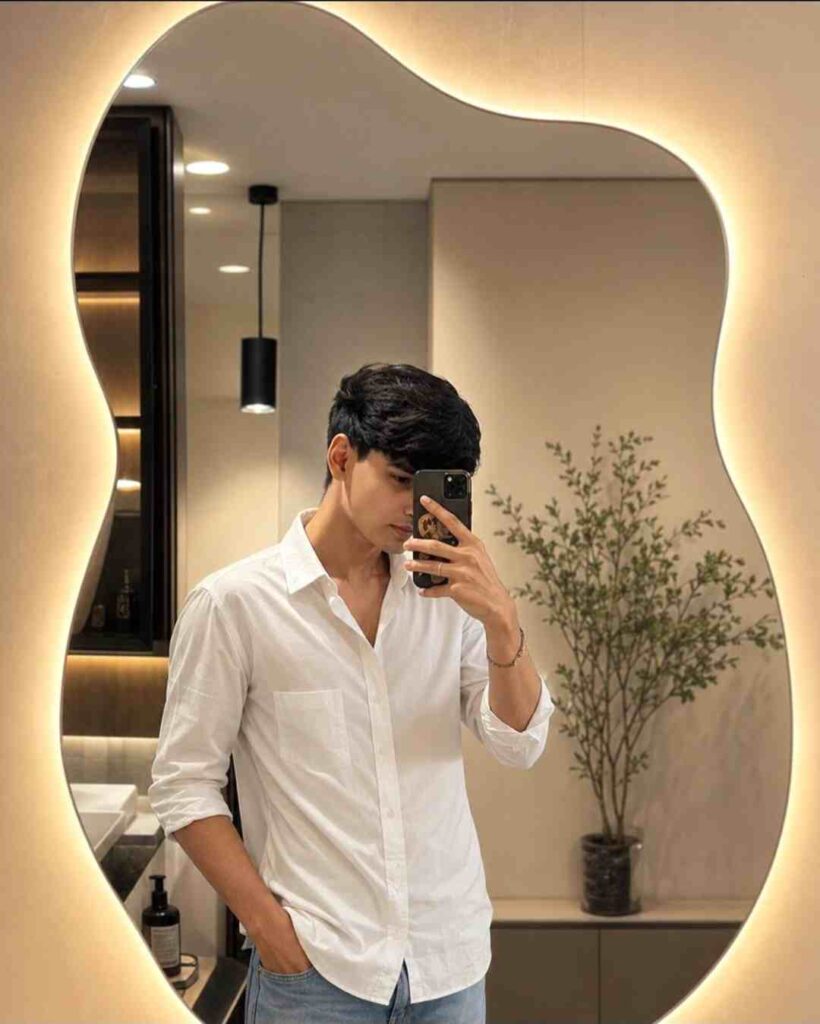
Handsome young man taking a mirror selfie in a modern minimalist dressing room. Standing confidently in front of an artistic asymmetrical wavy mirror with warm LED backlighting creating a soft golden glow around the edges. Cozy luxury interior with cream-colored walls, modern cabinetry, decorative plants, and stylish bathroom accessories visible. Wearing a trendy fitted long-sleeve shirt and relaxed denim jeans, fashionable and confident pose. Soft warm lighting, aesthetic fashion photography, realistic skin texture, sharp facial features, natural hairstyle, shallow depth of field, ultra-realistic, 4K, cinematic portrait, Instagram fashion influencer style, elegant and sophisticated atmosphere, luxury lifestyle aesthetic, high detail, professional color grading, photorealistic, DSLR quality, centered composition, natural reflections, premium interior design, viral social media photography, 4:5 aspect ratio.
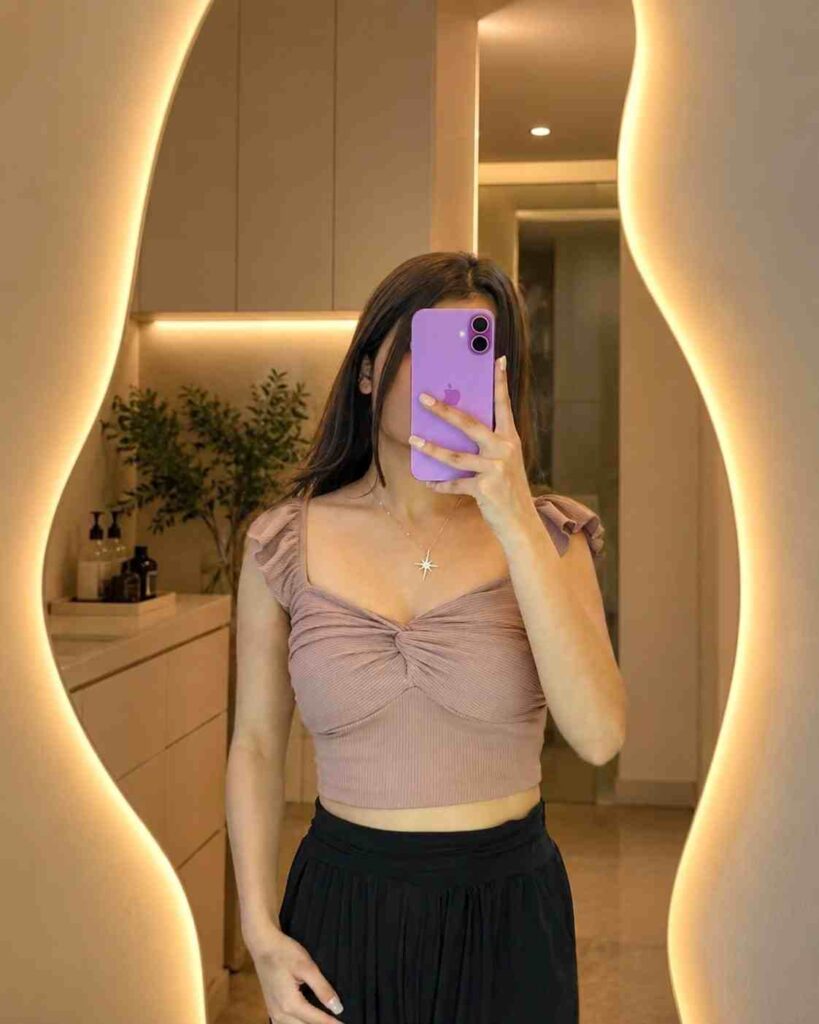
Beautiful young woman taking a mirror selfie in a modern minimalist dressing room. Standing in front of an artistic asymmetrical wavy mirror with warm LED backlighting creating a soft golden glow around the edges. Cozy luxury interior, cream-colored walls, modern cabinetry, decorative plant and bathroom accessories visible. Soft warm lighting, aesthetic fashion photography, high detail embroidery, realistic skin texture, shallow depth of field, ultra-realistic, 4K, cinematic portrait, Instagram fashion influencer style, elegant and sophisticated atmosphere. 4:5 aspect ratio
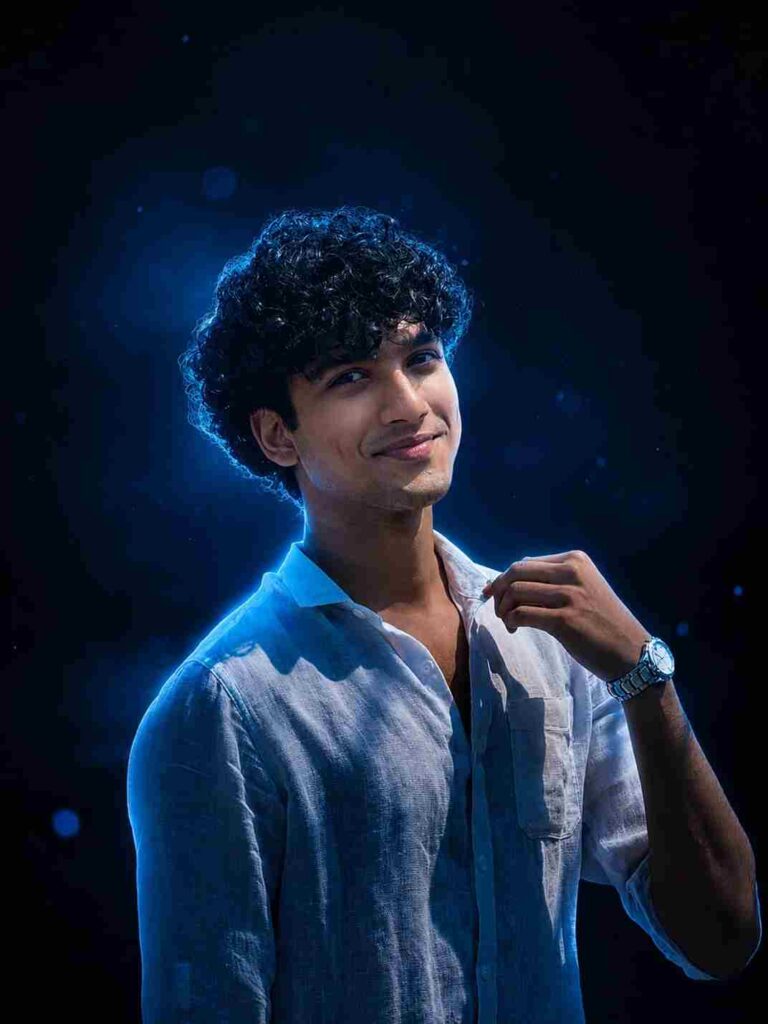
Ultra realistic cinematic blue neon studio filter, dark moody black-blue gradient background, soft glowing blue rim light, subtle floating blue bokeh particles, high contrast luxury portrait lighting, deep shadows, cool cyan highlights, glossy cinematic color grading, soft ambient glow, DSLR photography effect, ultra detailed fabric texture in, premium fashion editorial vibe, shallow depth of field, smooth skin tone lighting, atmospheric haze, clean minimal dark aesthetic, sharp focus, modern Instagram portrait style, studio spotlight effect, dramatic low-key lighting, soft lens bloom, realistic depth and contrast.
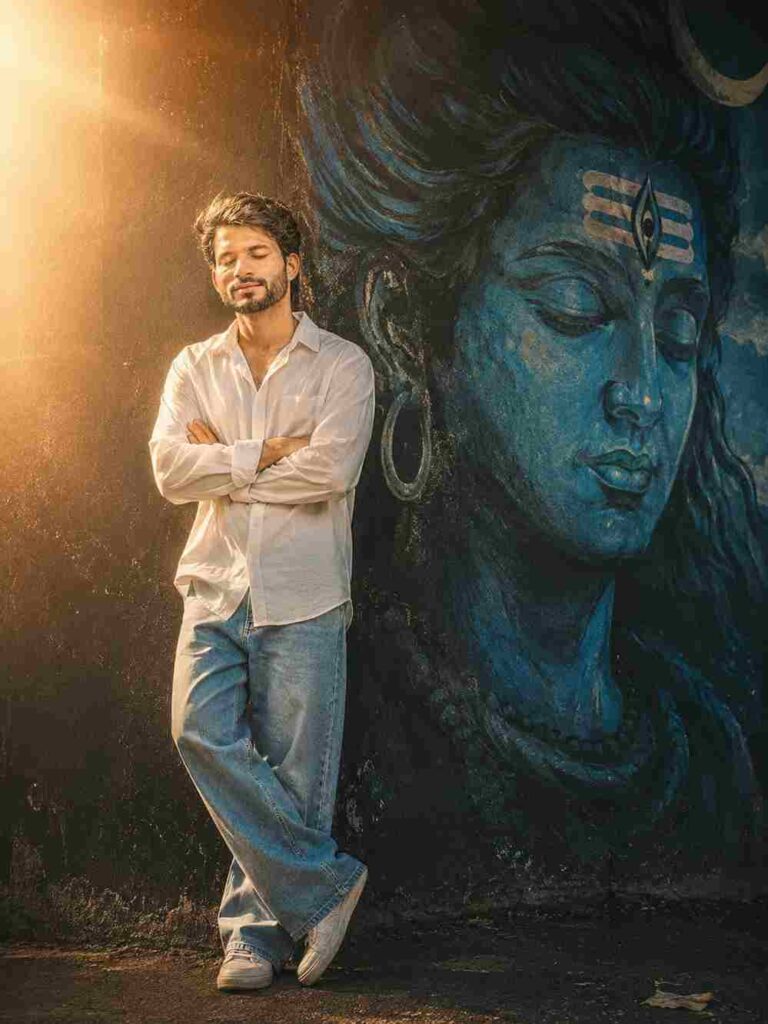
A cinematic, full-length portrait of a young South Asian man with closed eyes and arms crossed, wearing an oversized white button-down shirt and light- wash wide-leg jeans, leaning against a dark textured wall next to a massive, serene blue mural of Lord Shiva's face, illuminated by a dramatic, glowing backlight that creates an ethereal halo effect with a warm, grainy 90s film aesthetic.
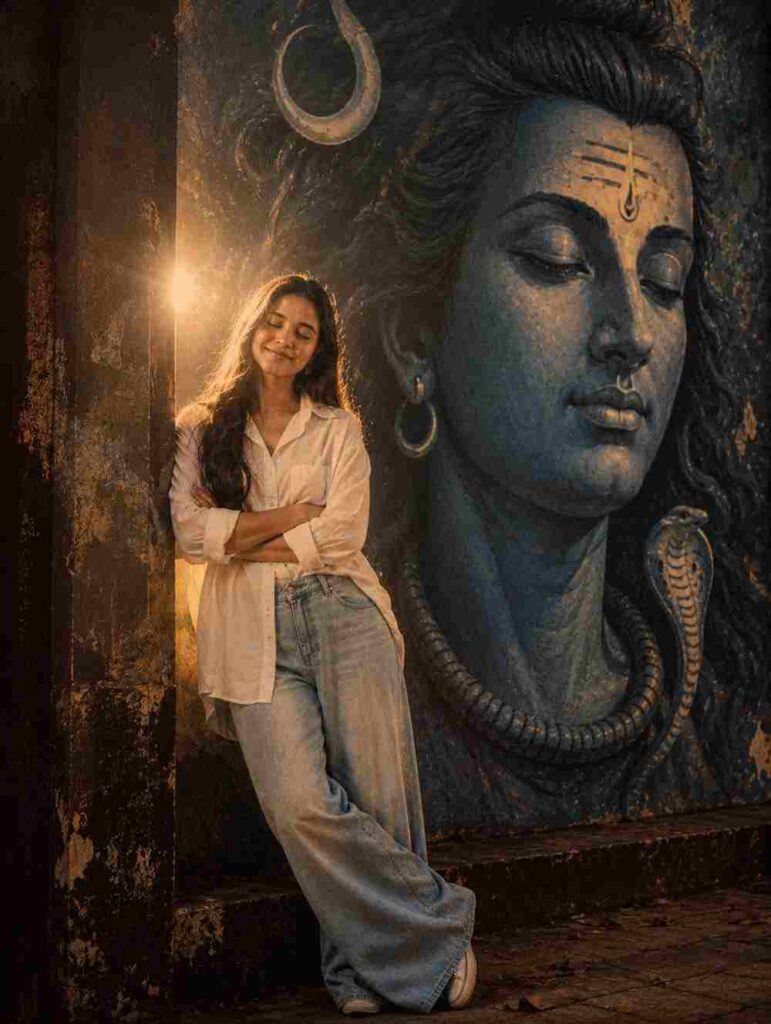
A cinematic, full-length portrait of a young South Asian woman with closed eyes and arms crossed, wearing an oversized white button-down shirt and light-wash wide-leg jeans, leaning against a dark textured wall next to a massive, serene blue mural of Lord Shiva's face, illuminated by a dramatic, glowing backlight that creates an ethereal halo effect with a warm, grainy 90s film aesthetic..
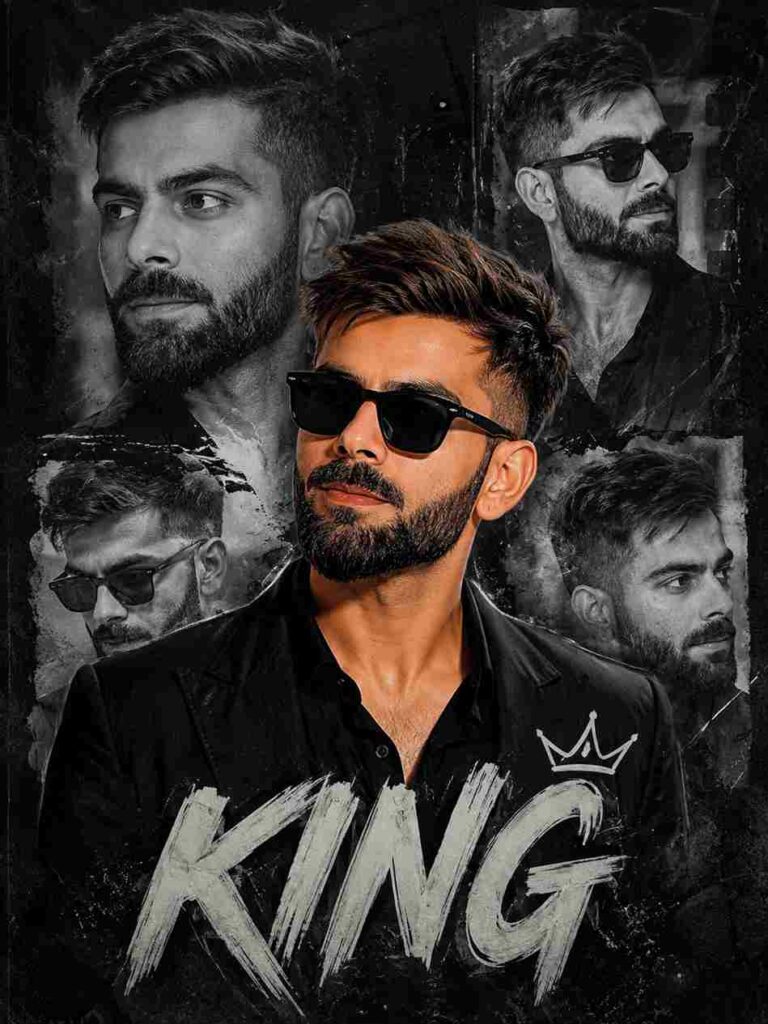
Create a high-quality cinematic collage poster of a Man ( use reference images for 100% facial accuracy) with stylish messy hair and black outfit, inspired by modern Instagram creator edits. The design should have multiple black-and-white side portraits in the background and one detailed main portrait in the center with a digital painting effect.tex by. "KING" and wears black sunglasses
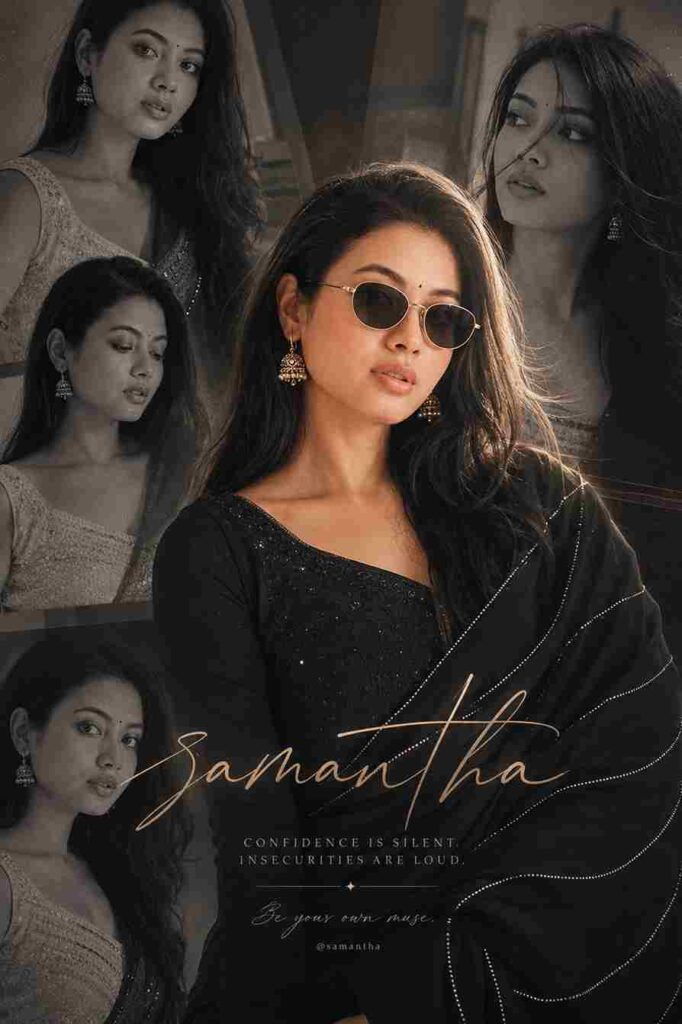
Create a high-quality cinematic collage poster of a woman (use reference images for 100% facial accuracy) with stylish soft messy hair and an elegant black traditional outfit, inspired by modern Instagram creator edits. The design should feature multiple black-and-white side portraits in the background and one highly detailed main portrait in the center with a semi-realistic digital painting effect. Include stylish text by “samantha”. She wears black sunglasses, an elegant black salwar suit with a flowing black dupatta featuring delicate silver dotted stripe patterns, long silky black hair naturally draped over her shoulders, subtle natural makeup, a tiny black bindi, expressive eyes, a soft gentle smile, and traditional gold jhumka earrings. The overall mood should feel classy, cinematic, fashionable, and aesthetically rich with dramatic lighting, soft shadows, depth, and premium Instagram poster styling.
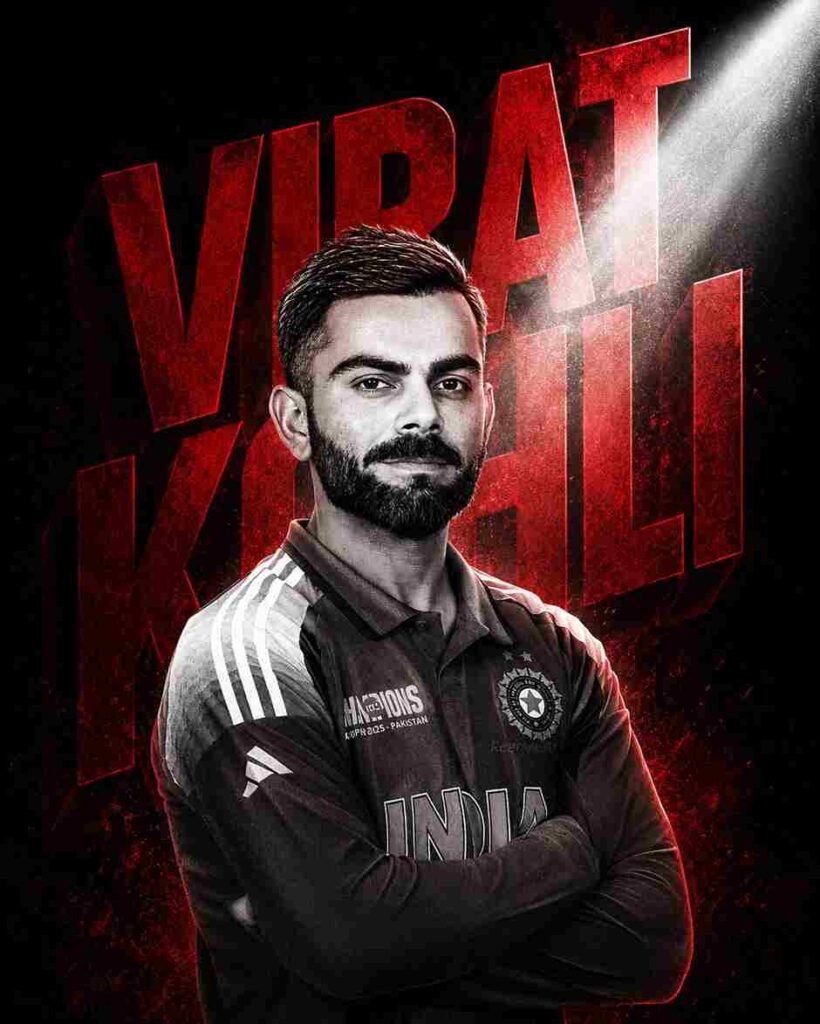
Blur the picture and overlay the text with suitable colours as reference pic. The subject from the uploaded image is captured in a cinematic double exposure portrait. The image maintains the same pose and profile view, rendered in a grainy, high-contrast black-and-white halftone manga-style texture. Behind the subject, a large bold 3D geometric shape or typography reading “Virat Kohli” in deep crimson red creates a sharp silhouette. A dramatic beam of white light cuts across the frame, highlighting subtle atmospheric particles or mist, creating a glowing cinematic effect. The expression is intense and calm, with strong shadows enhancing facial features. The composition is powerful, minimal, and highly stylized, with no smoking or distracting elements. Face should closely match the uploaded image. Ultra-detailed, cinematic lighting, poster design, 4:5 aspect ratio.
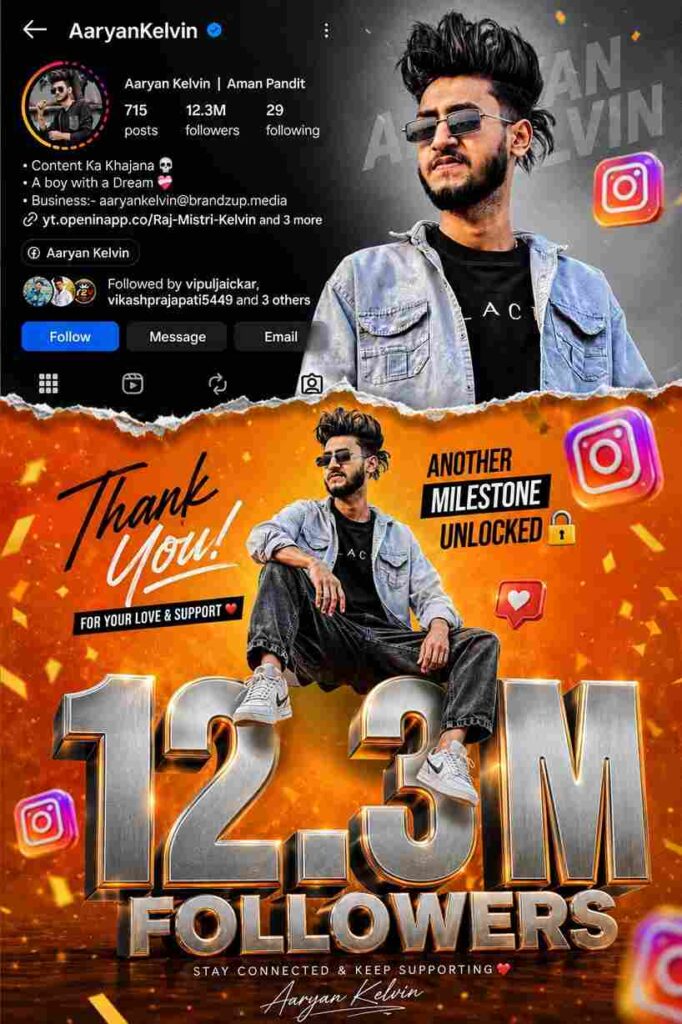
vibrant Instagram milestone poster celebrating 53.2k followers. The main subject (Luis) is stylishly posing in two different positions -one full-body sitting pose on top of a big 3D metallic followers 12.3M text with floating Instagram icons, and another half-body stylish photo above with torn paper effect transition between orange gradient and grey background. The top section shows an Instagram profile interface with username AaryanKelvin, follower 12.3M count, bio, and icons.
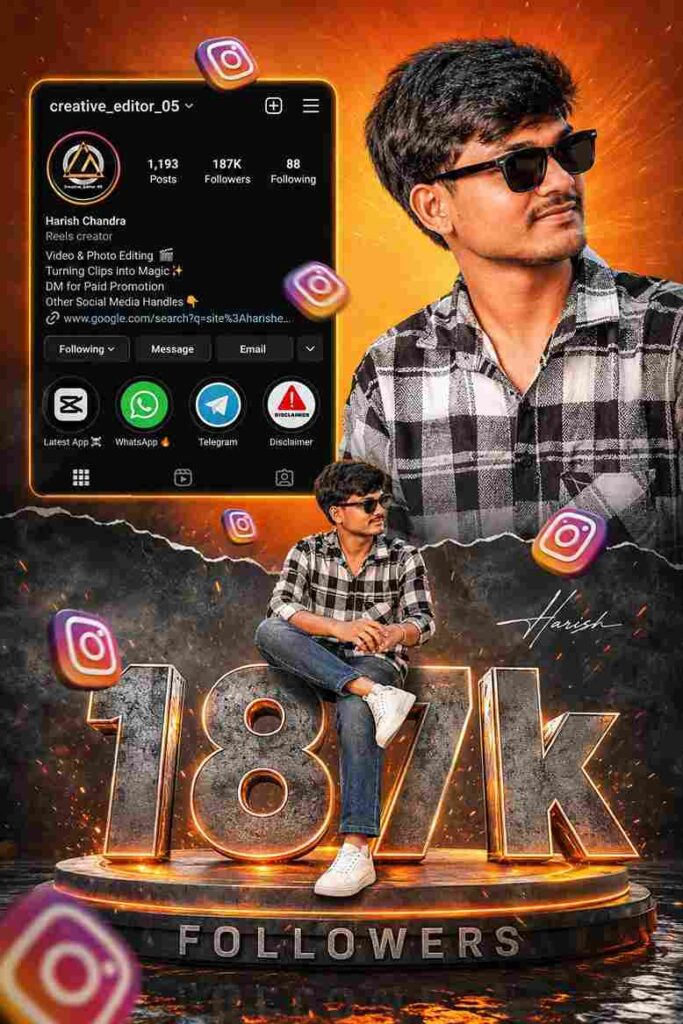
Ultra realistic Instagram milestone celebration poster design. A stylish Indian teenage boy wearing black sunglasses, black-white check shirt, blue jeans and white sneakers. Two different poses of the same person one upper-body stylish portrait looking sideways at the top right, and one full-body sitting pose on giant metallic 3D "187k" text at the bottom center. Bright orange cinematic gradient background on top with smoky dark grey background at bottom separated by torn paper effect. Include realistic Instagram profile Ul on left side with username, followers count, reels creator details, bio text and social icons. Add floating 3D Instagram logos around the scene with depth blur. Add glowing orange sparks, cinematic lighting, dramatic shadows, high contrast, ultra HD 8K quality, realistic skin texture, DSLR depth of field, stylish influencer vibe.
The giant "187k" text should look metallic steel with orange glowing edges and circular platform below it. Add "FOLLOWERS" text below. Add handwritten signature style/pre>
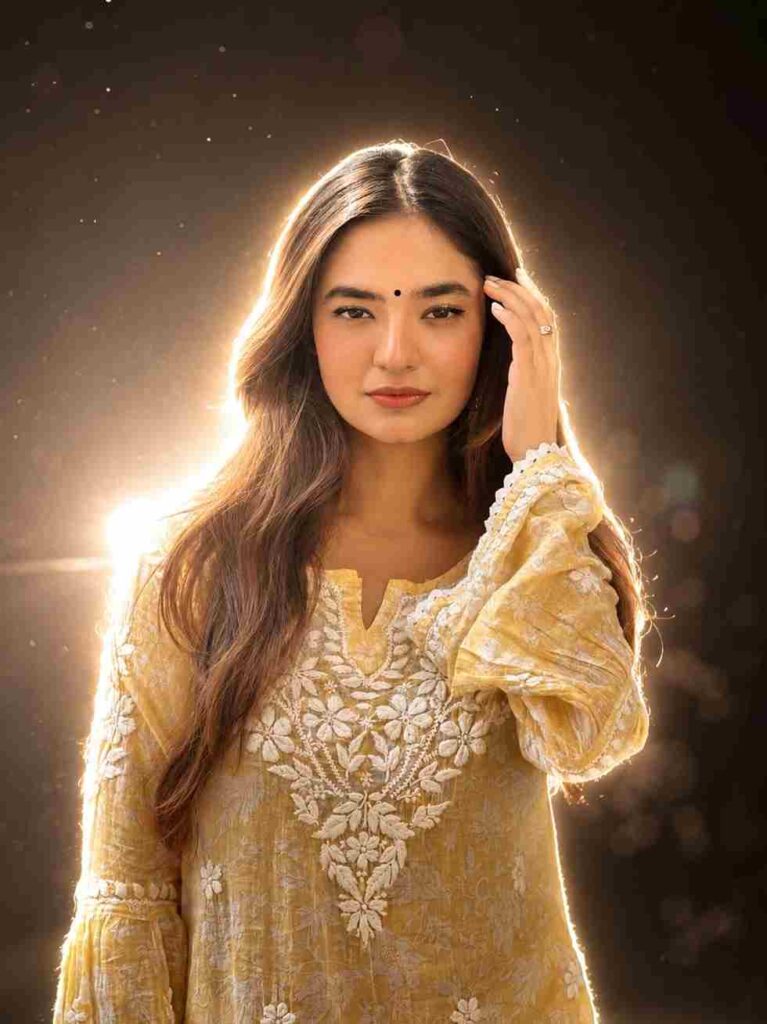
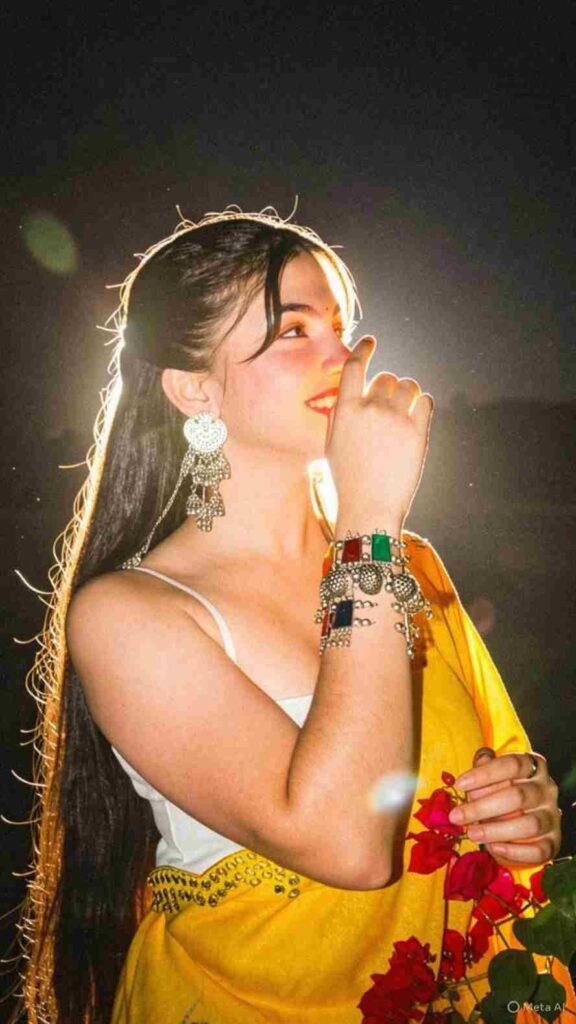
Create a cinematic dreamy night portrait with a strong soft white backlight glow behind the subject, creating a bright natural halo around the hair and body edges. Keep the face 100% original and realistic with no changes to facial features, skin tone, hairstyle, pose, outfit, expression, or body structure. Add clean white rim lighting with a very slight warm tone, soft bloom glow, glowing edges, subtle lens flare, smooth skin highlights, and DSLR flash photography aesthetics. Background shoud remain dark and minimal to make the white backlight stand out beautifully. Add soft atmospheric haze, floating dust particles, shallow depth of field,
cinematic contrast, and ultra realistic skin texture, Enhance the image with premium cinematic color grading, dreamy mood, and high detail glowing outline around the subject. Viral Instagram aesthetic, ultra realistic, soft white glow, elegant cinematic lighting
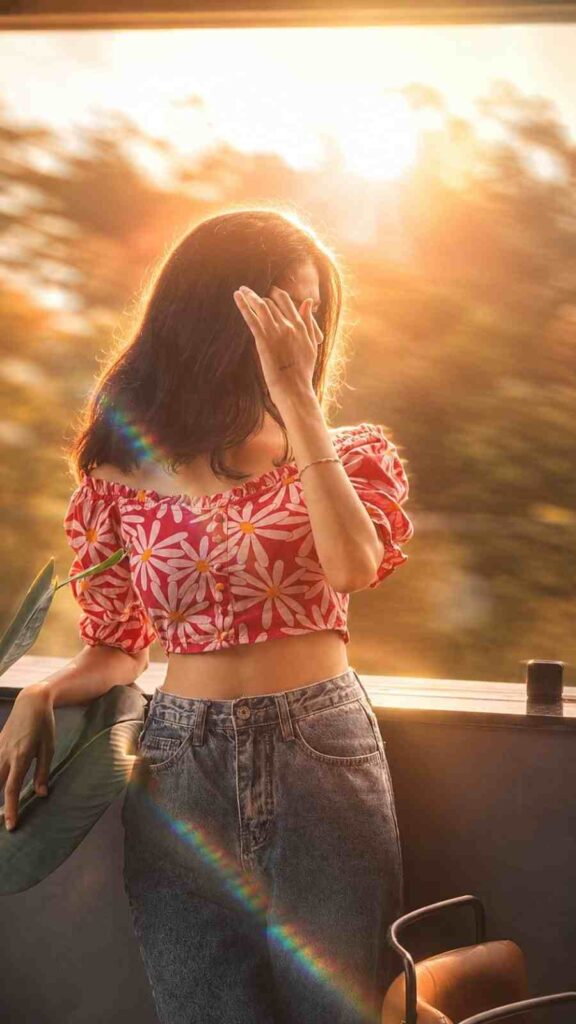
Golden Hour Backlight: Transform this image into a cinematic, dreamy editorial portrait with soft golden-hour lighting. Apply strong backlighting from the sun positioned behind the subject, creating a natural rim light around the hair and shoulders.Prismatic Lens Flare: Add a realistic prismatic rainbow lens flare diagonally crossing the frame, with subtle chromatic dispersion and light streak bloom.Depth & Focus: Enhance depth using shallow depth of field (f/1.8 style), keeping the subject sharp while softly blurring the background into a creamy bokeh. Introduce slight motion blur in the environment to create a dynamic, ethereal movement effect while keeping the subject stable.Color Grading: Apply warm, soft color grading with pastel tones, slightly lifted highlights, and gently faded shadows for a filmic look. Add subtle glow diffusion to highlights (especially around light sources and skin, creating a soft, dreamy haze without losing detail.Skin & Detail: Skin tones should
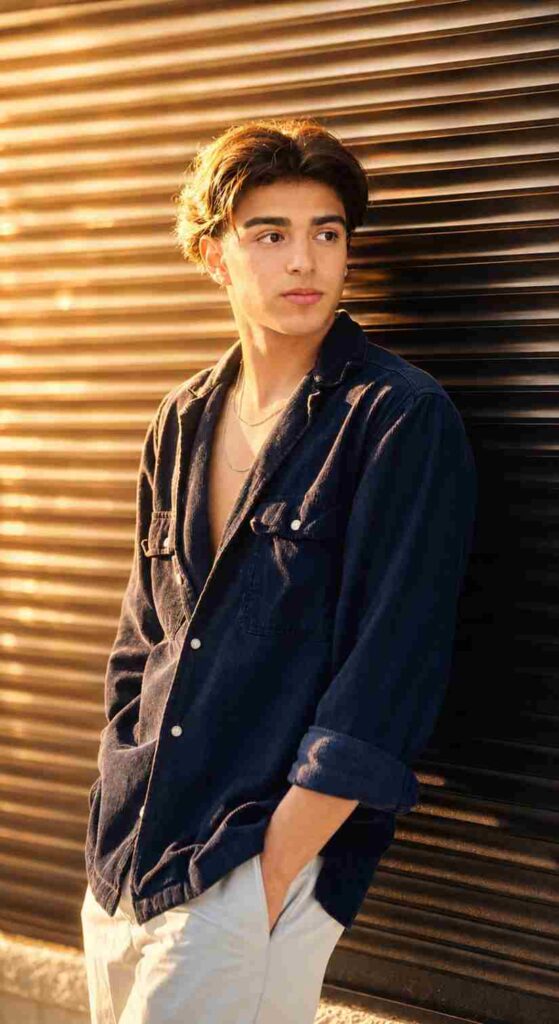
Transform The Source Image By Applying A Dramatic, Warm Cinematic Aesthetic Typical Of High-end Music Videos. Crucially, The Lighting Must Feature A Strong, Warm Backlight (rim Light) Originating From Behind The Subject, Creating A Glowing Golden Halo On Their Hair And Shoulders That Separates Them From The Background, While Also Ensuring Ample, Soft Frontal Light On The Subject's Face So That Facial Features Are Clearly And Evenly Illuminated. The Overall Atmosphere Should Be Emotional And Moody With A Shallow Depth Of Field (blurred Background), Dominated By Rich Amber, Gold, And Deep Shadow Tones, Precisely Maintaining The Original Subject's Facial Features, Pose, Outfits, Background, And Gender 100% Accurate. Perform A Realistic Upscale, Bringing The Subject Into Extremely Sharp Focus With Enhanced Skin Texture And Detail, Styled As Bright Daytime Photography With Natural Outdoor Ambient Light Retained In The Scene And Sufficient Key Light On The Face For A Well-exposed Portrait
Create a professional cinematic studio-style edit of the uploaded photo while keeping the person’s face, hairstyle, beard, skin tone, body proportions, pose, outfit, motorcycle, and overall identity 100% unchanged and realistic. Keep the original outdoor background intact without replacing it. Add a strong glowing backlight behind the person to create a soft white halo and rim light around the hair, shoulders, arms, and body edges. Use clean white glow with a slightly warm tone, soft bloom, subtle lens flare, and smooth cinematic lighting. Enhance the image with deep blacks, high contrast, sharp Sony A1 portrait quality, realistic skin texture, detailed shadows, and premium DSLR photography aesthetics. Add soft depth of field, dramatic cinematic color grading, and a polished high-end editorial look while preserving the natural environment and original composition.
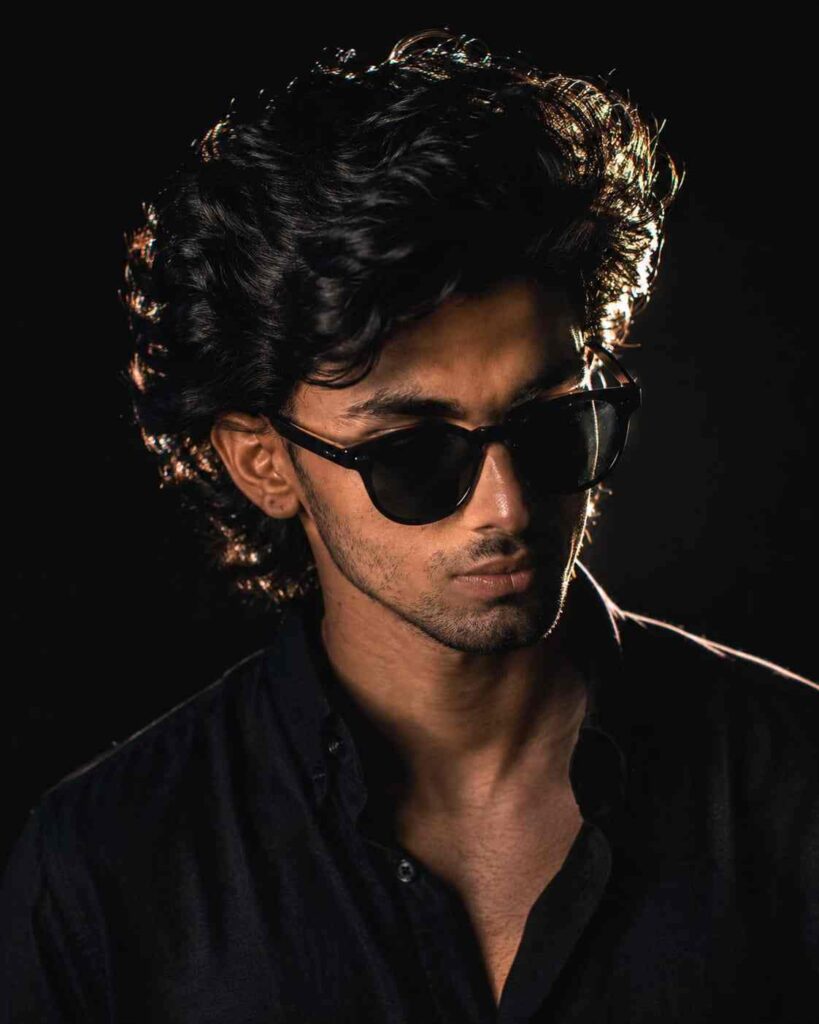
Ultra-realistic cinematic studio portrait of a young Indian man, front-facing pose with head slightly tilted down, eyes looking downward, serious and mysterious expression, black oversized curly textured hair with strong rim light highlights, wearing round black sunglasses and a black shirt, low-key lighting setup, dramatic side rim light outlining face and hair, deep shadows, dark black background, moody atmosphere, ultra detailed skin texture, sharp jawline, minimal light hitting the face, high contrast photography, editorial fashion portrait, volumetric lighting, DSLR quality, 85mm lens, shallow depth of field, ultra realistic, 8K, centered composition, Instagram aesthetic, cinematic color grading
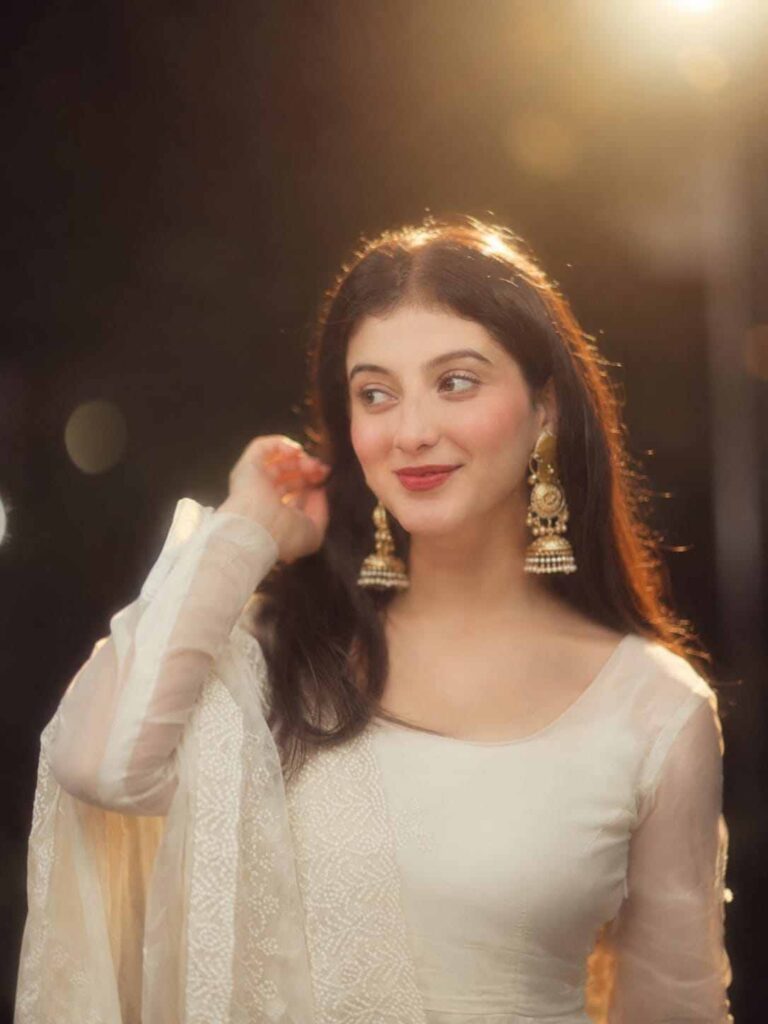
Apply a cinematic, soft, and dreamy golden effect to this uploaded photo while keeping the face and overall appearance 100% unchanged. Do not change any facial features, hairstyle, expression, pose, outfit, or body structure. Add warm golden backlight around the subject to create a natural glowing halo effect. Enhance the image with soft highlights, smooth skin glow, subtle dewy lighting, cinematic color grading, and a slightly hazy dreamy atmosphere. Keep the background natural with a soft blur and gentle bokeh effect. Add soft focus, balanced contrast, warm tones, and professional portrait lighting while maintaining realistic details and original image quality. The final result should look aesthetic, cinematic, natural, and high resolution without making the subject look AI-generated or overly edited.
How to Create AI Images Using ChatGPT?
To create AI images using OpenAI ChatGPT is very easy. You just need to follow a few simple steps. First, open the Play Store or App Store on your phone and search for ChatGPT. Install the ChatGPT app for a better experience. Although you can also use the ChatGPT website, in my personal opinion, the app works more smoothly, which is why I recommend it. After installation, open the app, and it will ask you to sign up or log in. You can easily sign up or sign in using your Google account. After that, click on the plus icon, where you will find the Photos option. Tap on it and upload your selfie or a clear picture of yourself. Then, paste the prompt that you can copy in one click from the paragraph below and click on the Send button. Now, wait for a while, and you will get a stunning result. Save the image to your phone, and you can post it on any social media platform to share this trend with your friends.
Steps to Generate AI Images Using Gemini AI
Creating images using Google Gemini AI is quite similar to ChatGPT, but sometimes you may notice slightly different results. Gemini usually takes less time compared to ChatGPT, while ChatGPT may take a little longer but often provides more detailed and amazing results that attract people to create AI images. The image creation process in Gemini is very simple. Just open the Play Store or App Store, install the Gemini app, and log in using your Google account. After that, upload your picture, paste the prompt, and within a few moments, your AI-generated image will be ready to use.
Overall
Friends, in this article, I have explained and shared some of the best upcoming AI photo editing prompts. Along with this, I have discussed how to create AI images using OpenAI ChatGPT and Google Gemini AI, and I also mentioned the key differences between both tools. I hope this article helped you create your trending AI images without any problems. If you face any issue at any point, you can tell me in the comment box or contact me on social media.