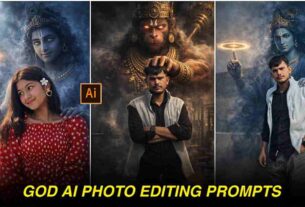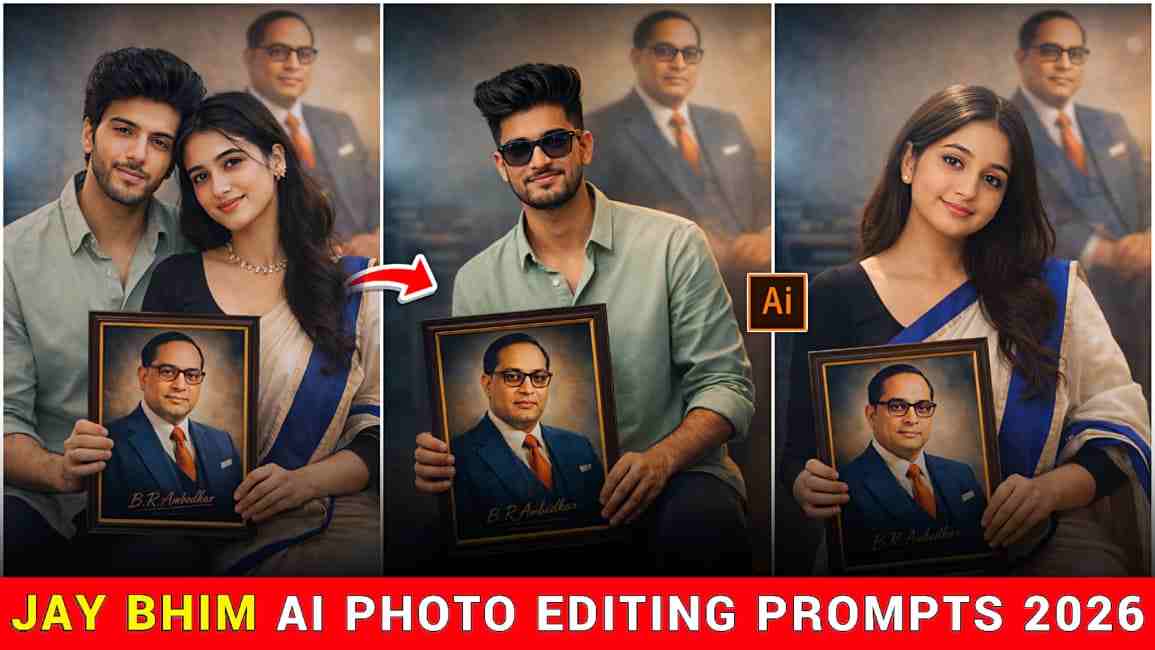
In this article, we are going to share the top 5 best photo prompts on the occasion of Dr. B. R. Ambedkar Jayanti on 14th April. Through these prompts, you can easily create amazing and realistic images to pay tribute to a legendary man. If you are interested in creating such images for Babasaheb, then please check out the full article, because we are going to cover A to Z details. If you follow each and every step, you will definitely get amazing results, where your face will match perfectly and proper detailing will be clearly visible.
All About Dr. Bhim Rao Ambedkar Jayanti
Bhimrao Ramji Ambedkar Jayanti, celebrated every year on 14th April, marks the birth anniversary of one of India’s greatest leaders, social reformers, and the chief architect of the Indian Constitution. This special day is observed across the country to honor his immense contributions toward equality, justice, and the upliftment of marginalized communities. People pay tribute by organizing events, sharing inspirational messages, and creating meaningful content that reflects his vision of a fair and inclusive society. Ambedkar Jayanti is not just a celebration, but a reminder to follow his ideals and work towards building a better and more equal nation
Top 5 Ambedkar Jayanti 2026 AI Photo Prompts
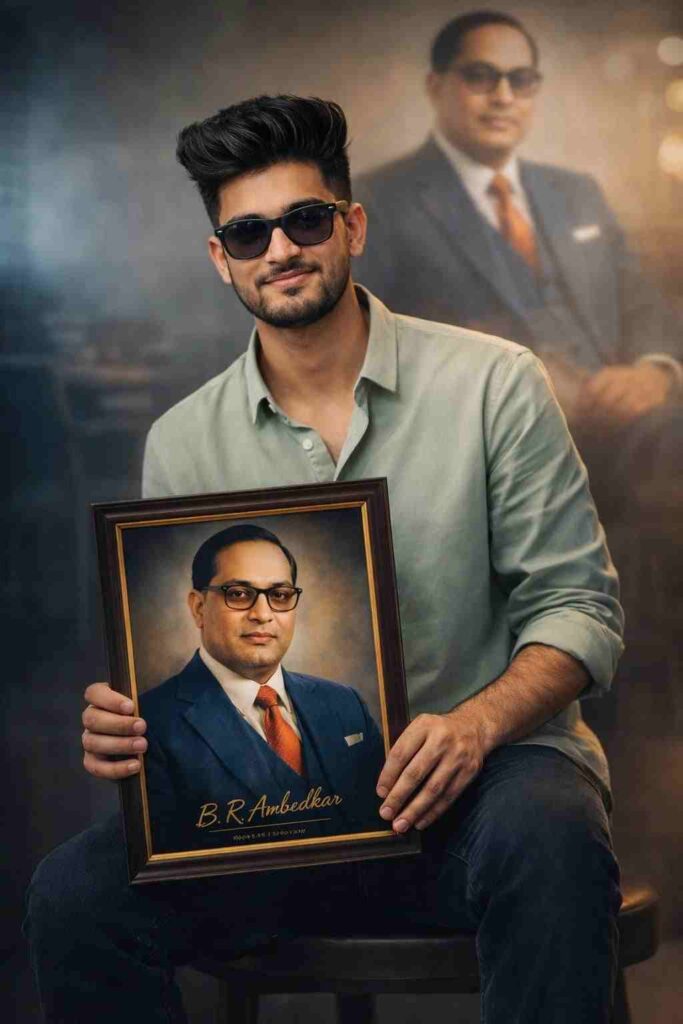
Use the uploaded image as the primary face reference and strictly preserve 100% exact facial identity, including skin tone, facial structure, hairstyle, beard, eyes, nose, lips, and natural skin texture without any beautification or smoothing. Maintain realistic human imperfections with strict identity lock. Create a cinematic, ultra-realistic portrait of a confident young Indian man sitting on a wooden stool in a modern indoor studio setting, slightly leaning forward with a relaxed yet proud posture and a gentle smile. He is wearing a light sage green button-up shirt with rolled sleeves and dark blue jeans. He is holding a framed portrait of Dr. B. R. Ambedkar facing the camera, showing him in a blue suit, white shirt, red tie, and glasses, with subtle text “B. R. Ambedkar” at the bottom. In the background, include a large softly blurred image of Ambedkar in an authoritative pose. Use soft cinematic lighting, volumetric light, teal-orange color grading, 85mm lens, shallow depth of field, HDR, 8K, photorealistic.
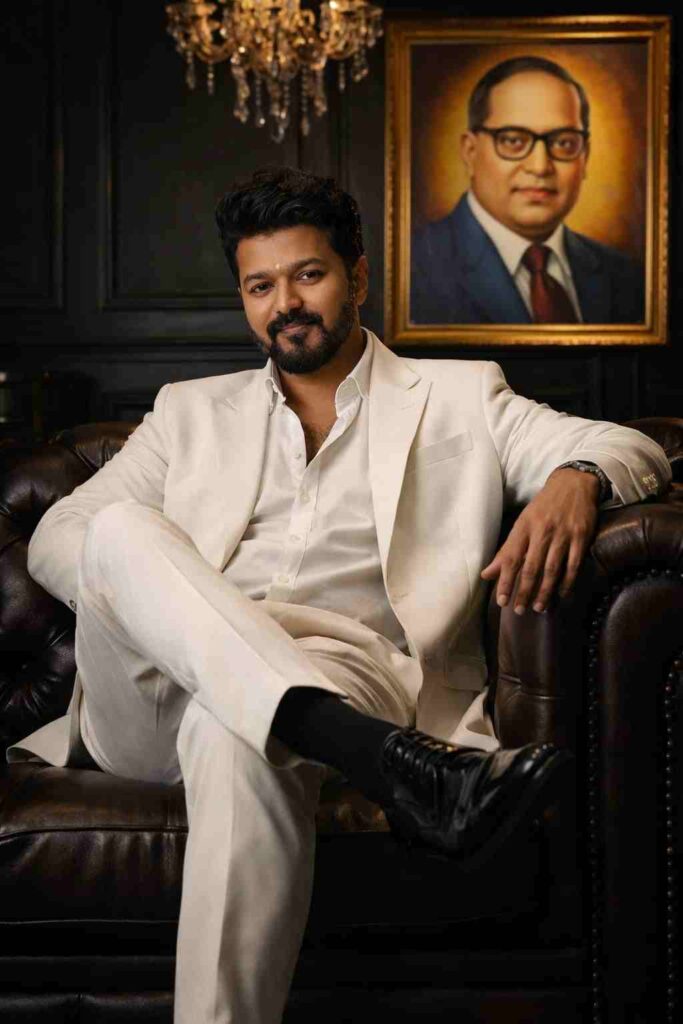
Use the uploaded image for face match Create Hyper-realistic portrait cinematic portrait of the man from the reference photo. A confident man sits on a luxurious dark-brown leather sofa in a dark, elegant room with matte black walls and a chandelier hanging above. He is dressed in a white suit with a white shirt, the top buttons casually undone, sitting in a relaxed mafia-boss pose with one leg crossed over the other. His polished black leather shoes are clearly visible. Behind him hangs a large framed colorful image of Dr Babasaheb Ambedkar, 3:4.
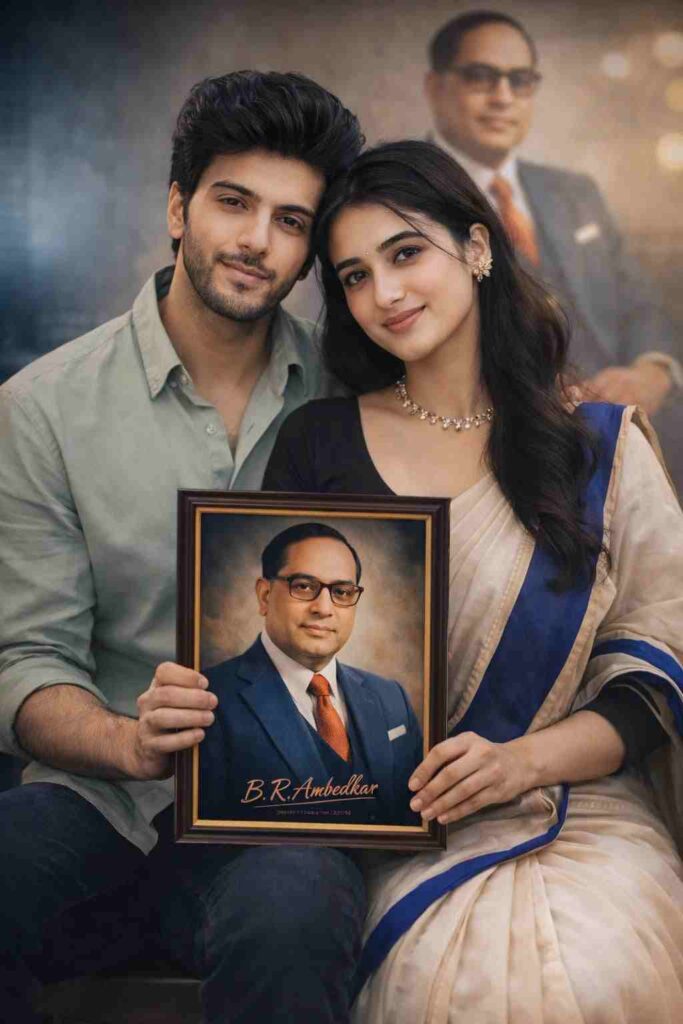
Use the uploaded images as primary face references and strictly preserve 100% exact facial identity for both individuals, including skin tone, facial structure, eyes, nose, lips, hair, and natural skin texture without any beautification or smoothing. Maintain realistic human imperfections with strict identity lock. Create a cinematic, ultra-realistic portrait of a young Indian couple sitting together on a wooden stool in a modern indoor studio setting. The man sits slightly angled, while the woman sits close beside him, both leaning slightly forward with a calm, confident, and proud expression, sharing a subtle smile. The man is wearing a light sage green button-up shirt with rolled sleeves and dark jeans, while the woman is wearing an off-white saree with a bold royal blue border and a black blouse with minimal jewelry. Together, they are holding a framed portrait of Dr. B. R. Ambedkar facing the camera. In the background, include a large softly blurred image of Ambedkar in an authoritative pose. Use soft cinematic lighting, volumetric light, teal-orange color grading, 85mm lens, shallow depth of field, HDR, 8K, photorealistic.
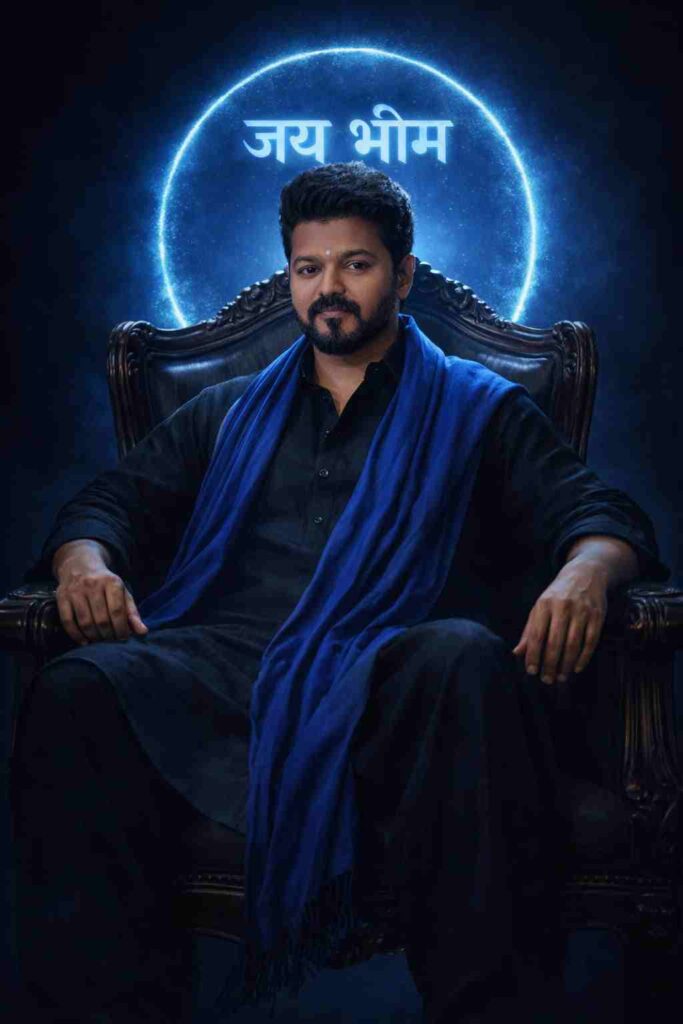
Use the upload image for face matching create a Powerful cinematic full-body portrait of a confident Indian man seated on a classic armchair, wearing a black traditional kurta-palazzo with a flowing blue stole. Dark blue background with a blue glowing circular emblem and 'जय भीम' halo. High-contrast cinematic lighting, royal and authoritative mood. Shot on full-frame DSLR, 85mm lens, shallow depth of field, ultra-realistic, 8K, editorial political-leader style.
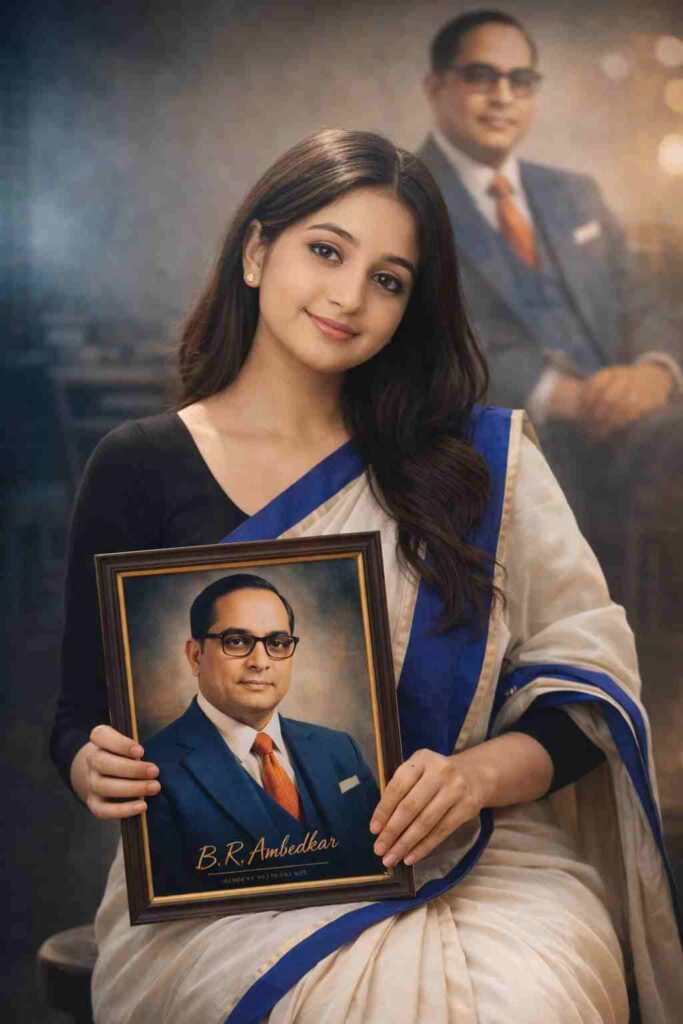
Use the uploaded image as the primary face reference and strictly preserve 100% exact facial identity, including skin tone, facial structure, eyes, nose, lips, and natural skin texture without any beautification or smoothing. Maintain realistic human imperfections with strict identity lock. Create a cinematic, ultra-realistic portrait of a confident young Indian woman sitting on a wooden stool in a modern indoor studio setting, slightly leaning forward with an elegant yet powerful posture and a soft confident smile. She is wearing an off-white saree with a bold royal blue border and a neatly draped blue stole, paired with a full-sleeve black blouse and minimal jewelry. She is holding a framed portrait of Dr. B. R. Ambedkar facing the camera, showing him in a blue suit, white shirt, red tie, and glasses, with subtle text “B. R. Ambedkar” at the bottom. In the background, include a large softly blurred image of Ambedkar in an authoritative pose. Use soft cinematic lighting, volumetric light, teal-orange color grading, 85mm lens, shallow depth of field, HDR, 8K, photorealistic.
How to Make Jai Bhim AI Photo
- To create Ambedkar Jayanti special AI images, you need to follow some simple steps.
- First, install the ChatGPT app or Google Gemini app.
- Then, sign in or sign up using your Google account.
- After that, upload your clear photo and paste the prompt given above.
- Next, click on the create button and wait for a while.
- If you do not get your desired image, you can try again.
Why is 14 April Special in India?
14 April is special for Indian people because it is the birth anniversary of Bhimrao Ramji Ambedkar, who played a very important role in shaping modern India. He was the main architect of the Constitution and worked his entire life to promote equality, justice, and education for all. On this day, people across the country remember his contributions, pay tribute to him, and get inspired by his ideas to build a better and more equal society.
Conclusion
In this article, we have explained how to create 14 April Dr. B. R. Ambedkar Jayanti AI images. We have shared the top 5 best photo editing prompts and also provided an A to Z process that will help you create amazing photos. We hope you enjoy this article. If you face any problems during AI image generation, you can let us know in the comments or contact us through our social media handles.