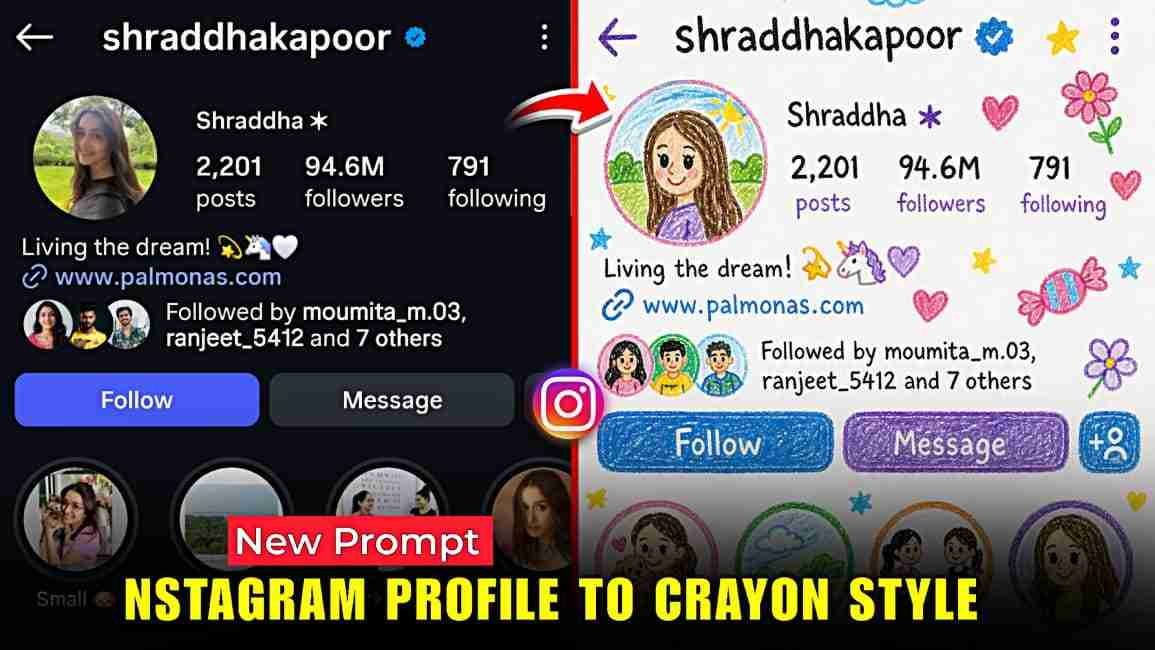
Crayon Style Drawing AI Photo Editing Prompt — In this article, I am going to share a new and fabulous ChatGPT prompt through which you can turn your Instagram profile picture into a crayon-style photo that looks amazing and is currently going viral on Instagram; in the paragraphs below, I will explain the complete A to Z process so you can easily edit such images and share this trend with your friends so they can also create their own photos, so if you are really interested, make sure to read the entire article for a better understanding.
Details of Crayon Style Drawing AI Photo Editing
Crayon-style AI editing is quickly becoming a standout trend on Instagram, offering a fresh and creative way to transform your profile picture into a soft, hand-drawn illustration. With the help of a well-crafted ChatGPT prompt, your image can be reimagined as if it were sketched by a child on clean white paper, featuring simple lines, vibrant crayon textures, and charming elements like doodles, clouds, and stars. This style gives your photo a warm, nostalgic feel while keeping it visually unique and eye-catching. The process is simple, beginner-friendly, and delivers impressive results without requiring any professional editing skills.
How to turn Instagram Profile into Crayon Style
If you’re interested in converting your normal Instagram profile picture into a crayon-style image, just follow these simple and easy steps. First, make sure you have the ChatGPT app installed, or you can use the ChatGPT website. Sign up or log in using your Google account. Next, take a screenshot of your Instagram profile picture and upload it to ChatGPT. After that, paste the prompt (provided below), click on the create or generate option, and wait a few seconds. ChatGPT will process your image and give you an amazing crayon-style result, which you can then easily save to your device.
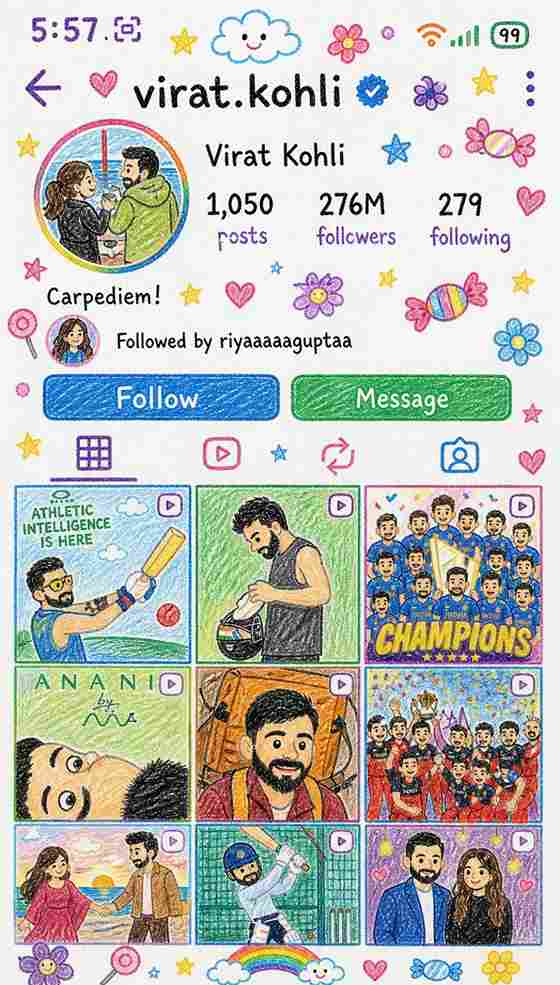
Edit the provided image and reimagine the entire scene as a crayon-style drawing. Simplify the details and make it look like it was drawn by a 10-year-old child Do not use the original image's colors. Give it the feeling of being drawn on a sheet of white paper, with a very cute, playful, and innocent look. Add charming childlike elements such as flowers, candy, stars, clouds, and other sweet decorative details to enhance the whimsical feel Keep the overall result adorable, colorful, and full of childlike innocenc
What is ChatGPT and Why It’s So Useful?
ChatGPT is a powerful AI tool developed by OpenAI that helps users generate human-like text, ideas, and creative content in seconds. Whether you want to write captions, create articles, edit photos using prompts, or learn something new, ChatGPT makes everything faster and easier without requiring any technical skills. It works as a smart assistant that saves time, boosts creativity, and simplifies complex tasks, making it especially useful for students, content creators, and anyone looking to improve their productivity and online presence.
Conclusion
In this article, I’ve shared a trending and amazing ChatGPT prompt that can transform your photo into a stunning crayon-style image. I’ve also provided complete step-by-step instructions so you can easily follow along and create your own edit without any confusion. I hope this post helps you achieve the result you’re looking for—if you face any issues at any step, feel free to mention them in the comments, and I’ll help you fix them as soon as possible.