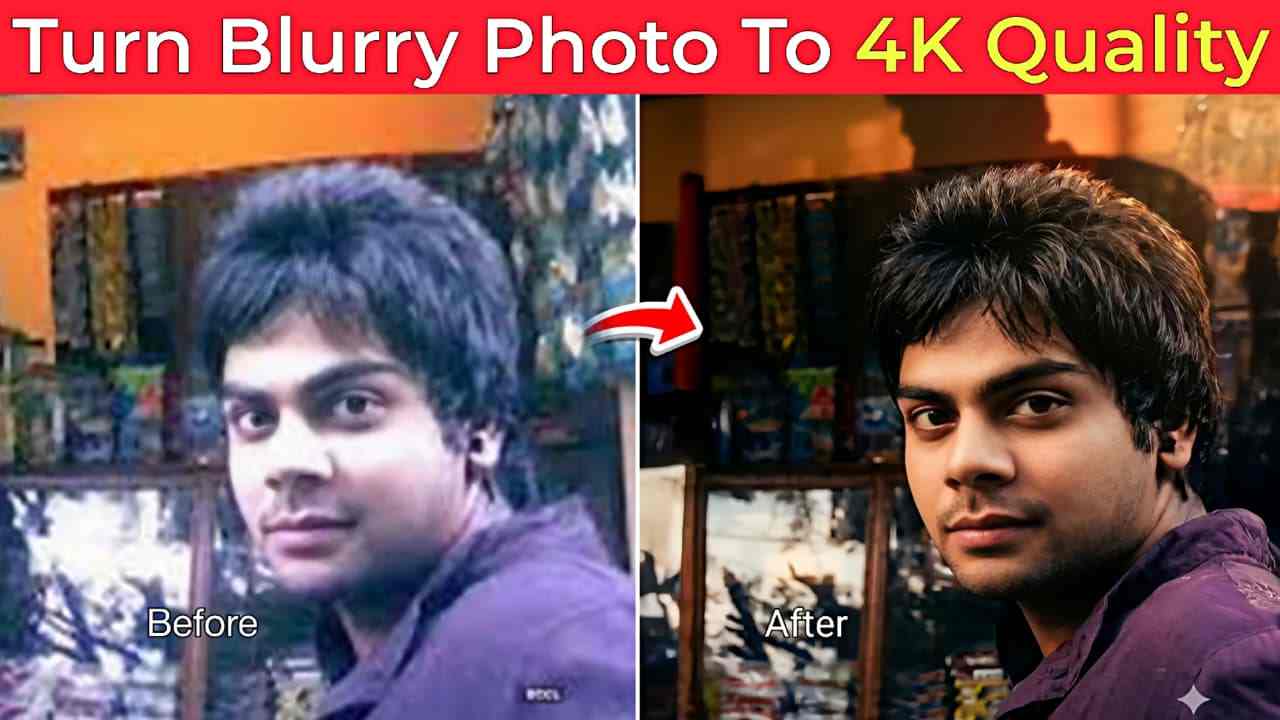
In this article, I’m going to share powerful AI prompts that can easily fix blurry images and restore damaged photos. You no longer need any paid software to enhance your pictures—AI tools have made photo enhancement simple and accessible for everyone. Whether you have old memories captured in low quality or blurry images that need improvement, these prompts will help you restore them effortlessly. If you’re interested in photo enhancement, make sure to read this article till the end for a better understanding. In the sections below, I’ve shared ready-to-use prompts that require no modifications—just copy and use them directly.
Why Are AI Photo Editing Prompts Going Viral?
Nowadays, AI photo editing is becoming popular among people. There are many reasons for this. One reason I have personally noticed is that there is no need for any editing skills—you just have to use a simple drag-and-drop system, and you can create professional-looking photos easily. As we know, most apps are paid or semi-paid, and sometimes you need to pay even for basic editing. However, with AI tools like ChatGPT or Gemini, you can easily enhance your photo quality in a very short time without putting in much effort. Just copy the prompt given below, open ChatGPT or Gemini, upload your image, and paste the prompt—your image will be ready with an ultra-realistic look.
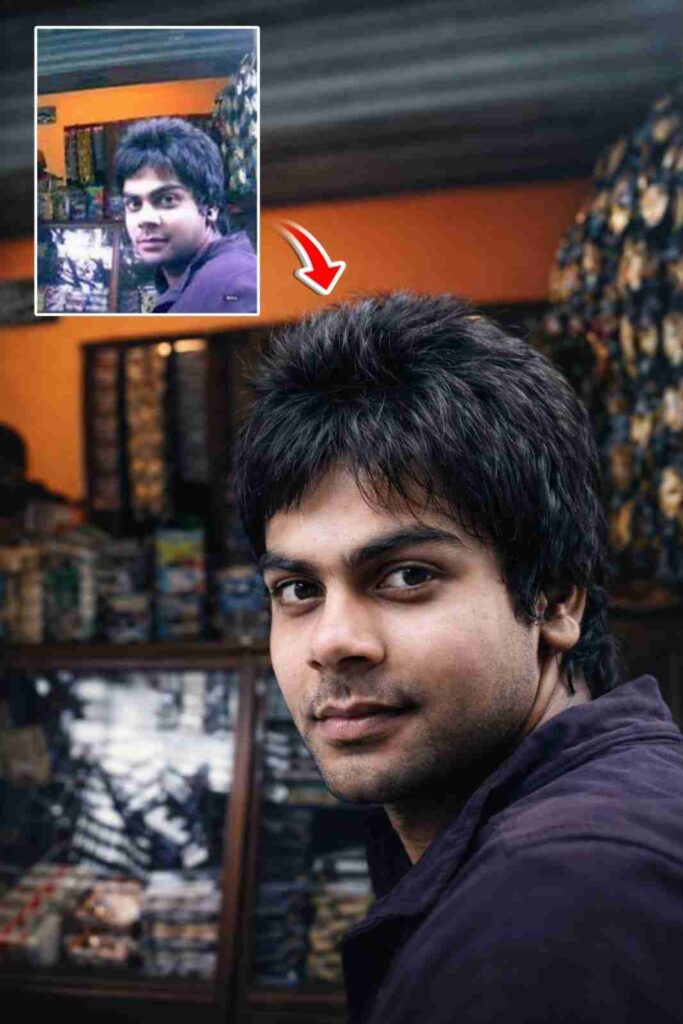
Upgrade the uploaded image into a pristine, ultra-high-definition cinematic version while preserving the subject with absolute fidelity. The person's identity, facial anatomy, expression, body posture, clothing, accessories, environment, framing, and overall composition must remain completely unchanged. Do not modify, reinterpret, replace, or introduce any new visual elements. Reconstruct and refine micro -level details including precise facial contours, authentic skin texture with naturally visible pores, individually defined hair strands, sharp and lifelike eyes, and clean, well-resolved edges throughout the image. Enhance dynamic range, contrast, and dimensional depth using balanced, studio-quality cinematic lighting.
How to Use AI Prompts to Fix Photo Quality
If you want to enhance or fix your image quality, simply follow the steps given below.
- Install the ChatGPT or Gemini app from the Play Store or App Store
- Open the app and log in using your Google account or email
- Upload your image (make sure the face is clear)
- Copy the prompt provided above
- Paste the prompt into the app
- Click on the “Create” or generate option
- Wait for a few seconds while the image is enhanced
- If it doesn’t work properly, try again
Key Benefits of ChatGPT and Gemini You Should Know
ChatGPT and Gemini offer several powerful benefits that make everyday tasks easier and faster. With tools like ChatGPT and Gemini, you don’t need advanced technical skills to create high-quality content, edit photos, or solve problems. They save time by automating complex tasks and providing instant results, whether it’s enhancing images, writing content, or generating ideas. These AI tools are also easy to use, making them perfect for beginners as well as professionals. Most importantly, they reduce the need for expensive software, allowing you to achieve professional-level results quickly and efficiently.
What Is an AI Prompt and What Are Its Benefits?
An AI prompt is a simple instruction or command that you give to tools like ChatGPT or Gemini to perform a specific task, such as enhancing a photo or generating content. In photo editing, a prompt tells the AI exactly how you want your image to be improved—like making it sharper, clearer, or more detailed. The biggest benefit of using prompts is that they save time and effort, as you don’t need advanced editing skills or expensive software. With the right prompt, anyone can achieve professional-quality results quickly and easily, making AI tools accessible for beginners as well as experienced users.
Conclusion
Friends, in this article, I have explained how to fix or enhance blurry photos using prompts on ChatGPT or Gemini in simple steps. I have covered the A to Z process through which you can improve your blurry images. I have also shared my own experience about which app is better for AI image generation—whether it is ChatGPT or Gemini—and I recommend trying ChatGPT for better results. I hope you understood the entire process. If you face any problem anywhere, you can let me know in the comment box or on my social media handles.