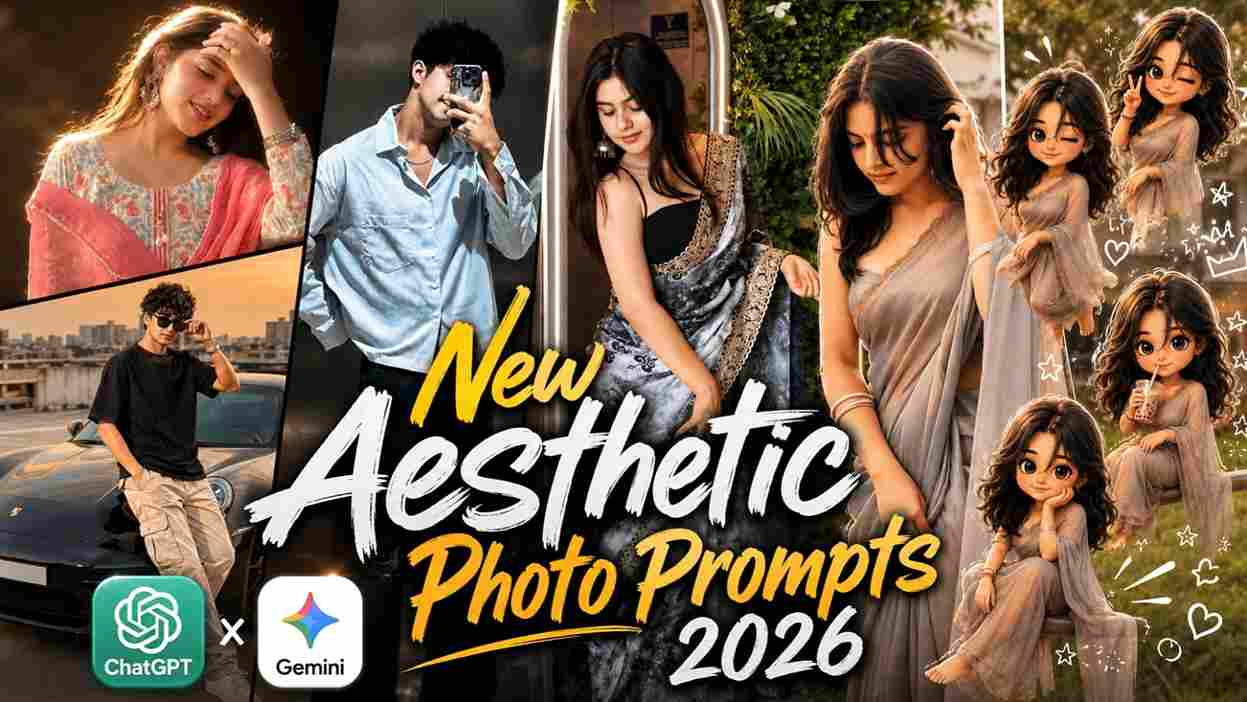
In this article, I’m going to share the best latest and upcoming trending AI photo editing prompts that will help you create stunning aesthetic images without any editing skills. Here, you’ll find amazing new prompts inspired by the latest Instagram trends, including cinematic edits, collage styles, chibi art, and more. I will share at least one new trending prompt every day, so you don’t need to search anywhere else for viral AI photo editing ideas. Simply visit this website, copy your favorite prompts, and create eye-catching edits in just a few clicks. Stay connected and keep visiting for more amazing upcoming prompts, and make sure to check out the full article for a better understanding.
AI Prompt & Its Importance in Photo Editing
An AI prompt is simply a text instruction that tells the AI how you want your photo or artwork to look. It can include details like background, lighting, outfit, pose, colors, effects, and overall style. In AI photo editing, prompts are the most important part because the final result completely depends on how well the prompt is written. A good prompt can turn a simple photo into a professional-looking cinematic, aesthetic, or viral Instagram-style edit within seconds. Even if you have no editing skills, using the right prompts helps you create stunning images easily and save a lot of time. That’s why trending and creative prompts are becoming so popular among content creators and social media users in 2026.
Trending AI Prompts for Photo Editing
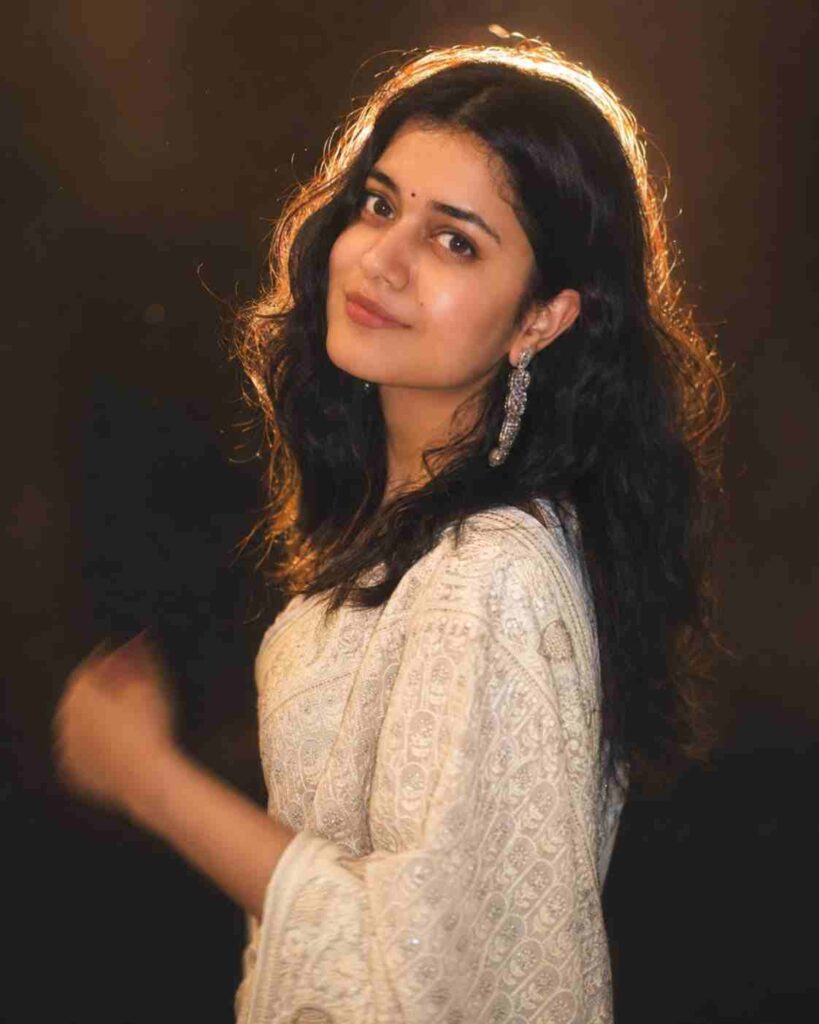
A cinematic, soft-focus portrait of a young man ( keep my face 100% fix ), captured mid-turn as he looks back over his shoulder toward the camera he has a natural look with dewy skin, soft blush, glossy lips, and subtle , liqht-colored (off-white or cream) . The lighting is warm and dreamy, with a strong golden backlight creating a glowing halo effect around his hair. The scene has a shallow depth of field with a soft bokeh background, almost completelv dark, enhancing the subject’s glow. Slight motion blur is visible in his hand, adding a sense of movement and candid elegance. The overall aesthetic is ethereal, romantic, and cinematic, with diffused lighting, soft highlights, and a slightly hazy, dreamy lens effect. Hiqh resolution, portrait photography, 85mm lens stvle, f/1.8 aperture and do not change person's posture.
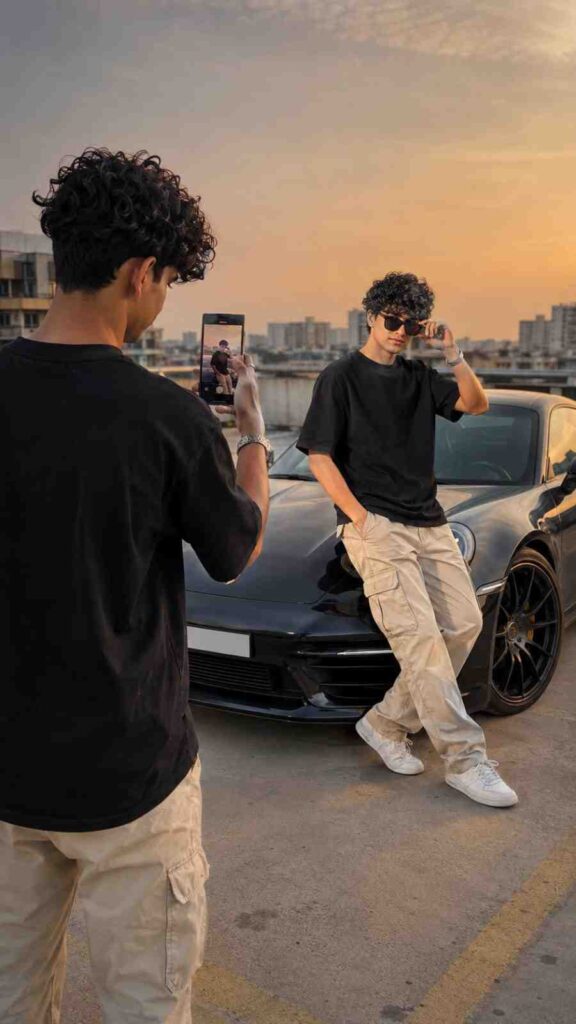
Create a hyper-realistic cinematic clone photography scene using the uploaded person as the EXACT identity reference. Maintain 100% identical facial features, hairstyle, skin tone, body structure, facial expression, pose style, and overall appearance from the uploaded image. Do NOT change the original background, environment, lighting, camera angle, or aesthetic style of the reference image.

Show TWO identical clones of the same person naturally placed inside the SAME original environment from the uploaded image. One clone is naturally posing while the second clone is casually recording or clicking a photo/video using a smartphone, creating an authentic candid social media moment.

IMPORTANT:
The outfit must automatically adapt EXACTLY according to the uploaded image. If the uploaded person is a boy, keep the same male outfit style, clothing fit, accessories, hairstyle, and fashion vibe from the reference image. If the uploaded person is a girl, keep the same female outfit style, makeup vibe, accessories, hairstyle, and fashion aesthetic from the reference image. Do NOT replace or redesign the clothes unless they already exist in the uploaded image.

Keep clothing textures, folds, colors, accessories, footwear, jewelry, hairstyle, and styling identical to the original uploaded photo. Preserve the exact fashion vibe and personality of the reference image.

Do NOT add luxury cars, rooftop parking, fake cinematic backgrounds, random props, or environment replacements unless they already exist in the uploaded image. The scene must feel like a natural extension of the original photo.

STYLE:
Ultra-realistic DSLR photography, authentic Instagram candid aesthetic, cinematic natural lighting, realistic skin texture, detailed fabric texture, shallow depth of field, realistic shadows, premium social-media-ready editing, natural smartphone recording vibe, realistic reflections, ultra detailed.

COMPOSITION:
Vertical 9:16 composition. One clone in foreground holding smartphone and recording/clicking photo. Second clone naturally posing in the same environment. Both clones must perfectly match the uploaded person with identical identity and outfit adaptation based on the reference image.
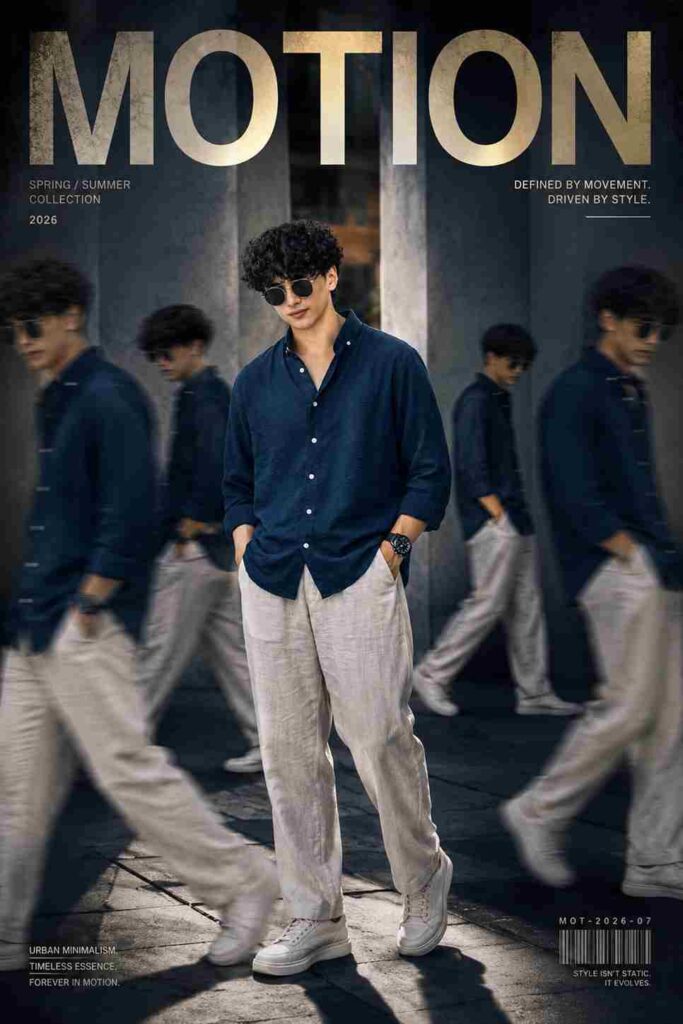
Transform the uploaded reference photo into a high-end cinematic streetwear editorial poster. Use the exact same person from my uploaded reference image, keep my face, body, pose, outfit, and original background recognizable, but enhance everything into a luxury fashion campaign aesthetic. Add 4 realistic duplicate versions of me across the frame placed naturally like motion-captured walk sequences. Keep the main/front subject largest, sharpest, most detailed, and completely in focus. Except the main subject, all duplicate versions should appear in realistic motion blur, slightly faded, softer focus, and cinematic movement effects for dynamic depth and premium editorial style. Use dramatic overhead lighting with a subtle glow, deep shadows, long floor shadows, cool-toned cinematic color grading, strong contrast, glossy highlights, and soft film grain. Make the outfit textures crisp and premium. Add bold oversized magazine-style typography in the top corner with one powerful word related to movement or style like "MOTION", "STATIC", "MOTION", or "ECHO". 2026 Include smaller minimal text such as collection year, slogan, bargode serial numbers, or campaign details. Style should look like a preniun luxury streetwear fashion campaign poster, ultra realistic, cinemațic, DSLR quality, natural photo, hyper realistic 12k resolution, uit detailed textures, professional color grading..
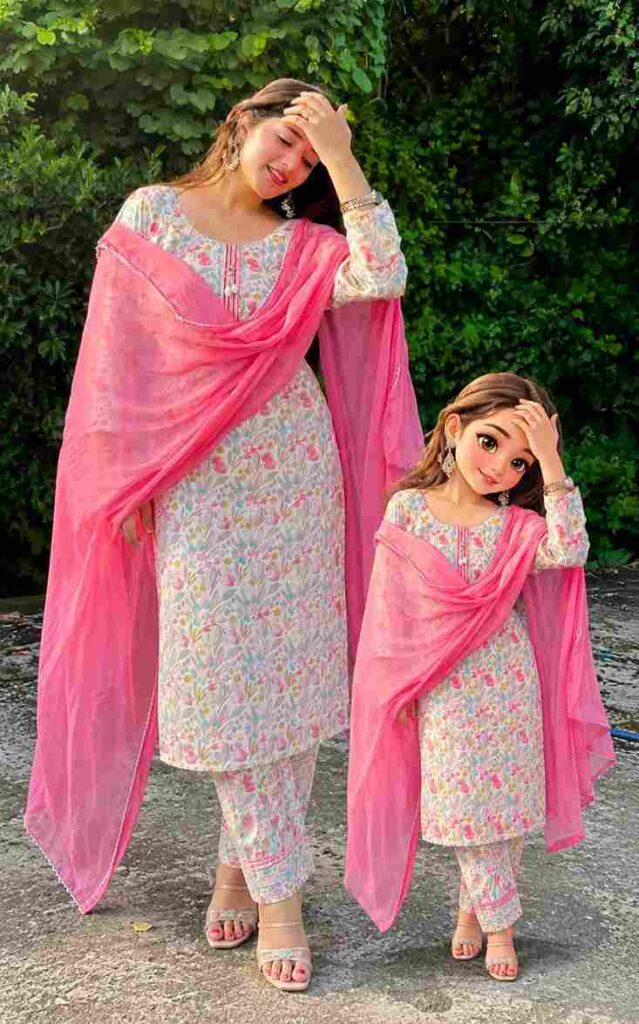
Create a full-body "mini-me" cartoon of the person in the uploaded image and place it beside them like a companion. The style should be cute, feminine, and hand-drawn with clean outlines, soft shading, and slightly exaggerated features (bigger eyes, soft face). Match the person's hairstyle, hair color, skin tone, and expression closely. Recreate the exact same outfit with full accuracy, including colors, patterns, shoes, and accessories. Keep the pose similar or slightly simplified while maintaining the same vibe. Place the mini character next to the real person (left or right), smaller in size, without overlap. Match lighting and color tone with the original photo, and add a soft shadow under the cartoon for a natural blend. Final image should be high-resolution, clean, and polished.
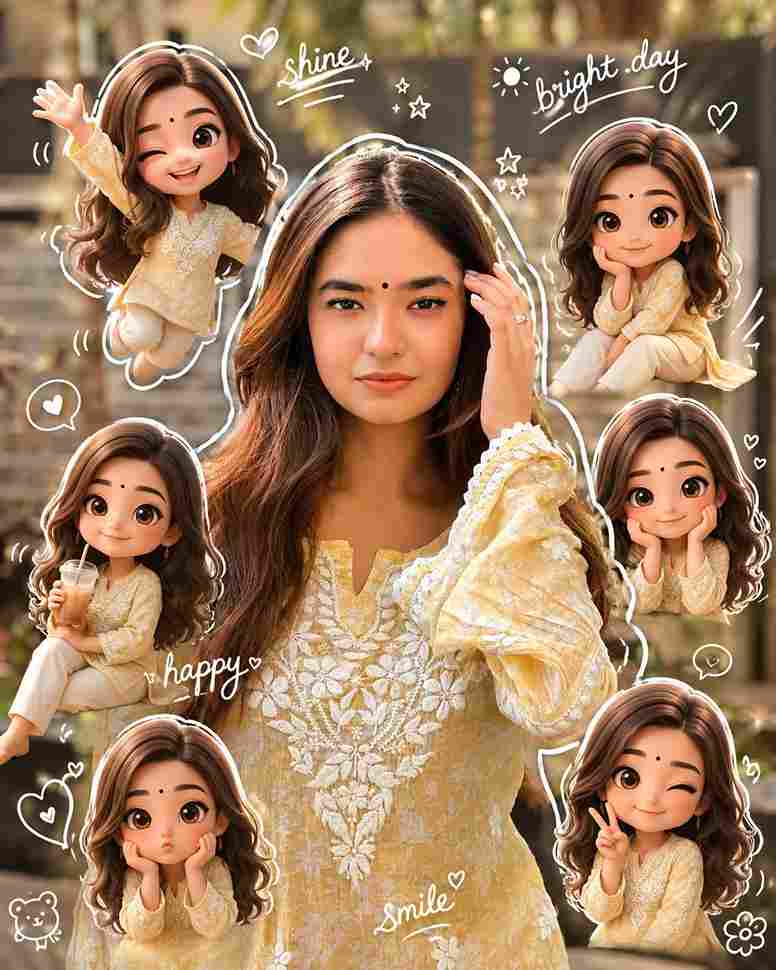
Surrounding the realistic main subject are multiple cute, 3D-style chibi miniatures of the same person, with identical facial features, hairstyle, body proportions, and outfit. The chibi figures are naturally distributed around the subject, interacting playfully with her or nearby elements in a charming, non-intrusive way Overlay the image with vibrant, hand-drawn doodle effects: solt white outlines around the subject, playful sparkles, doodle hearts, tiny flowers, smiley icons, and floating white handwritten phrases like "Life", "positivity", and "travel". The style seamlessly blends hyper-realistic photography with colorful, soft cartoon illustrations. Keep the original face, body shape, and proportions of the main subject unchanged. aspect ratio 2:3
How to Create Photos Using AI Prompts
Creating AI photos using prompts is very simple and easy. You just need to follow a few simple steps. First, open the ChatGPT app. If you don’t have it, install it from the Play Store or App Store. After that, sign in or log in using your Google account. Then upload your face image, copy the prompt from the above section, and paste it into ChatGPT. Click on “Create” and wait for a few seconds while the AI generates your image. Once your AI photo is ready, you can save it directly to your gallery.
Benefits of Using AI Tools Like ChatGPT & Gemini
AI tools like ChatGPT and Gemini make content creation much easier, faster, and more creative. Whether you want to create AI photos, write captions, generate video ideas, or make trending prompts, these tools help you do everything in just a few seconds. Even beginners with no editing or writing skills can create professional-looking content using simple text prompts. AI tools also save a lot of time by automating difficult tasks and giving instant creative ideas for Instagram, YouTube, blogs, and social media. That’s why AI tools are becoming very popular among creators, students, and digital marketers in 2026.
Conclusion
In this article, I have explained how to create Instagram trending AI images step by step. I shared the complete A-to-Z process along with the latest AI prompts for image generation, so you can easily create aesthetic and viral-style photos without any editing skills. I hope this guide helps you create amazing AI images for your social media content and photo editing projects. If you face any problem or have any questions, feel free to ask in the comment section.