
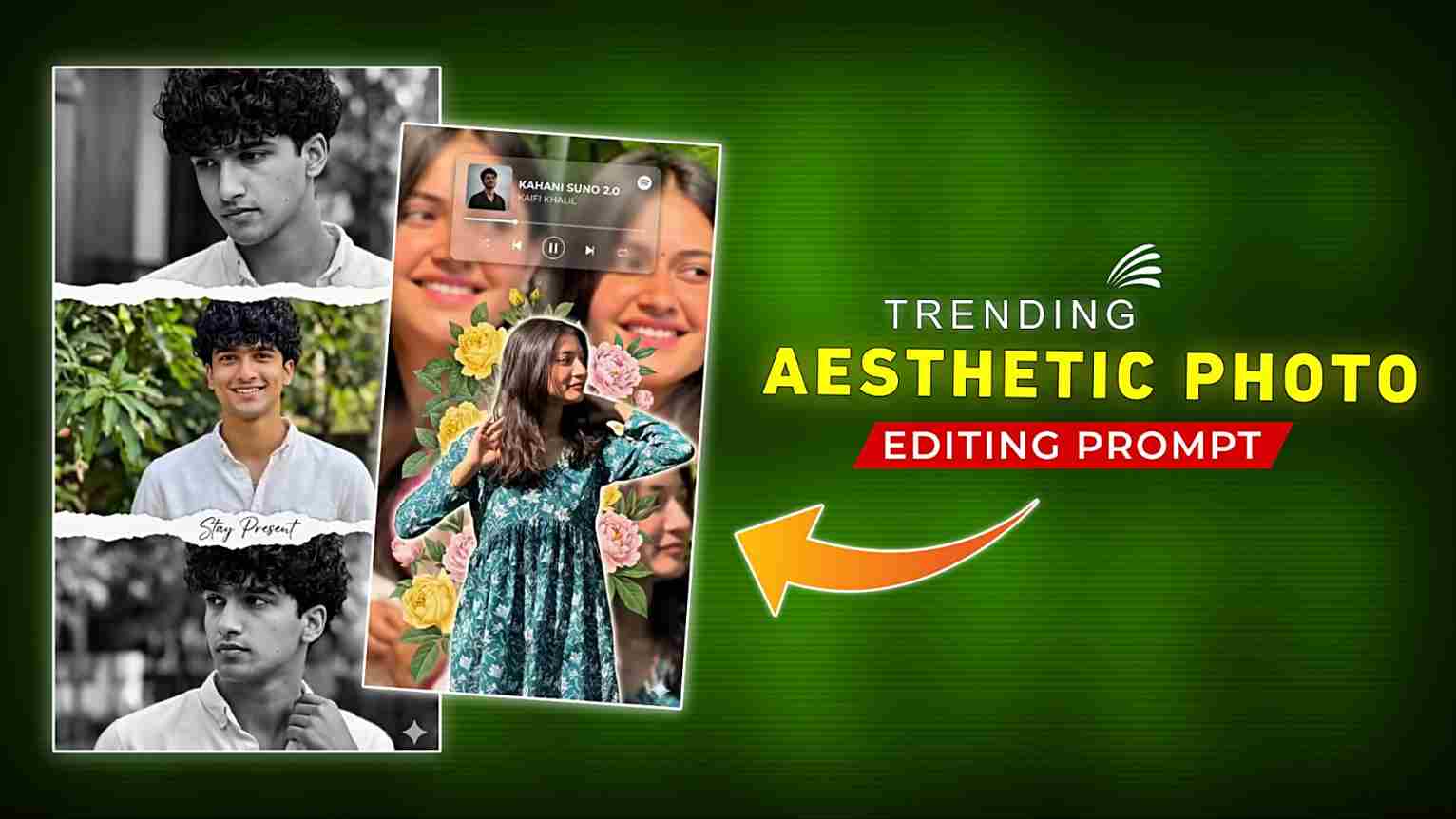
In today’s article, I’m sharing some amazing AI photo editing prompts for both boys and girls that you can easily use on Google Gemini or ChatGPT. With the help of your reference image, you can create ultra-realistic photos without any face distortion. If you want to make aesthetic and eye-catching images without spending hours on manual editing, this method is perfect for you because it saves both time and effort while giving professional-quality results. So, if you’re interested in creating stunning AI photos in just one click, make sure to read the complete article—you’ll definitely get amazing results.
Details of These AI Aesthetic Photos
These aesthetic AI photos are going viral because they maintain the person’s original face when we provide a reference image to tools like Google Gemini or ChatGPT. There are multiple types of prompts available—for example, a three-layer photo style where the top and bottom parts are in black and white while the middle section is colorful, or doodle-style images where multiple photos are combined creatively. People love creating such unique and eye-catching images. The best part is that prompts are available for both boys and girls. So, check out the section below to learn the step-by-step process to create these aesthetic AI images easily.
Aesthetic AI Photo Prompts
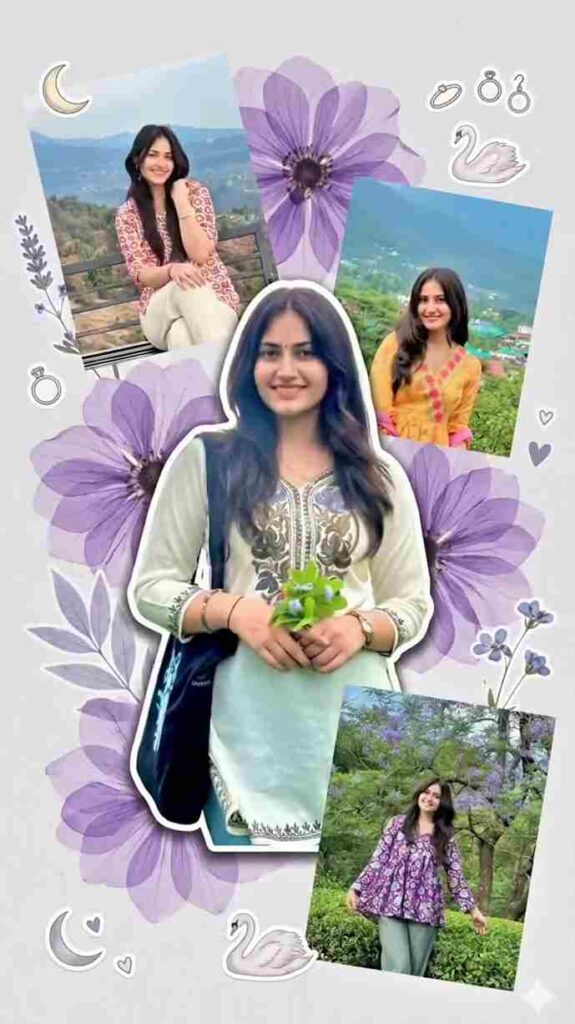
Create a soft aesthetic scrapbook-style collage using multiple images of the same person. Background: plain light grey or off-white minimal background. Center: one large main subject in full color, slightly tilted angle, clean cutout with soft shadow Around the main subject, place 3–4 smaller photos of the same person in different poses, some slightly rotated (random scrapbook placement). Add large soft purple floral elements (transparent layered flowers) behind and around the subject. Include small aesthetic stickers like moon, swan, minimal jewelry icons. Add soft botanical elements like lavender leaves or small flowers. Keep everything clean, soft, and dreamy aesthetic. Lighting: natural soft lighting, realistic skin tones. High resolution, ultra realistic, Pinterest scrapbook style, Instagram aesthetic, portrait
orientation (4:5 or 9:16).
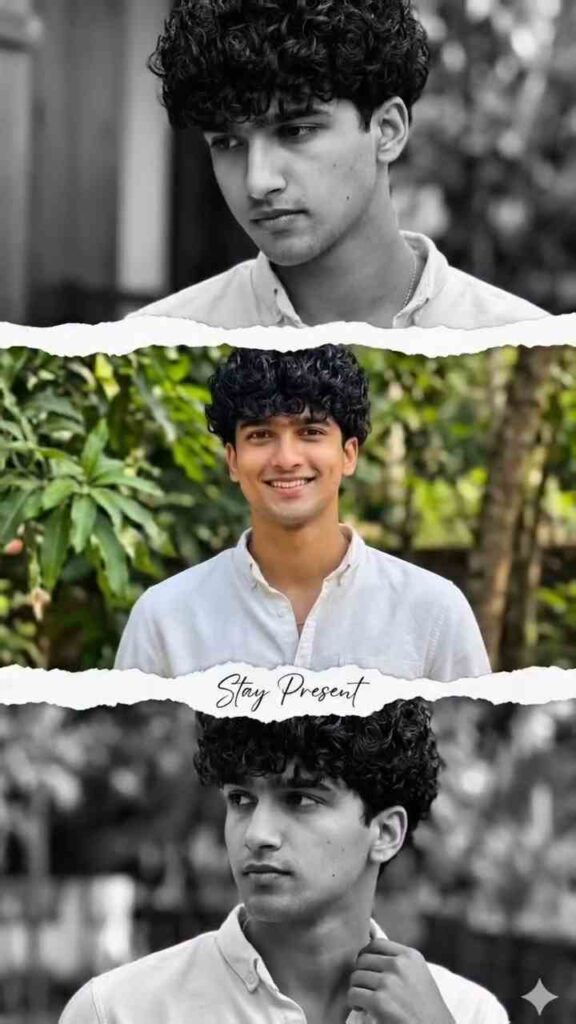
Create a vertical portrait collage using three photos of the same person.Top section: black and white image, cinematic look, soft lighting, subject looking down, blurred background. Middle section: full color image, sharp focus, natural outdoor background, subject smiling and looking at camera. Bottom section: black and white image, candid pose, subject looking sideways, soft depth of field. Separate all three sections with realistic torn paper edges, rough ripped texture, layered collage style. Add minimal aesthetic handwritten text on the image (elegant script font), subtle and clean placement. Maintain consistent subject identity across all three images.High resolution, ultra realistic, professional photography, soft natural lighting, shallow depth
of field, Instagram aesthetic, portrait orientation (9:16).
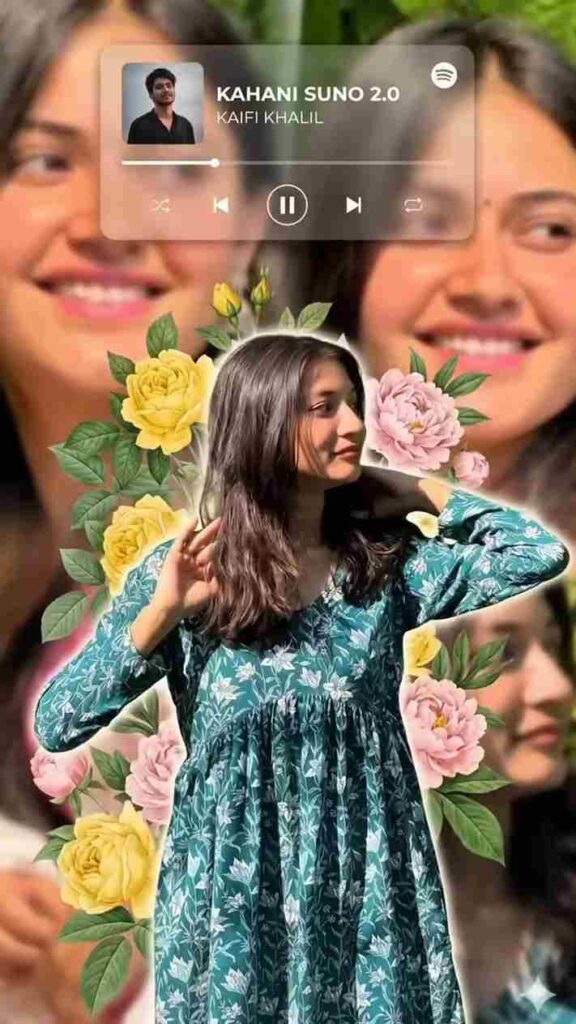
Create a premium aesthetic portrait collage using multiple images of the same person. Center: one main subject in full color, sharp focus, clean cutout, slightly glowing edges, standing pose. Background: large blurred duplicate portraits of the same person (zoomed-in face and soft expressions), creating depth. Add soft floral elements (yellow and pastel flowers, leaves) around the subject layered naturally.Include a semi-transparent Spotify-style music player card at the top (song title and artist visible, soft blur effect). Lighting: soft natural lighting with warm tones, realistic skin tones. Add subtle depth of field and smooth blending between foreground and background. Keep everything clean, premium, and balanced (not overcrowded).High resolution, ultra realistic, Instagram aesthetic, poster style, portrait orientation (4:5 or 9:16).
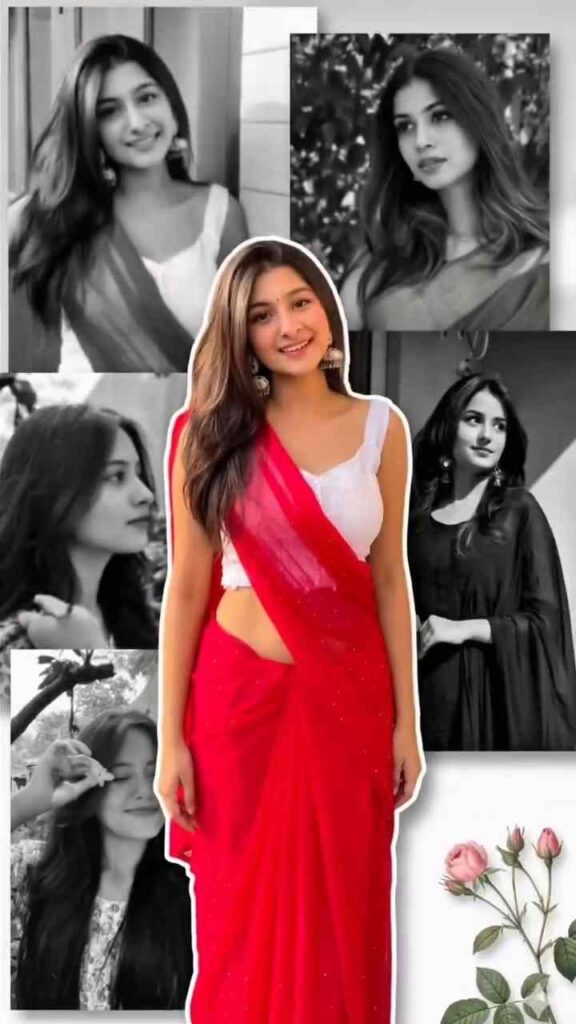
Create a stylish portrait collage using multiple images of the same person. Center: one main full-color subject (sharp focus), standing pose, traditional outfit, well-lit, clean cutout. Background: arrange 4–5 black and white portraits of the same person in different poses(smiling, looking away, candid), placed around the center subject. Add soft blur to background images to create depth. Keep the center subject in full color and slightly larger, overlapping the background images. Use a clean minimal layout with soft shadows and smooth blending. Optional: add a subtle floral element in one corner for aesthetic touch. Lighting should be soft and natural, realistic skin tones. High resolution, ultra realistic, Instagram aesthetic, portrait orientation (4:5 or 9:16)..
How to Create Aesthetic Images Using AI Prompts
If you are really interested in making such images, then follow the simple steps below for better results.
- First, install the Google Gemini or ChatGPT app for the best experience.
- Now open the app and log in with your email or Google account.
- Upload your face image with proper lighting for better quality.
- After that, paste the prompt provided above.
- Then send it and wait for a few seconds.
- If you do not get a good result, try again with slight changes.
- Finally, download the image to your device and you can post it on Instagram.
Benefits of AI Photo Editing
AI photo editing is becoming popular because it makes creating high-quality images quick and easy without requiring professional skills. With tools like Google Gemini and ChatGPT, you can turn a simple photo into a stylish and eye-catching image in just a few seconds. It saves a lot of time compared to manual editing while still maintaining natural facial details and avoiding distortion. You can also experiment with different styles like cinematic, aesthetic, or doodle effects. Overall, it is beginner-friendly and helps you create attractive, social media-ready photos effortlessly.
What is the gemini or chatgpt?
Google Gemini and ChatGPT are smart AI tools that work like digital assistants and help you complete different tasks easily. You simply type what you want, and they give you quick and useful results. People use them for writing, generating ideas, and even creating AI images with the help of prompts. In photo editing, you can upload your image and use a good prompt to create aesthetic and realistic photos without spending much time on manual editing. These tools are very easy to use, even for beginners, and they help you get high-quality results in just a few seconds.
Overall
In this article, I have discussed how to create trending aesthetic images for both girls and boys using AI prompts on Gemini or ChatGPT in a simple and easy way. We have also provided multiple prompts through which you can easily create amazing photos. We hope you enjoyed this article and found it helpful for creating such aesthetic images. If you face any issues or have any questions, you can let me know in the comment box or through my social media handles.


Create a stylish portrait collage using multiple images of the same person. Center: one main full-color subject (sharp focus), standing pose, traditional outfit, well-lit, clean cutout. Background: arrange 4–5 black and white portraits of the same person in different poses(smiling, looking away, candid), placed around the center subject. Add soft blur to background images to create depth. Keep the center subject in full color and slightly larger, overlapping the background images. Use a clean minimal layout with soft shadows and smooth blending. Optional: add a subtle floral element in one corner for aesthetic touch. Lighting should be soft and natural, realistic skin tones. High resolution, ultra realistic, Instagram aesthetic, portrait orientation (4:5 or 9:16)..