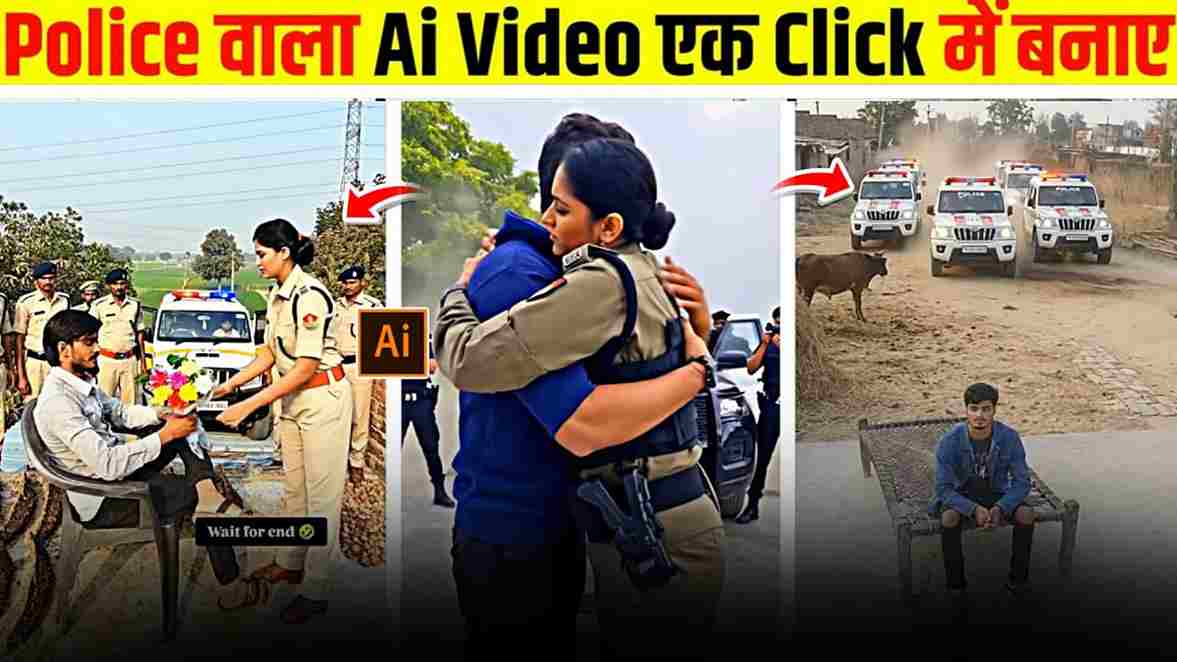
Friends, police handshake and hug AI videos are currently going viral on Instagram, showing a lady police officer approaching an ordinary guy, shaking his hand, and sharing a warm hug — a scene that instantly captures attention and leaves viewers amazed. While some people quickly recognize that these clips are AI-generated, many are left wondering who the guy is, which naturally boosts curiosity and engagement. Because of this powerful shock factor, a growing number of users want to create similar videos to surprise their friends and gain more views on social media. The best part is that you don’t need advanced editing skills to produce such viral content; with the help of Flow AI and a well-crafted prompt, you can generate realistic videos effortlessly. In this article, I will guide you through the complete process so you can easily create your own viral police handshake and hug AI video — so make sure to read the full article.
Reasons Why Police AI Videos Are Going Viral
Police AI videos are going viral because they create the illusion that an ordinary person is actually someone important. In these clips, multiple police officers arrive—often in Scorpio cars—to meet the individual, making the scene look powerful and authoritative. This unexpected setup shocks viewers and sparks curiosity, leaving many people wondering how a “normal” person could command such attention from the police. As a result, creators are gaining millions of views on their Instagram handles by posting this type of content. The impact becomes even stronger when paired with the Bhojpuri song “Police Prashasan Sarkar Ba Hamare Hath Mein,” which perfectly matches the powerful vibe of the video and makes it more engaging. Because of this growing trend, many people are interested in creating similar videos to attract attention and boost their reach. So, below is a step-by-step guide to help you make a viral police AI video using Flow AI with just a photo and a well-written prompt.
How to Create Viral Police Handshake & Hug AI Videos for Free?
Here is a high-quality, grammatically correct, and professional version of your paragraph while keeping it simple and beginner-friendly:
Here is a simple and easy way to make police AI videos for free. First, open any browser and search for Flow AI, then click on the “Create with Flow” button. After that, log in using your Google account or email ID. Once you enter the dashboard, click on the “New Project” option. You can check your available credits from the profile icon at the top — typically, each video requires around 20 credits for generation. Next, select the Text-to-Video feature and choose Frames to Video mode. Upload a full-body image and make sure the background is clean and empty, with no distracting objects, as this helps the AI produce better results. Then paste the prompt provided below and start the generation process. Within a short time, your video will be ready to download. For maximum reach, use the same trending music on Instagram while posting — this increases your chances of going viral.
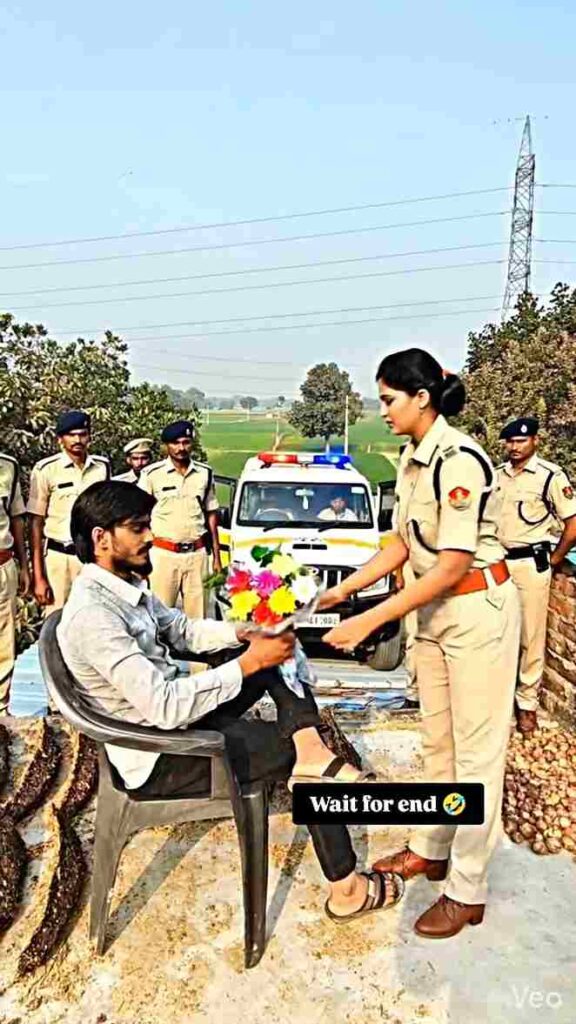
Create a hyper-realistic cinematic video using the provided photo as the main character reference.
Scene starts in a rural Indian village environment with natural daylight, dusty ground, and simple village background. The young Indian man from the photo is sitting calmly, same face, same clothes, same body structure, ultra-realistic skin texture.
Suddenly, an Indian police vehicle (white SUV with blue and red police lights) arrives very fast from the background, kicking up dust. Siren lights are flashing realistically.
Several Indian police officers in authentic khaki uniforms step out confidently from the vehicle. Camera angle switches to a low cinematic shot, showing authority and realism.
One senior police officer walks forward toward the man, expression calm and respectful. The man stands up naturally.
The officer extends his hand and they shake hands respectfully. No violence, friendly and positive interaction.
Camera slowly zooms in on the handshake, shallow depth of field, natural motion blur, realistic shadows, professional cinematic lighting.
Ultra-realistic animation, smooth human movements, accurate facial expressions, 4K quality, 24fps, cinematic color grading, realistic physics, documentary-style realism.
How to fix video generation problem on flow ai?
Guys, if you face issues such as the video not generating or receiving a violence warning, don’t worry — these are common problems that many users experience. Some people also comment on Instagram and YouTube that the video generation often gets stuck at 99%. If this happens, simply log out of your account and log back in; in most cases, this quick step fixes the issue. If the video still doesn’t appear, go to your profile and open the “My Library” section, as your video may have already been generated there. Just check the library and download the video directly to your device.
Conclusion
Friends, in this article, I have explained the best and easiest way to create a viral police handshake and hug AI video for free using Flow AI. I have also shared practical solutions to help you fix common video generation issues, ensuring a smooth experience from start to finish. I hope this guide helps you create impressive videos with ease. However, if you still face any problems or have questions, feel free to let me know in the comment section. For a quicker response, you can also reach out to me through my Instagram handle.