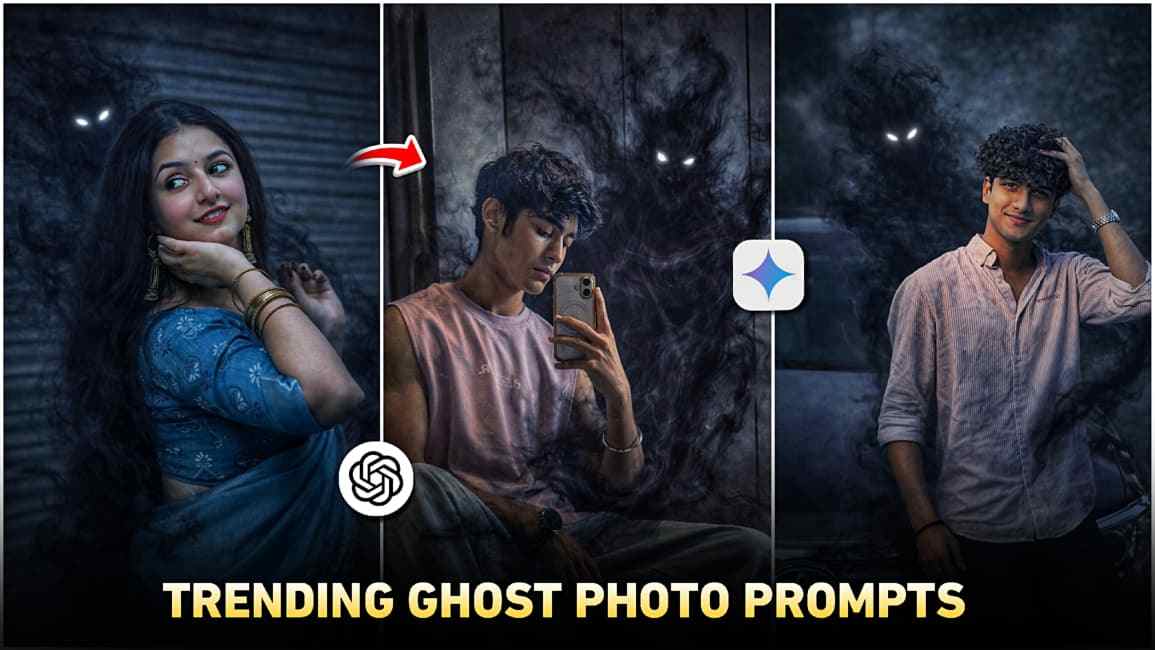
Friends, in this article I will share trending horror ghost AI prompts to help you create smoky ghost AI images easily. Both girls and boys can create these horror images without any difficulty. Smoky ghost images look unique and scary, which is why many people are converting their normal photos into ghost horror images. Below, you will learn simple and easy steps to create your own ghost AI images that you can post on Instagram to gain more views, so please read carefully for better understanding.
What Is the Ghost AI Photo Trend? Everything You Need to Know
The Ghost AI Photo Trend is a viral social media trend where people use AI tools like ChatGPT and Gemini to transform normal photos into ghost-style images with a spooky and mysterious look. These AI-generated photos often include smoke, mist, glowing effects, and dark shadows, creating a supernatural or horror-inspired vibe while keeping the original face unchanged. Because the results are unique and visually eye-catching, they are widely shared on platforms like Instagram and TikTok, leading to high engagement. Based on personal experience after trying multiple AI tools, ChatGPT delivers the best results for this trend, offering more realistic effects and better image quality.
Best ChatGPT Prompts to Create Viral Ghost Photos
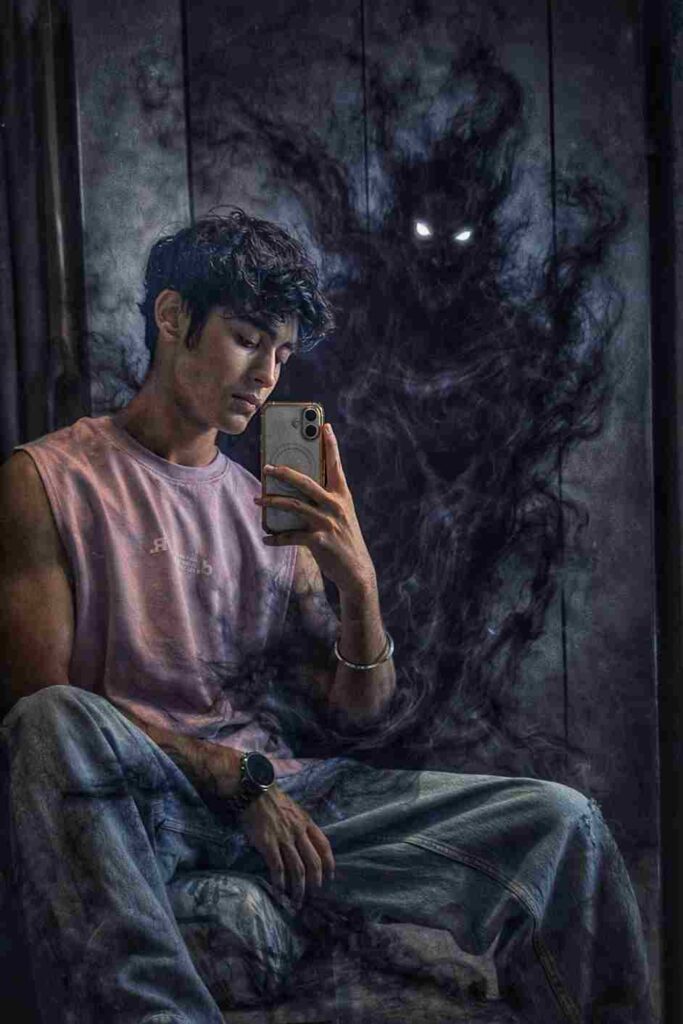
Transform this mirror selfie into a dark, cinematic fantasy scene. Keep the person exactly the same same face, pose, outfit, lighting, and background. Add a shadowy, smoke-like demonic entity emerging from behind the person's back The entity should be made of swirling black smoke, semi-transparent, with glowing white eyes. The smoke wraps around the body and flows down to the floor naturally, blending with the environment. Maintain realistic shadows, reflections and depth so the creature feels part of the scene Dark, moody atmosphere, high contrast, cinematic lighting, ultra-realistic, 4K quality. No change to facial features, clothing, or camera angle
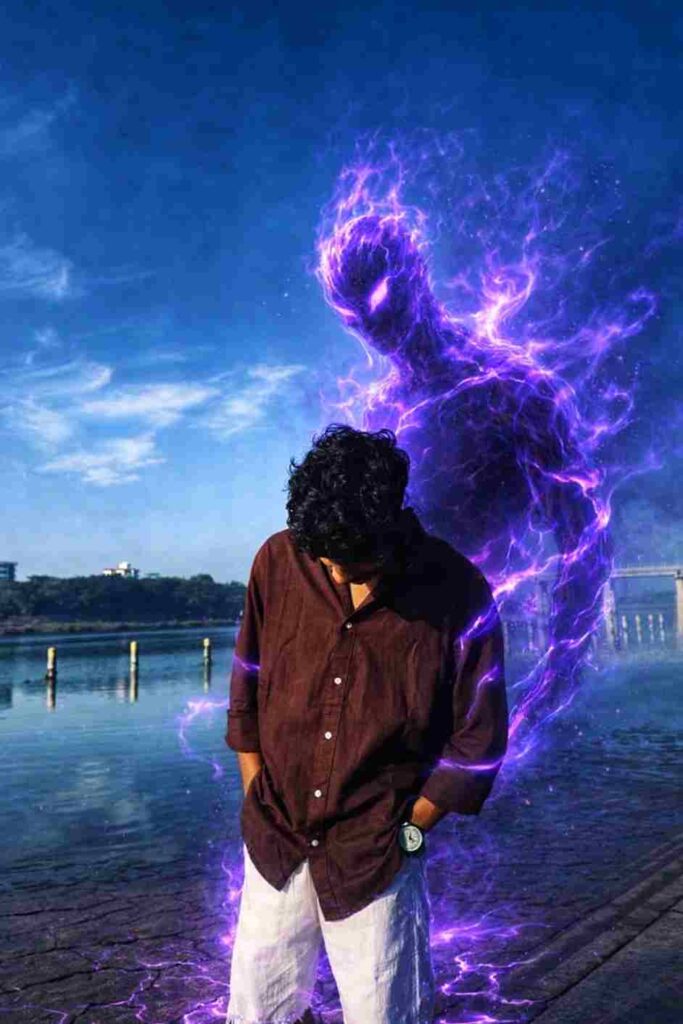
Realistic photo manipulation only. Keep the person unchanged (same face, body, clothes, pose, angle). Add a semi-transparent purple energy entity emerging behind and slightly to the side, made of smoky violet flames, partially visible and blending into the background. Add subtle purple energy trails around the back and arms with realistic light spill on clothes and road. Slight ground cracks under feet with faint purple glow. Maintain street-photo realism, natural shadows, cinematic but subtle VFX. Avoid anime, fantasy, poster style, full creature, overexposure, face or body changes
Follow These Screenshots to Turn Your Photo into a Ghost Image
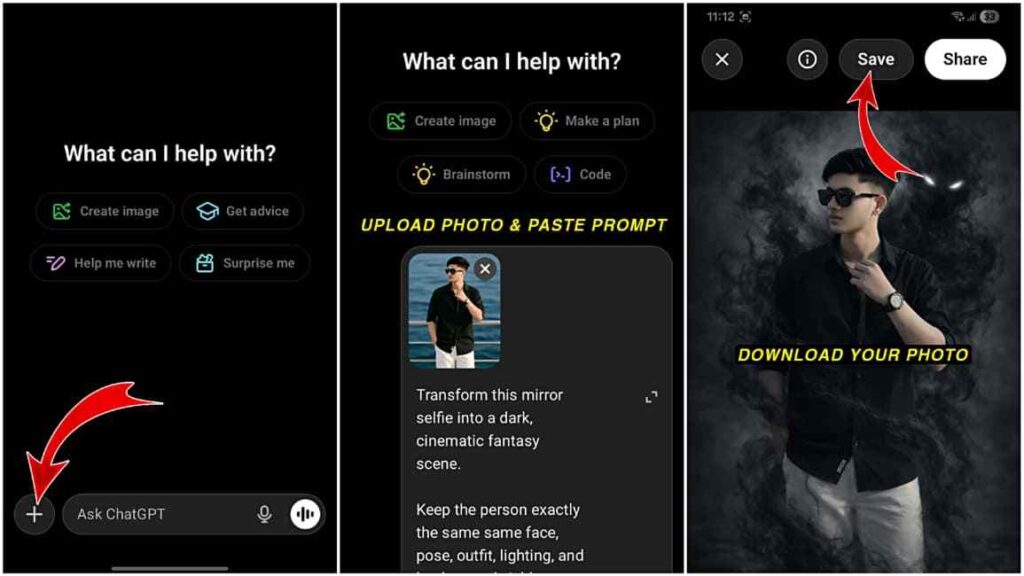
Check the screenshots below for a better understanding of the process. In the first screenshot, you can see that you need to open the ChatGPT app and click on the plus icon. In the second screenshot, upload the photo you want to turn into a ghost image and paste the prompt. In the last screenshot, after the AI creates your image, you can save it to your device. I hope these screenshots help you follow the steps more easily.
How to Turn Normal Photo to Ghost Image
Follow these simple steps to turn your normal photo into a realistic ghost horror image:
- Open the ChatGPT app or website
- Log in using your email or Google account.
- Upload your photo to the platform.
- Paste the given prompt into the prompt box.
- Wait for a few moments while the AI generates the image.
- Once the image is created, download it to your device.
- If the result doesn’t match your expectations, regenerate the image for a better and more realistic result.
Final Words
Friends, in this article I have explained how to turn any normal photo into a ghost image in the best possible way. I have covered each step in detail and also attached screenshots from the ChatGPT app to help you understand the ghost image creation process easily. I hope this guide helps you. If you still face any issues or have questions, feel free to let me know in the comments, or you can contact me on Instagram, where I am mostly active and will try to reach you as soon as possible.