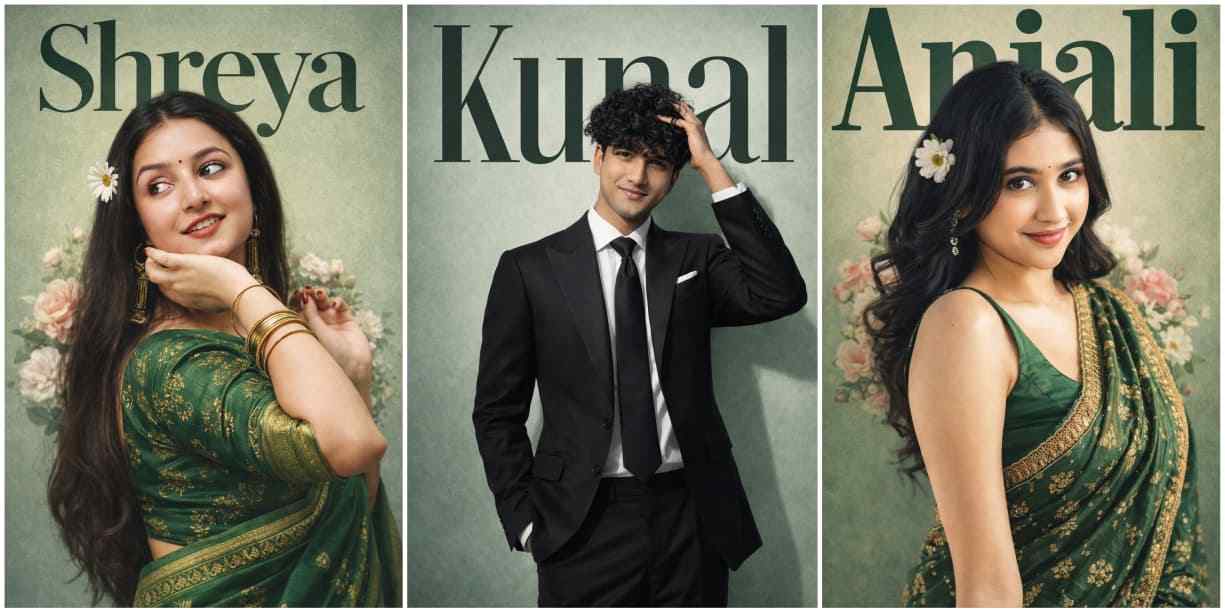
You want to turn your normal photo into a green cinematic poster that is going viral on Instagram. Basically, this trend is mainly for girls, where they look very beautiful in this style because they wear an amazing green saree, their name is mentioned in the background, and flowers are added to the side of their hair, making the overall image look stunning. But here, we also provide a similar prompt for boys that is perfect for them as well. We have completely reviewed these prompts before sharing them with you, and they are available for both girls and boys below—so scroll down, use the prompts, and go viral on Instagram.
What is the Green Cinematic Poster Trend?
The Green Cinematic Poster is a new trend of 2026 that features a stunning style, attracting girls to transform their normal images into something extraordinary. Currently, this trend is going viral across Instagram because of its cinematic look, well-balanced color combination, and beautiful green outfits. Separately, I have provided prompts for both girls and boys. The best thing about this prompt is that it creates ultra-realistic and gorgeous-looking pictures that grab special attention. If you are interested, you should try this prompt to flex with your friends, and you can also share it with them so they can turn their normal photos into good-looking images.
The Ultimate Green Cinematic Poster Editing Prompt
Before pasting this prompt into ChatGPT, you need to make one change: type your name instead of the already written name.
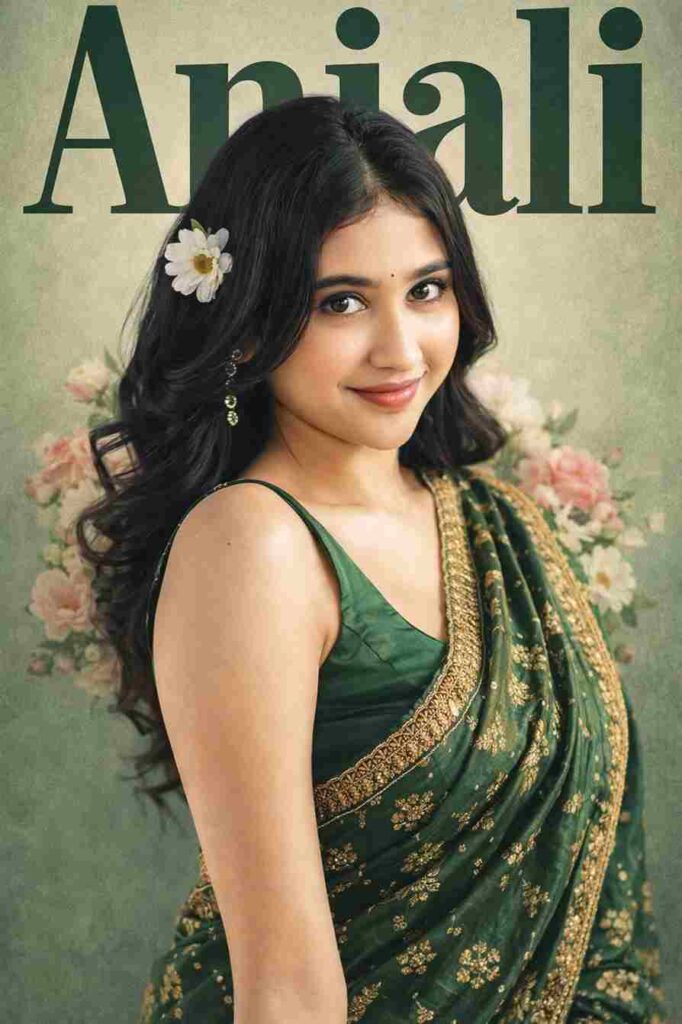
Ultra-realistic cinematic poster of the same person from the uploaded reference image, exact same face, hairstyle, expression, skin tone, pose, and proportions, 100% face match, wearing a traditional green silk saree with gold embroidery, medium close-up portrait, soft studio lighting with natural skin highlights, vintage editorial color grading, clean professional cutout with realistic depth and shadow, pastel green textured background, large bold tall condensed typography “Anjali” behind the person in dark green color replacing any other text, perfectly aligned perspective and spacing, elegant floral elements (soft pink and white flowers) placed behind shoulders, one white daisy flower tucked near the hair, premium magazine cover composition, sharp focus, ultra detailed skin texture, professional graphic design, balanced lighting, depth of field, 8K resolution, extremely realistic, no face change, exact identity preservation.
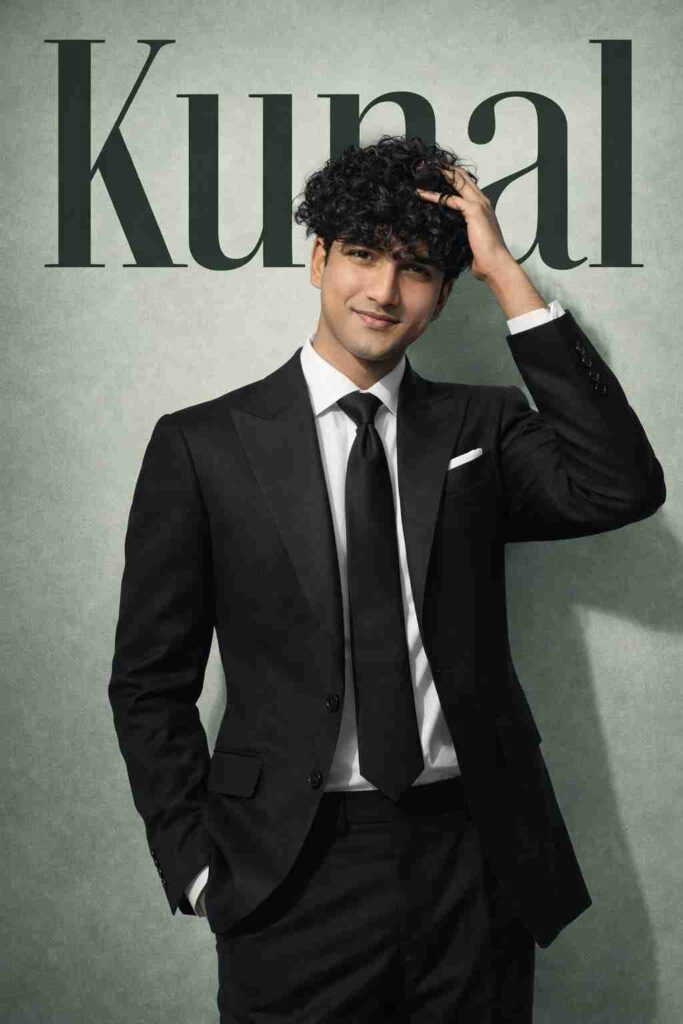
Ultra-realistic cinematic poster of the SAME person from the uploaded reference image — exact same face, hairstyle, expression, skin tone, body proportions, and identity preservation, 100% face match, no facial modification. The person is wearing a luxury western formal outfit: a perfectly tailored deep black or charcoal suit, crisp white dress shirt, elegant tie, structured blazer with sharp lapels, premium fabric texture, subtle stitching details, and a flawless tailored fit. Optional minimalist pocket square for added sophistication. Outfit must look high-end and editorial. Medium close-up portrait with a confident yet calm expression, natural posture, strong professional presence. Soft studio lighting with gentle highlights on the skin, realistic shadows, refined cinematic contrast, premium magazine color grading. Clean professional cutout with realistic depth and shadow separation from the background. Pastel green textured background with perfectly aligned perspective for a modern editorial feel. Large bold tall condensed typography “Kunal” placed behind the subject in dark green color, professionally spaced and partially obscured by the subject for authentic magazine depth. Minimal luxury design — no flowers, no decorative elements, no clutter. Keep the layout elite, sharp, and editorial. Premium magazine cover composition, professional graphic design balance, shallow depth of field, razor-sharp focus, ultra-detailed skin texture, 8K resolution, extremely realistic, cinematic quality, no distortion, no face change
Easy Steps to Make a Green Cinematic Poster
Follow the steps below to create your amazing Green Cinematic Poster:
- First, install the ChatGPT app for better results from the Play Store or App Store.
- Log in with your Google account and email ID.
- Upload your clear face photo with proper lighting.
- Paste the prompt that I have shared in the above paragraph.
- Click on the create button and wait for a while.
- After some time, your image will be created—save it.
Conclusion
In this article, I have talked about the best way to transform a normal photo into a stunning image using ChatGPT prompts. I discussed the full process with you, including how to create an ultra-realistic image and what you should keep in mind while uploading your reference image on ChatGPT. I hope this article is helpful to you in getting good results. If you face any queries, let me know in the comment box or contact me on my social media handle.