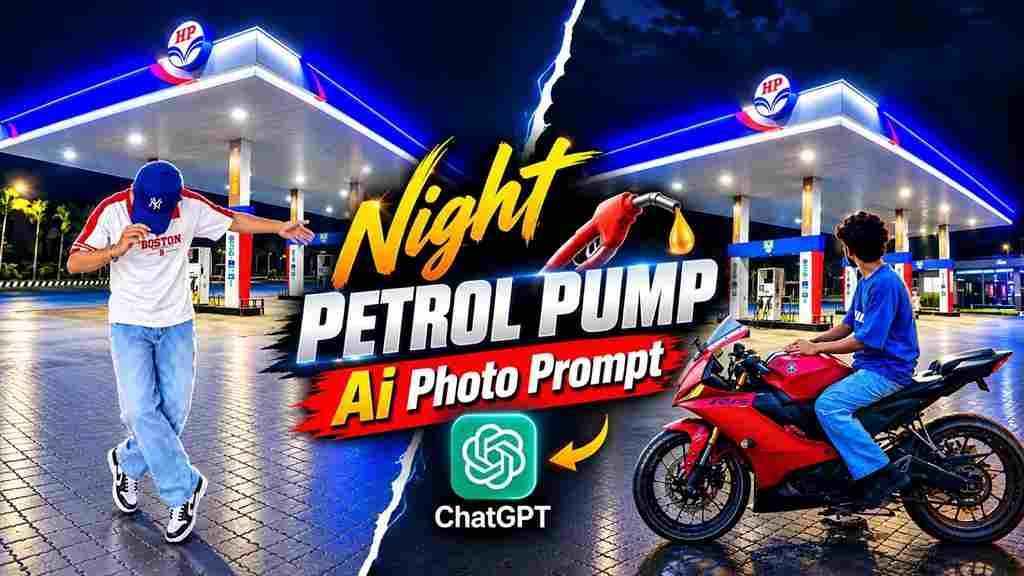
The Trending Petrol Pump AI Photo Edit is a creative way to turn an ordinary portrait into a realistic night-time photo at a petrol pump. This editing style has become popular for creating cinematic and eye-catching social media photos. With the help of an AI photo editing tool, you can place yourself naturally in a petrol pump environment while keeping your face, clothes, pose, and overall appearance consistent with your original photo. The combination of bright station lights, a dark night sky, realistic shadows, and a detailed background can give the image a professional photography look. You only need suitable reference images and a clear prompt.
What Is Petrol Pump AI Photo Editing?
Petrol Pump AI Photo Editing is a type of AI image transformation where your reference photo is placed into a realistic petrol pump environment. Instead of manually cutting out the person and adjusting the background, an AI image tool can create the complete composition from your reference images and text instructions. You can describe the location, lighting, pose, clothing, camera style, and atmosphere you want. A detailed prompt can also instruct the AI to preserve the person’s facial features and overall appearance. The final image can look like a naturally captured night photograph with realistic lighting, reflections, shadows, and background details.
Realistic Night Petrol Pump AI Photo Editing Prompt
Use the following prompt with your person reference photo and petrol pump background image:
Save this image on your device ⬇️
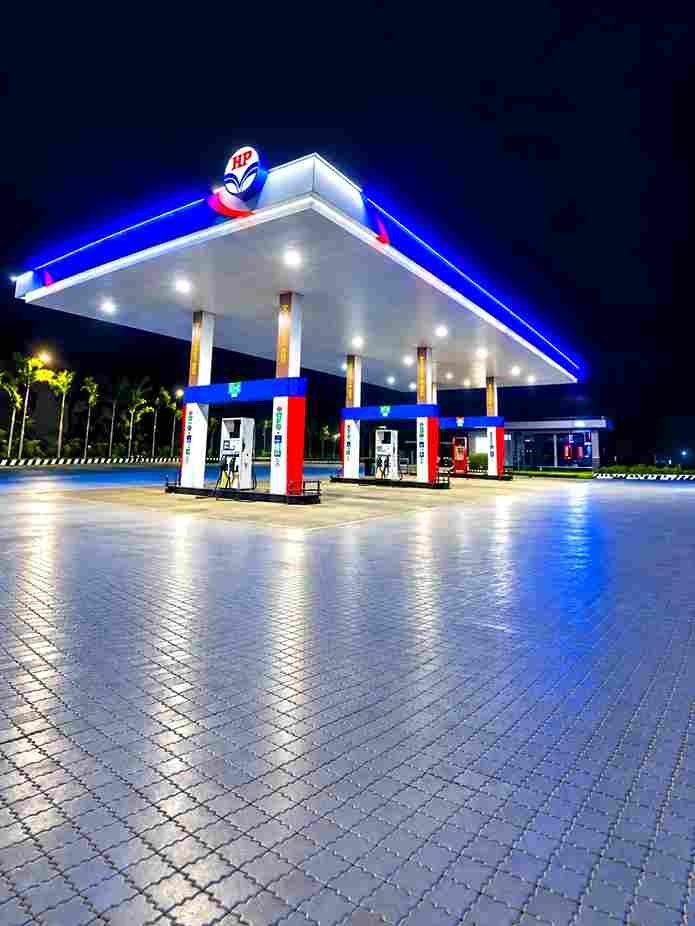
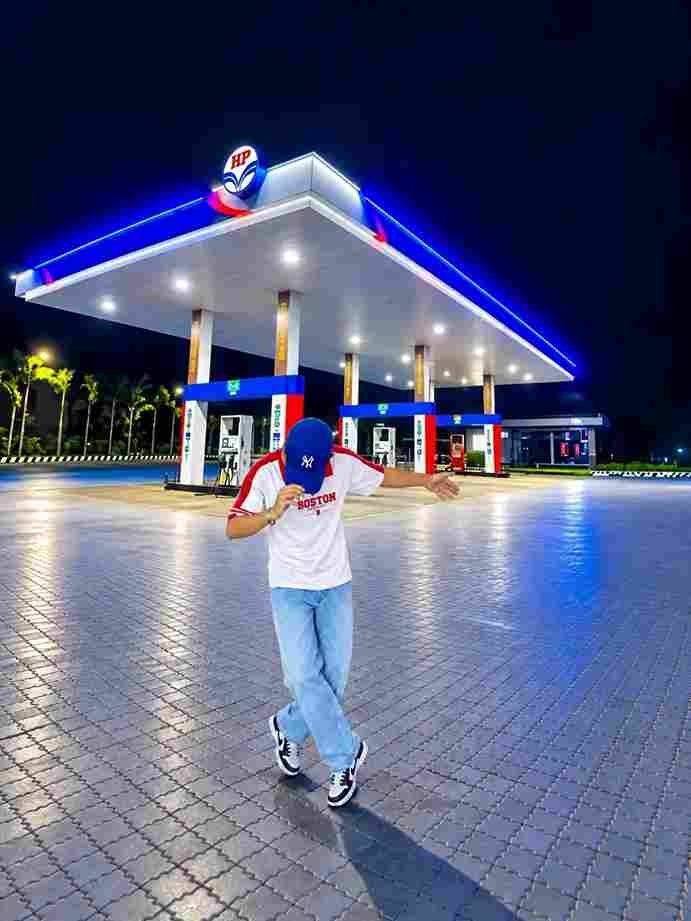
Use the first photo as the exact reference for the person and the second photo as the background/location. Place the same person from the first image naturally into the second image, standing in front of the HP petrol pump at night in the same open-arms pose. Keep his face, hairstyle, skin tone, body shape, clothes, hands, arms and overall proportions exactly the same as the first photo - do not change or regenerate his face. Match his height and scale naturally with the petrol station environment. Make the lighting, shadows, reflections and perspective perfectly consistent with the night-time petrol pump scene. Keep the large petrol station canopy, pumps, trucks, road and surrounding lights clearly visible in the background. Create a highly realistic DSLR-style composite with sharp natural details, realistic skin and fabric texture,cinematic night lighting, subtle blue/red petrol-pump glow, natural ground shadows and reflections. The final image must look like an authentic photograph
How to Create Petrol Pump AI Photo
Creating this realistic petrol pump photo is simple when you have the right reference images. First, select a clear photo of yourself where your face, clothes, pose, and body are clearly visible. Then choose a suitable petrol pump night photo to use as the background. Open an AI image editing tool that supports reference images and upload both images. Add the realistic night petrol pump prompt provided above and generate the image. After the result is created, carefully check the person’s face, body proportions, clothing, hands, lighting, and background. If anything looks unnatural, make small changes to the prompt and generate another version until the composition looks realistic.
Match Night Lighting With the Background
Lighting is very important when placing a person into a night-time petrol pump scene. The person should appear to be naturally standing under the same light sources as the background. Ask the AI to match the brightness, direction, color temperature, shadows, reflections, and contrast between the subject and the location. Petrol pumps often have bright overhead lights that can create highlights on clothing and natural shadows on the ground. Matching these details can make the person look properly integrated into the scene instead of appearing pasted onto the background. A balanced combination of station lighting and dark surroundings can also create the cinematic night photography effect.
Create a Cinematic Night Photography Look
To make the final image more attractive, you can include a subtle cinematic photography style in the prompt. Realistic depth, natural shadows, sharp subject details, soft background elements, and balanced contrast can help create a professional appearance. The petrol pump lights can provide highlights while the surrounding night environment adds depth to the image. Avoid making the image excessively dark or adding too many artificial effects because this can reduce realism. A clean DSLR-style appearance with natural skin texture and realistic environmental details can work better. The goal is to make the final picture look like an actual photograph captured at the petrol pump at night.
Tips for Better Petrol Pump AI Photos
For the best results, use a high-quality person reference and a clear petrol pump background image. Make sure the pose and camera angle of the person can fit naturally into the chosen background. Clearly mention which image is the person reference and which one is the location reference. Ask the AI to preserve important details and match the perspective, scale, lighting, shadows, and colors. After generating the image, carefully inspect the face, hands, clothing, ground shadows, and background elements. If something looks incorrect, make small prompt changes rather than completely rewriting the instructions. A few focused adjustments can often help improve the final composition.
Share Your Realistic Petrol Pump Photo
Once you are satisfied with the final image, you can share your realistic petrol pump AI photo on Instagram, Facebook, WhatsApp, or other social media platforms. You can also use it as a profile picture, Reels cover, story, or creative post. Before uploading, check the image at full resolution and look for any unusual AI-generated details. If you create multiple versions, try different poses, camera angles, or petrol pump backgrounds while keeping the main appearance consistent. You can also add a short caption that matches the night-time cinematic mood. A realistic background, natural lighting, and consistent subject details can make this type of AI edit stand out.
Final Words
The Trending Petrol Pump AI Photo Edit is a creative way to transform a regular portrait into a realistic night-time petrol pump scene. By using one image as the person reference and another as the background, you can create a detailed composition with natural lighting, shadows, reflections, and cinematic night atmosphere. The most important part is choosing clear reference images and giving the AI specific instructions about preserving the person’s appearance and matching the background. Review the generated image carefully and make small adjustments whenever necessary. I hope this guide helps you create your own realistic petrol pump AI photo. If you face any problems while using the prompt, feel free to let me know in the comment box or on our Instagram page.